Tag: vibevo

  • AI video advertising vs traditional production

    AI video advertising vs traditional production

    In modern marketing, AI video advertising is becoming an increasingly popular tool. These are short promotional videos created primarily using generative AI: script, voice, character, image, and scenes. Traditional production uses real actors, a film crew, locations, and editing. AI is usually faster and cheaper for variations but requires disclosure and strict review. Classic filming remains stronger for main brand films.

    Comparing AI and traditional production should not be based on the principle of “new versus old.” They are different tools. AI wins where many variations and quick tests are needed. Filming wins where live emotions, premium visuals, real people, and high trust are important.

    McKinsey shows that AI is already widely used in companies, but scaling remains challenging: most organizations are still experimenting or piloting, while about a third have begun scaling AI programs. Successful companies more often redesign workflows and introduce human review of results.

    Cost per Variation

    In traditional production, the main cost is not just filming. Each new version is expensive: a different actor, different text, different language, different location, new editing.

    Parameter AI Video Advertising Traditional Filming
    First variation Requires brief, generation, editing Requires script, team, filming, editing
    Additional variation Usually cheaper: changes text, scene, voice, character Often requires reshoots or complex rework
    10 variations Feasible in one production cycle Usually significantly more expensive and slower
    100 variations Possible with strict matrix and review Usually economically challenging

    AI reduces the cost not necessarily of the main video, but of each subsequent version. If one expensive video is needed for a big launch, classic filming may be better. If 30 audience approaches need testing, AI is almost always more convenient.

    Where VibeVO Fits in This Model

    VibeVO does not force a brand to choose between “only AI” and “only classic filming.” The practical approach is different: classic filming can be retained for main brand materials, while VibeVO is used for mass production of variations.

    For example, a brand can shoot one main video or create a mascot image, and then through VibeVO quickly produce dozens and hundreds of short promotional materials based on it. These can be different first frames, different texts, different languages, different overlays, different versions for audiences, and different character behavior scenarios.

    This approach is especially useful when you need to:

    • quickly test several advertising hypotheses;
    • produce many short videos;
    • localize materials for multiple markets;
    • use a single character in a series;
    • get cheap options without reshoots;
    • cover a large volume of materials in one production cycle.

    In other words, traditional production creates an expensive foundation, while VibeVO helps scale it into a stream of advertising materials.

    Illustration 1

    Time from Brief to Variant

    Stage AI Video Advertising Traditional Production
    Idea Fast Fast, but requires approvals
    First variants 1–3 days with a ready process Weeks with filming
    Edits Fast Depend on footage shot
    Localization Fast with ready rules Often requires dubbing and adaptation
    New character Can be created in the system Needs an actor, model, or design

    AI is especially strong when the team doesn’t know in advance which variant will work. Instead of one hypothesis, you can prepare several messages, formats, and first frames.

    How Many Variants Can Be Made Per Week

    Team Realistic Volume
    Small team without a process 5–10 variants per week
    Team with templates and review 20–40 variants per week
    Mature process with a variant matrix 50–100 variants per week
    Traditional filming without reshoots Usually fewer variants, but higher production value

    More variants doesn’t mean better. If all variants differ only in button color, that’s not creative diversity. You need different first frames, angles, characters, formats, and promises.

    Requirements for Live Actors

    Traditional production requires people: actors, presenters, models, camera operator, sound, makeup, staging. This provides liveliness and trust but increases cost and complexity.

    AI video advertising can use:

    • a synthetic character;
    • AI voiceover;
    • created scenes;
    • a virtual presenter;
    • product images;
    • additional footage without filming.

    But if the image or voice of a real person is used, rights are needed. The Tennessee ELVIS Act was created as protection against AI deepfakes and voice cloning, showing how important voice and likeness rights are in synthetic production.
    Illustration 2

    Localization Cost

    AI is especially useful for localization.
    AI видеореклама vs традиционный продакшн — illustration 2
    Task AI Video Ad Traditional Video
    Translate text Fast Fast
    Re-voice Fast, if voice is synthetic Need a voice actor or studio
    Change the character Possible Need new filming
    Change the background Possible Need graphics or filming
    Produce in 10 languages Realistic Expensive and time-consuming

    But localization is not just translation. It requires checking cultural context, legal wording, prohibited words, local requirements, and AI disclosure.

    Disclosure Obligations: EU and USA

    In the EU, the key document is the AI Act. The European Commission states that generative AI content must be identifiable, and certain types of AI content, including deepfakes, must be clearly labeled; transparency rules come into effect in August 2026.

    In the USA, there is no single general rule for all commercial AI advertising. There are state laws and platform rules. For example, New York passed a law on the disclosure of synthetic performers in advertising, which is set to take effect on June 9, 2026. California’s AB 2655 concerns deepfakes in electoral contexts and imposes obligations on large online platforms, so it cannot be automatically applied to regular commercial advertising.

    Brand Review Burden

    AI reduces production costs but increases the review burden.
    Illustration 3
    Risk Why It Occurs
    Factual error AI may “invent” a product characteristic
    Resemblance to a real person A character may accidentally resemble a known face
    Incorrect voiceover Synthetic voice may sound like a real person
    Strange facial expressions Reduces trust
    Style violation Material does not look like the brand
    No disclosure Risk of rule violation
    Too “AI-like” appearance Audience notices artificiality

    For classic filming, the risks are different: cost, deadlines, reshoots, actor availability, location rights, and localization complexity.

    Production Quality Ceiling

    Traditional production currently has a higher ceiling in terms of staging value. If you need an expensive car commercial, a cinematic scene, a famous actor, complex lighting, or real emotion, filming is stronger.

    AI is stronger in other areas:

    • mass variations;
    • short advertising videos;
  • quick tests;
  • localization;
  • game characters;
  • product demonstrations;
  • banners and badges;
  • recurring series with an AI hero.

When Each Approach Wins

Situation AI Better Filming Better
Need 50 variants Yes No
Need a main brand film Sometimes Yes
Need localization in 10 languages Yes More difficult
Need a real founder No Yes
Need a virtual character Yes Not necessarily
Need high trustworthiness With caution Yes
Need a quick test Yes No
Need a premium image Sometimes More often yes

Hybrid Strategy

The strongest approach is hybrid.

  1. Shoot one high-quality main material.
  2. Use it as the foundation of the brand style.
  3. Create dozens of short variants with AI.
  4. Test different first frames and messages.
  5. Localize the best versions.
  6. Keep filming for major moments, and AI for regular production.

Practical Hybrid: Filming for Main Material, VibeVO for Scale

For many brands, the best scheme looks like this:
Illustration 4
Stage Who is better suited
Main brand film Classic filming
Mascot or visual foundation Filming, design, or AI
50–100 short ad variants VibeVO
Localization VibeVO
Badges and short banners VibeVO
Quick edits VibeVO
New waves of tests VibeVO

This way, the brand maintains quality where it truly matters and reduces costs where volume is important. There is no need to reshoot every variant. It is enough to have a strong foundation, a clear brief, and quality rules.

FAQ

Can AI replace all traditional production? No. AI can replace part of the tasks: variants, localization, short videos, badges, characters, draft scripts. But for large brand films, complex staging, real people, and high trustworthiness, classic filming remains strong.

Will viewers understand that the ad was created by AI? Sometimes yes. Especially if there is strange facial expression, unnatural voice, errors in hands, eyes, or movement. But the main question is not whether they will notice, but whether the brand honestly discloses synthetic material where required.

What works better on TikTok? There is no universal answer. TikTok emphasizes the importance of the first seconds, early value proposition, and creative brand signals. AI can work well if the video looks natural for the platform, quickly grabs attention, and passes brand review.

Conclusion

The choice between AI video advertising and traditional production is not a battle of technologies, but a matter of strategy. AI offers speed, scale, and flexibility for testing and localization. Classic filming provides trust, emotion, and premium quality.

  • Best Scripts for AI Video Ads

    Best Scripts for AI Video Ads

    Best Scenarios for AI Video Advertising: Apps, Online Stores, Localization, Mass Testing, Regulated Categories, AI Characters, and Limitations

    AI video advertising works best where the volume of variants directly impacts return on ad spend. Key scenarios include app installs, online stores, localization, mass message testing, and series with an AI character. Bad scenarios are expensive brand films, high-trust categories, controversial promises, imitating real people without consent, and situations where production quality defines brand image.

    AI advertising is not a universal replacement for all production. Its strength is speed, variability, and reducing the cost of each subsequent version. Its weakness is trust, legal limitations, the risk of artificiality, and the need for strict verification.

    McKinsey shows that AI adoption has already become widespread, but value does not appear automatically: companies with the best results more often have redesigned processes, human oversight, and outcome measurement.

    Scenario 1. App Installs

    For apps, AI advertising is especially useful because in this category it is important to quickly test different messages.

    What can be tested:

    • time savings;
    • convenience;
    • benefit;
    • interface simplicity;
    • comparison with the old method;
    • emotion after use;
    • screen demonstration;
    • short video in a user-generated style.

    The plus of AI is that the team can quickly make 20–50 short versions and find which first frame gives the best response. For apps, this is often more important than an expensive staged video.

    Scenario 2. Online Stores and Product Variants

    Online stores rarely need one perfect video. They need dozens of materials for different products, collections, prices, audiences, and occasions.

    Task How AI Helps
    Many products Quickly creates variants for product cards
    Different categories Changes background, presentation, text
    Promotions Quickly updates the message
    Seasons Adapts visuals for holidays or periods
    Overlays Makes short banners for videos and social media
    Voiceover Quickly creates versions in different languages

    The main risk is incorrectly showing the product. Therefore, all images and descriptions must be checked against the actual product card.

    Scenario 3. Localization at Scale

    Scenario 4. Mass Testing of Advertising Materials

    AI is useful when a team wants to test not just one piece of material, but a map of hypotheses.

    For example:

    • 5 angles of presentation;
    • 4 first frames;
    • 5 formats;
    • 2 languages;
    • 2 video lengths.

    TikTok emphasizes that the first seconds of a video are critically important for ad memorability, and the value message needs to be delivered early. For AI video, this is especially important: a bad first frame can ruin even a technically polished piece of material.

    Scenario 5. Regulated Categories — Only with Restrictions

    AI can be used in regulated categories, but with caution. These include finance, medicine, education, gaming, betting, insurance, investments, children’s products, and other sensitive areas.

    Illustration 2

    What is mandatory:

    • a legal list of permitted formulations;
    • a list of prohibited promises;
    • verification of age restrictions;
    • verification of images of people;
    • voice verification;
    • disclosure of AI, if required;
    • final approval by a human.

    AI cannot be used for fabricated reviews, unsubstantiated medical claims, impersonating a doctor without basis, or promising income without disclosing risks.

    Лучшие сценарии для AI видеорекламы — illustration 2

    Scenario 6. Series with an AI Character

    An AI character can become a recurring face of the brand: an assistant, host, salesperson, mascot, game hero, or explaining expert.

    Pros:

    • the character is always available;
    • series can be produced quickly;
    • language can be easily changed;
    • a consistent style can be maintained;
    • no dependence on the actor’s schedule.

    Risks:

    • the character may look artificial;
  • the audience may not trust;
  • verification for similarity to real people is needed;
  • disclosure is required where necessary.
  • For serial content, an AI character is especially useful when the brand does not pretend it is a real person, but honestly uses it as a synthetic hero.

    How VibeVO addresses these scenarios

    VibeVO is best suited for tasks where the brand needs volume: many videos, many banners, many variations of one message, multiple languages, different audiences, and regular new waves of materials.

    Illustration 3
    Situation What can be done through VibeVO
    There is a product Create dozens of videos for different benefits
    There is a mascot Make a series with the character in different scenes
    There is an advertising hypothesis Prepare many variations for testing
    There are multiple markets Localize materials into different languages
    There is a brand style Scale it into different formats
    There is a reach task Create banners and short ads
    There is an installation task Create short videos with different first frames

    The main difference from regular production is scale. VibeVO is not limited to one video. If the brand has a clear brief, production can be quickly scaled up to get a large flow of materials for a specific advertising task.

    For apps, this could be dozens of installation videos. For an online store, variations by category and product. For localization, versions in different languages. For a brand with a mascot, a regular series where the character explains the product, jokes, shows use cases, or hosts short educational videos.

    Where AI video ads are best not used

    Situation Why AI is not better
    Main brand film High production value needed
    Founder’s personal story Real person needed
    Medical claims High risk of errors
    Financial guarantees Legal rigor needed
    Luxury brand Artificiality may reduce perception
    Trustworthy testimonial Real customer is better
    Imitation of a celebrity Rights and reputation risks

    VibeVO should not be used for deceptive imitation of a real person, fake testimonials, or questionable claims. If a real client, doctor, expert, founder, or public figure is needed, a real person and their participation rights are required. AI is best used where the brand honestly creates a synthetic advertising format: a character, a banner, a product video, explanatory material, or a localized version.

    FAQ

    Can AI video advertising ruin brand perception?

    Yes, if the material looks cheap, unnatural, deceptive, or violates the company’s style. The risk is lower if AI is used for clear tasks: variations, localization, overlays, short clips, tests, rather than for simulating a real person without disclosure.

    Illustration 4

    Is AI video advertising safe for regulated categories?

    Only with strict restrictions. Approved formulations, legal review, a ban on fabricated testimonials, control over images, and disclosure of AI where required are necessary. Without this, AI advertising in a regulated category can be dangerous.

    What is the worst-case scenario for AI video advertising?

    The worst-case scenario is presenting a synthetic person as a real expert or client, making unsubstantiated claims, and not disclosing the use of AI. This simultaneously risks trust, legal issues, and reputation.

    Conclusion

    AI video advertising opens up huge opportunities for scaling, testing, and localization. But success depends on choosing the right scenarios and strict quality control. Start small: choose one of the described scenarios, test it on a small volume, and measure the results. Ready to try? Contact us to discuss your first project with VibeVO.

  • How AI Production Works for Brands

    How AI Production Works for Brands

    AI production for brands is not just a set of tools, but a structured eight-step process that turns chaotic generation into a manageable flow of quality content. In this article, we will break down how AI production for brands works: from receiving a brief to returning results for the next cycle. You will learn how to avoid common mistakes and build a system that delivers measurable results.

    AI production for brands is an eight-step process: receiving a brief, human creative direction, AI generation, manual editing, brand and advertising claims review, disclosure and metadata application, placement, and returning results for the next cycle. Quality depends on strong creative management in the second step and rigorous review in the fifth; without this, the result is mediocre AI content.

    For a brand, AI production should look not like a chaotic set of tools, but like a clear workflow. It includes input data, responsible people, review rules, disclosure, metadata, and a connection to advertising results.

    Gartner specifically highlights the risks of generative AI: lack of transparency, accuracy, fabricated facts, biases, unintentional disclosure of intellectual property, copyright infringement, and cyber and fraud risks. Therefore, a brand process should start not with a command to “make it look good,” but with a brief, constraints, and review.

    How It Looks for a Brand in VibeVO

    In VibeVO, a brand can come with a brief, brand materials, examples of the desired style, and constraints — and then production is launched through a large network of creators. If the task requires scale, up to a thousand creators can be involved, working in parallel on variations of videos, banners, images, characters, and other advertising materials.

    This is especially useful when a brand needs not just one video, but a large volume: 100 variations for testing, 500 materials for different audiences, or regular production of new advertising materials every week. The brand does not manage each creator manually. It sets the brief, quality rules, and constraints, while VibeVO organizes production, review, and delivery of finished materials.

    What the Brand Provides What VibeVO Does
    Brief Breaks down the task into production assignments
    Brand Style Ensures materials align with the brand
    Constraints Excludes prohibited topics, words, and claims
    Examples Conveys the desired direction to creators and AI tools
    Target Volume Scales production to the required number of variations
    Review Requirements Organizes selection, edits, and final delivery

    This approach relieves the brand of the main operational pain: there is no need to build a complex production system yourself, find dozens of creators, control deadlines, or manually collect materials from different sources.

    Step 1. Receiving the Brief

    Step 1. Receiving the Brief

    The brief is the foundation of the process. The more precise the initial assignment, the fewer garbage options the AI will create.

    Block What to Specify
    Product What we are advertising and its benefit
    Audience Who should understand the message
    Goal Awareness, installation, purchase, lead
    Style Calm, bold, expert, entertaining
    Restrictions Themes, words, images, visual solutions
    Claims What can be said about the product and what cannot
    Brand Materials Logo, colors, fonts, examples
    AI Disclosure Where and how synthetic content needs to be marked
    Platforms TikTok, Reels, Shorts, apps, website

    In VibeVO, the brief must be specific enough to be quickly handed off for production at scale. The clearer the brand describes the task, the faster authors and AI tools start generating useful options.

    Example:

    Illustration 1

    We need short videos with a mascot for the app. The mascot should explain three benefits: time savings, simplicity, and convenience. We need options for a Russian-speaking audience, without financial promises, in a light conversational style. First volume — 100 materials.

    Step 2. Creative Direction — Belongs to Humans

    Creative direction cannot be fully handed over to AI. A human must decide:

    • what idea the user should grasp in the first seconds;
    • what brand image is needed;
    • what will be the main entry point into the video;
    • what conflict or benefit underlies the message;
    • which options are worth testing;
    • where the boundary of what is acceptable lies.

    McKinsey notes that companies with the best AI results are more likely to redesign workflows and have clear rules for when AI output must undergo human review. For AI production, this is a key principle: value comes not from the tool, but from the process around it.

    Step 3. AI Generation

    After creative direction, generation begins. Here, the following are created:

    Как работает AI-продакшн для брендов — illustration 2
    Как работает AI-продакшн для брендов — illustration 2
    • texts and short scripts;
    • images;
    • backgrounds;
    • characters;
    • talking faces;
    • voiceovers;
    • banner options;
    • scenes;
    • additional footage;
    • versions in different languages.

    At this step, it is important not to try to get the final material immediately. The goal of generation is to provide a set of options from which the editor and creative director will select the strong ones.

    Illustration 2
    Variable Examples
    Angle Time savings, price, simplicity, trust, emotion
    First Frame Face, product, question, problem, comparison
    Tone Conversational, expert, meme-like, calm
    Format Talking head, demonstration, text overlay, mini-scene
    Call to Action Download, try, learn, buy, compare

    Step 4. Manual Editing

    Step 5. Brand and Advertising Claims Review

    AI creates raw material. Humans turn it into advertising.

    The editor checks:

    • editing;
    • rhythm;
    • first frame;
    • lip-sync and voice synchronization;
    • text readability;
    • video length;
    • framing;
    • pauses;
    • platform compliance;
    • final call to action.

    For short videos, the first seconds are critical. TikTok’s advertising recommendations state that most of the impact on ad memorability occurs in the first six seconds, so the value of the message should be delivered early.

    Step 5. Brand and Advertising Claims Review

    This is the main checkpoint. At this step, the material is either approved for placement or sent back for revision.

    Illustration 3
    Area What to Check
    Brand Identity Logo, colors, tone, visual guidelines
    Claims No unsubstantiated promises
    Legal Risks Finance, health, gambling, betting, children
    Rights No third-party image, voice, product, or music
    Accuracy No fabricated facts
    Ethical Risks No deception, manipulation, or discrimination
    AI Disclosure Whether a label is needed and where it is placed

    If the brand is not ready to review materials, scaling AI production is risky. The more variants there are, the stricter the selection rules must be.

    Step 6. Disclosure and Metadata

    Disclosure is not just a “created by AI” label. It also includes an internal record: which tool created the material, when, based on which brief, who reviewed it, and which version was approved.

    A practical set of metadata:

    • brief number;
    • material version;
    • type of AI content;
    • generation tool;
    • creation date;
    • reviewer;
    • legal review status;
    • disclosure status;
    • placement platform;
    • test label.

    For the EU, it is important to consider the transparency rules of the AI Act: the European Commission states that generative AI content must be identifiable, and certain types of AI content, including deepfakes, must be clearly labeled.

    Step 7. Placement

    After approval, materials are sent for placement. It is important here not to lose the connection between the material and the results.

    Illustration 4

    Each variant must have:

    • a unique name;
    • a version number;
    • a clear label for the angle of approach;
    • a separate link or tracking tag;
  • binding to the audience and platform;
  • launch date.
  • Without this, it is impossible to understand which specific material worked. If 30 videos are called “final”, “final2”, and “new_final”, the report becomes useless.

    Step 8. Returning results to the next cycle

    The placement results are returned to production. This is not a report for the sake of a report, but raw material for the next wave.

    Metric What it means
    First-second retention How strong the opening is
    Views Whether there is enough volume
    Clicks Whether there is action
    Cost per action How cost-effective the material is
    Comments Whether there is irritation or trust
    Best formulations Which words are worth repeating
    Worst decisions What needs to be removed

    The best ideas go into the next brief, the weak ones are closed.

    Where everything breaks down

    Error Consequence
    Weak brief AI creates random materials
    No creative director Everything looks the same
    No claim verification Risk of legal claims
    No AI disclosure Risk of rule violations
    No labels Impossible to understand what worked
    Too many options without selection Team drowns in review
    Complete trust in AI Errors end up in publication

    <h2

  • How many short videos can be made from one stream?

    How many short videos can be made from one stream?

    From one stream, you can get anywhere from a few to dozens of short videos. We explain what the number depends on and why clips have become one of the main ways to promote streamers.

    From a typical two-hour stream, you can make five to thirty short videos for TikTok, Reels, and YouTube Shorts. The exact number depends on the density of events: gaming, humorous, and competitive streams provide more moments, while calm talk or background streams provide fewer. But the main thing is not the quantity, but how many videos are actually worth publishing.

    Short videos are one of the main ways to promote streamers because they allow you to reuse a stream you’ve already done. You stream once, and then for several days or weeks you get material for TikTok, Reels, and Shorts from it.

    And you don’t necessarily have to do it yourself. In the VibeVO model, a streamer can upload a recording of the entire stream, and the team of clippers will find the strong moments themselves, make videos, publish them, and earn from the result—the reach of the short videos. For the streamer, this turns a long stream into a source of promotion without separate editing work.

    What determines the number of videos

    1. How dense the stream was

    If something interesting happens every few minutes, there will be many videos. If the stream is calm, with long pauses and repetitive actions, there will be fewer videos.

    High yield usually comes from:

    • competitive games;
    • challenges;
    • funny mistakes;
    • reactions to chat;
    • arguments;
    • unexpected victories;
    • collaborative streams;
    • analysis and tutorials.

    Low yield often comes from:

    • long grinding;
    • calm background stream;
    • technical settings;
    • long conversations without bright phrases;
    • music without explaining the process.

    2. Stream length

    A long stream doesn’t always mean more good videos. After three to four hours, the stream often becomes less dense: the streamer gets tired, the chat slows down, events repeat. Therefore, a two-hour stream sometimes gives more strong videos than a four-hour one.

    3. Genre

    Stream type How many videos from 2 hours Why
    Competitive games 15–35 Wins, mistakes, reactions, tense moments
    Humor and chat 10–30 Many phrases, jokes, arguments with chat
    Calm playthrough 3–12 Fewer sharp events
    Talk stream 5–15 Depends on topics and brightness of phrases
    Music or creativity 3–10 Needs context, fewer quick scenes
    Podcast format 3–10 Quotes, arguments, and strong thoughts work
    IRL stream 5–20 Everything depends on external events

    These numbers are a working estimate based on VibeVO’s internal data. It’s best to use them as a range, not a promise.

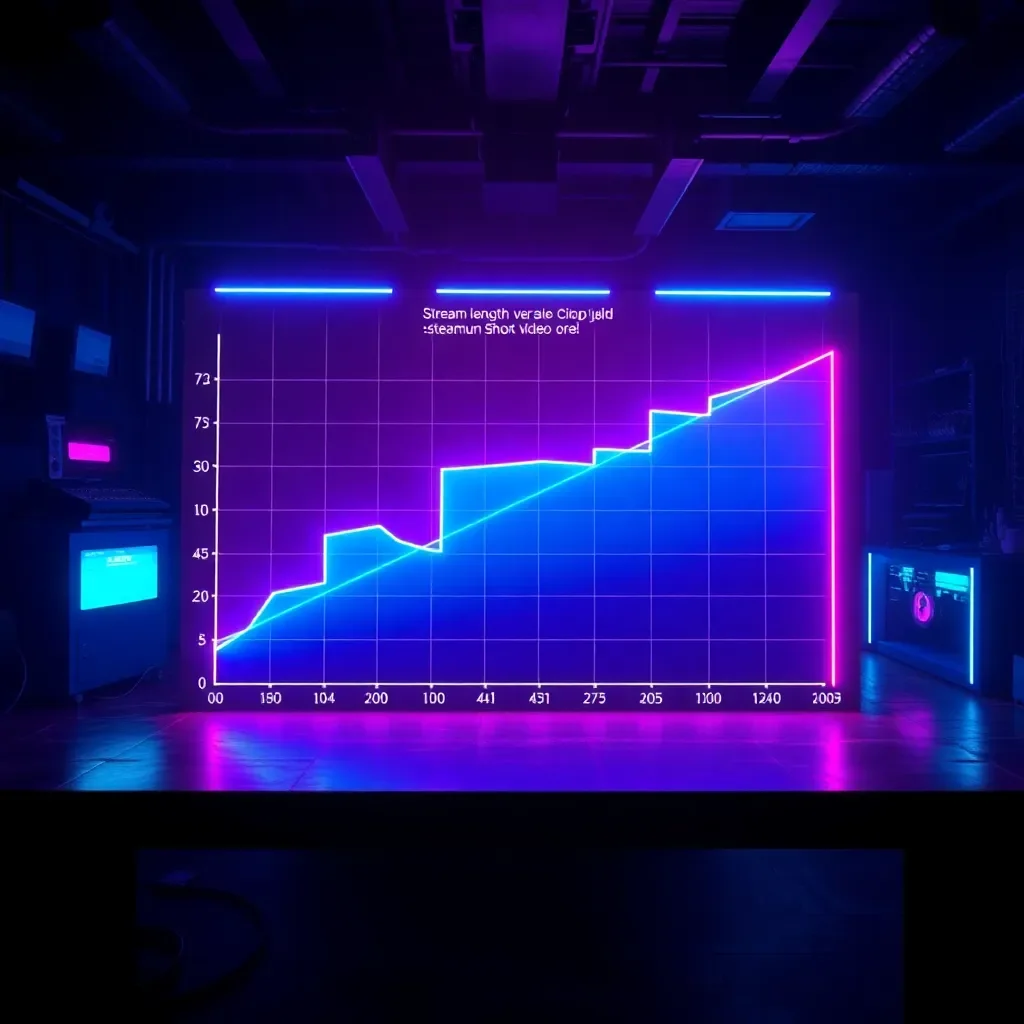
    Illustration 1

    Table: Stream Length and Approximate Number of Videos

    Stream Length How Many Moments Can Be Found How Many Are Worth Publishing
    30 minutes 2–8 1–4
    1 hour 5–18 3–8
    2 hours 10–50 5–30
    3 hours 15–60 8–35
    4 hours 18–70 8–35
    6 hours or more 20–90 10–40

    The main idea: you can cut more than you publish. A good team doesn’t post everything. They select moments that are understandable to a new audience.

    Why You Shouldn’t Publish All Videos

    If you get 40 clips from a stream, it doesn’t mean you need to post all 40. Weak videos can hurt the overall result: people scroll past them, visit your profile less, and react worse to subsequent posts.

    It’s better to choose:

    Сколько коротких видео можно сделать из одного стрима? — illustration 2
    • videos with a quick start;
    • moments that are understandable without context;
    • emotional scenes;
    • short stories with a beginning and an end;
    • videos that show the streamer’s personality.

    TikTok, in its recommendations for advertising and creative materials, emphasizes the importance of a strong start and video structure: beginning, main part, and ending. This also applies to organic streamer videos: the viewer should quickly understand why it’s worth watching further.

    Illustration 2

    How a Streamer Can Use One Stream for Promotion

    The simplest plan:

    1. Go live.
    2. Save the recording.
    3. Upload it to a service or send it to editors.
    4. Get a set of short videos.
    5. Publish them on a schedule.
    6. See which videos bring in new viewers.

    If you do this regularly, every stream becomes not just a live broadcast but also raw material for promotion. This is especially important given the growth of live streams: Stream Hatchet reports that in 2025, the total number of hours watched for live streams reached 36.4 billion.

    How Many Videos to Actually Publish

    For a beginner streamer:

    • 4–7 videos per week is a good start;
    • 1 video per day is a solid, sustainable pace;
    • 2–3 videos per day if you have many strong moments;
    • More than 3 per day only if you have a team and consistent quality.

    If VibeVO or another team handles the editing, the streamer doesn’t need to maintain this pace themselves. Their job is to deliver good streams and upload recordings.

    Illustration 3

    Frequently Asked Questions

    Which gives more videos: a two-hour or a four-hour stream?

    A four-hour stream usually gives more moments, but not always more good clips. Often, a two-hour broadcast is denser, livelier, and easier to edit. If a four-hour stream has many repetitions and pauses, the return will be lower.

    Does a podcast give as many clips as a stream?

    Usually not. A podcast may yield fewer clips because there are fewer visual events. But good quotes, debates, and strong ideas are excellent for short videos.

    Illustration 4

    Do you need to publish all clips?

    No. It’s better to publish only the strong ones. The rest can be kept for reprocessing, compilations, Discord, Telegram, or future publications.

    Ready to turn every stream into a source of promotion? Start with one broadcast: save the recording, find 5–10 strong moments, and publish them within a week. You’ll see how short videos start working for your growth.

  • How to Build an AI Testing Process for Ad Creatives

    How to Build an AI Testing Process for Ad Creatives

    In the world of performance marketing, the winner is not the one who created one brilliant video, but the one who built an AI testing process for advertising creatives and turned production into a conveyor belt. This is a nine-stage system that transforms a brand brief into a constant flow of approved, AI-generated, and labeled advertising materials. Each variant receives separate tracking so that winners are amplified, weak materials are turned off, and insights are fed back into the next brief. A mature system delivers 30–60 variants per week per brand.

    Such a process is needed by companies that want not just to “create with AI,” but to regularly improve advertising materials. The point is not quantity for the sake of quantity. The point is a managed cycle: hypothesis → material → testing → launch → data → new hypothesis.

    NIST AI 600-1 helps organizations identify risks of generative AI and select risk management actions that align with their goals. For advertising teams, this means: the process must include quality checks, AI disclosure, rights control, version tracking, and human decision-making at key stages.

    You Don’t Have to Build Everything In-House: You Can Buy a Creative Stream from VibeVO

    An in-house AI testing process is a strong model, but not every brand needs to build it internally. This requires people, tools, editing, review, version management, platform uploads, and continuous production. It is time-consuming and expensive, especially if the brand is just starting out.

    An alternative is to sign a contract with VibeVO for a large volume of advertising materials and receive a stream of creatives cheaper than assembling a team in-house. The brand provides a brief, brand guidelines, restrictions, examples, and target volume. VibeVO connects authors, AI tools, and a review process, then delivers finished materials in batches.

    This is especially convenient when you need:

    Low cost per unit is achieved not by reducing quality, but through scale: parallel work by authors, ready-made production rules, repeatable templates, and AI tools to speed up rough generation.

    Stage 1. Structured Brief

    A regular brief is too loose. AI requires a structured format.

    Field Example
    Product Mobile app
    Goal Installation
    Audience 18–35, Russian-speaking users
    Main benefit Saves time
    Prohibited claims Cannot promise income
    Tone Light, confident, no pressure
    Formats Talking head, demonstration, banner
    Disclosure Synthetic character must be labeled
    Markets CIS, USA
    Tags Angle, first frame, format, call to action

    The more structured the brief, the easier it is to produce dozens of materials without chaos.

    Stage 2. Creating Hypotheses

    A hypothesis is a testable idea.

    Bad hypothesis: “Make it look nice.”

    Good hypothesis: “A first frame showing a problem will yield better retention than a first frame showing the product.”

    Examples of hypotheses:

    Illustration 1
    • “Price works better than convenience.”
    • “A talking head is better than a screen demonstration.”
    • “A question in the first frame is better than a statement.”
    • “A banner with short text is better than a long explanation.”
    • “Local language reduces cost per action.”

    Stage 3. Producing Variations with AI

    AI is used to create different versions of:

    • scripts;
    • first frames;
    • images;
    • characters;
    • voiceovers;
    • banners;
    • short videos;
    • localized versions.

    But each variation must be tied to a hypothesis. If the material does not answer the test question, it is not needed.

    Stage 4. Brand Check Gates

    Before launch, each material must pass through “gates.”

    Check Yes/No
    Matches the brief
    Does not violate brand guidelines
    No prohibited claims
    No unauthorized image or voice
    No inappropriate context
    AI disclosure present where required
    Tracking tags present
    Version and responsible person specified

    McKinsey shows that successful companies are more likely to have processes determining when AI outputs must undergo human review. This is especially important in advertising production, where an error can reach the audience within minutes.

    Stage 5. Metadata and Disclosure

    Each material must receive metadata.

    Minimum:

    • brief number;
    • version number;
    • who created it;
    • what type of AI was used;
    • whether there is a synthetic human;
    • whether there is a synthetic voice;
    • whether a mark is needed;
    • who approved it;
    • where it is placed.

    For the EU, the AI Act transparency rules require that generative AI content be identifiable, and certain types of synthetic content, including deepfakes, be clearly labeled. These rules come into effect in August 2026.

    Как построить AI-процесс тестирования рекламных креативов — illustration 2
    Как построить AI-процесс тестирования рекламных креативов — illustration 2
    Illustration 2

    Stage 6. Placement via Platforms

    At this stage, it is important not to “dump everything” but to maintain structure.

    Each piece of content should be placed with:

    • a separate title;
    • an angle label;
    • a first frame label;
    • a format label;
    • a call-to-action label;
    • a launch date;
    • a market;
    • a language;
    • an audience.

    If the platform supports data transfer via an API, uploading and status updates can be automated. If not, it is important to at least manually maintain a consistent naming scheme.

    Stage 7. Tracking at the Content Level

    You cannot look only at the overall campaign. You need to see the result of each variant.

    Label Why It Is Needed
    Angle To understand which message works
    First Frame To understand what grabs attention
    Format To understand how best to present
    Call to Action To understand what drives action
    Language To understand localization
    Platform To understand context
    Version To understand changes

    Meta Andromeda shows that advertising systems are increasingly using machine learning to select ads at the ad candidate delivery stage. Therefore, the diversity of content must be meaningful and measurable.

    Stage 8. Statistical Decision: Amplify or Disable

    Decisions must be made according to rules.

    Illustration 3

    A simple order:

    1. Disable content with poor first-second retention.
    2. Disable content with low view-through rates.
    3. Disable content with high cost per action.
    4. Keep content that generates actions.
    5. Amplify winners.
    6. Create new variants based on the best combinations.

    There is no need to wait for perfect statistics on all 100 pieces of content. The first wave can be read by early signals, the second by actions, and the third by return on investment.

    Stage 9. Winners Return to the Next Brief

    The process becomes powerful when data flows back.

    For example:

    • best angle — “time savings”;
    • best first frame — a question;
  • best format — demonstration;
  • best call to action — “try for free”;
  • weak format — synthetic presenter;
  • weak topic — price.
  • The next brief no longer starts from scratch. It starts with proven signals.

    Toolkit: In-House or Through a Contractor

    Approach Pros Cons
    Do it in-house Control, brand knowledge, proprietary data Need people, tools, processes
    Buy a service Quick start, ready-made process, experience Need to verify rights, quality, and transparency
    Hybrid Balance of control and speed Need clear area of responsibility

    For an in-house process, you need:

    Illustration 4

    For a contractor, you need to require:

    How working with VibeVO compares to in-house assembly

    In-House Process Working Through VibeVO
    Hire a team Hand over the brief and requirements
    Buy tools Use a ready-made production process
    Set up verification Receive materials after selection
    Manage creators Work through a single point of entry
    Track deadlines Receive batches of materials
    Pay for a permanent team Pay for an agreed volume and result
    Slowly ramp up the process Quickly launch production

    For the brand, this reduces operational load. The team doesn’t spend weeks building a creative factory but immediately receives materials for testing and placement.

    Working Cost Benchmarks

    Below is not a universal market, but a practical model for planning.

    Material AI Process Traditional Process
    Banner / graphic Cheap on variations Cheap if a design template exists
    10-second video Cheaper at scale More expensive with each new version
    Synthetic character Cheaper for a series Real actor is more expensive but more trustworthy
    Localization Significantly cheaper More expensive with re-dubbing and adaptation
    Main brand film Not always suitable Usually better

    A mature process can produce 30–60 variations per week per brand, if there are approved templates, verification rules, and a clear matrix. For regulated categories, speed is lower: legal review matters more than volume.

    Large volumes of advertising materials become cheaper when production is structured as a flow. One brief is used for multiple variations. One mascot can appear in dozens of scenes. One product can be shown in different formats. One set of quality rules applies to the entire batch.

    VibeVO can reduce costs through:

  • How to Create 100 Ad Creatives from One Brief

    How to Create 100 Ad Creatives from One Brief

    Creating 100 ad creatives from one brief is a task that scares most marketers. But in reality, it’s not chaotic generation, but strict math: five angles of presentation, four first frames, and five formats with calls to action. The result is not just a pile of files, but a verifiable matrix of hypotheses ready for launch. In this article, we’ll break down how to turn one document into a full-fledged ad campaign using AI and clear processes.

    Making 100 ad creatives from one brief means breaking the original assignment into a matrix of options: five angles of presentation, four first frames for each angle, and five combinations of format with a call to action. The result is a hundred verifiable materials. Each option undergoes brand verification, receives AI disclosure labels, and separate result tracking.

    100 materials are needed not because “more is better.” They are needed when the team doesn’t know which approach will work. In short advertising, the winner is often found not in the first video, but in a combination: the right first frame, the right angle of presentation, the right format, and the right phrase.

    Meta describes Andromeda as an ad selection system that uses machine learning at the stage of selecting ad candidates and helps display ads more personally. The practical takeaway for ad teams: platforms need not dozens of identical copies, but truly different materials with clear signals.

    The Main Idea: You Don’t Have to Build Your Own Content Factory

    To make 100 ad materials from one brief, a brand doesn’t have to build a complex production department inside the company. There’s no need to hire dozens of writers, designers, editors, AI specialists, editors, and quality managers. You can give the brief to VibeVO and get a large set of ready-made options.

    For example, a brand can provide:

    • a mascot image;
    • a character description;
    • character behavior rules;
    • product information;
    • examples of the desired style;
    • a list of prohibited topics;
    • the required number of options;
    • markets and languages;
    • material format.

    From there, the task is broken down into production assignments. Authors and AI tools start creating options: the character says different phrases, shows different actions, explains different benefits, appears in different scenes, and works in different formats. The brand doesn’t need to manually manage each executor. It receives materials, checks the result, and pays for approved units within an agreed model.

    The brand sends an image of the mascot and writes: “This character should explain how the app helps save time. We need 100 short variations: some with a speaking character, some with text overlays, some with interface demonstrations.” VibeVO launches production, creators generate variations, and the brand receives a ready-made set for testing.

    The key in this approach is not to build a factory, but to set the task correctly. The clearer the brief, the faster you can get a large volume of materials.

    Why Exactly 100 Materials

    One material tests one hypothesis. 100 materials test a map of hypotheses.

    But it’s important not to overdo it. If the budget is small, 100 variations won’t have time to gather data. In that case, it’s better to narrow the matrix to 20–30. If the budget is sufficient, 100 variations help quickly find winners and eliminate weak solutions.

    The Matrix: From One Brief to 100 Variations

    The basic formula:

    5 angles × 4 first frames × 5 combinations of format and call to action = 100 materials

    Level Quantity What Changes
    Angles 5 Meaning and reason to pay attention
    First frames 4 What the user sees at the start
    Format + call to action 5 How the message is presented and what to do next
    Total 100 Testable grid of variations

    Google’s ABCD model highlights four principles of effective video advertising: attention, branding, connection, and direction. For the 100-material matrix, this is a useful framework: each variation should grab attention, show the brand, create a connection, and lead to action.

    How VibeVO Turns the Matrix into Production

    The matrix itself is just a plan. VibeVO turns it into a workflow: each angle, first frame, and format becomes a separate task for creators and AI tools.

    Illustration 1
    Matrix Part What the Production Team Receives
    Angle What idea to convey
    First frame How to hook the viewer
    Format In what form to create the material
    Call to action What the user should do
    Constraints What cannot be shown or said
    Mascot / character Who will deliver the message
    Style How the material should look

    Thanks to parallel work, you can get not just one perfect material, but a whole set for testing faster. This is especially important for growth teams: the winner is often impossible to predict before launch.

    An angle of presentation is not a headline. It is the reason why a person should pay attention.

    Stage 1. Five Angles of Presentation

    An angle of presentation is not a headline. It is the reason why a person should pay attention.

    Example for an app:

    Angle Meaning
    Time saving “Do it in 5 minutes instead of an hour”
    Simplicity “No complex settings”
    Money “Don’t overpay for extra actions”
    Control “Everything visible in one place”
    Social proof “Thousands of users do it this way”

    For an online store, the angles may be different: price, quality, delivery, selection, novelty. For a game: emotion, character, victory, competition, reward.

    Stage 2. Four First Frames for Each Angle

    The first frame determines whether the user will continue watching.

    For each angle, we create four openings:

    First Frame Example
    Question “Why does this take so much time?”
    Problem “Did you forget to update the data again?”
    Demonstration Show the product in action
    Comparison “Before / After” or “Old way / New way”

    5 angles × 4 first frames = 20 basic ideas.

    Как сделать 100 рекламных креативов из одного брифа — illustration 2
    Illustration 2

    Stage 3. Five Combinations of Format and Call to Action

    For each of the 20 ideas, we create 5 presentations.

    Format Call to Action
    Talking head “Try it”
    Screen demonstration “Download”
    Product shot “View the selection”
    Comparison “Compare for yourself”
    Video overlay “Learn more”

    20 ideas × 5 formats = 100 materials.

    How AI Accelerates Production

    AI is useful at three levels:

    1. Quickly create draft scripts.
    2. Generate visual options.
    3. Prepare voiceovers, language versions, and banner variations.

    But AI should not choose the winners on its own before launch. It can suggest options, but the team must verify meaning, rights, style, disclosure, and compliance with the brief.

    McKinsey emphasizes that the value of AI is more pronounced where companies redesign workflows and measure results, rather than simply adding AI to old actions.

    Brand Review at This Volume

    100 materials are difficult to review manually without a system. There are two approaches.

    Approach When to Use
    Full review Regulated categories, new brand, sensitive claims
    Sample review + rules Low-risk materials, simple overlays, repetitive templates

    For most brands, it is safer to start with a full review of all materials. Then you can move to a sample review if templates are stable and risks are low.

    Illustration 3

    Mandatory checklist:

    • no prohibited words;
    • logo is correct;
    • no unsubstantiated claims;
    • character does not resemble a real person without consent;
    • no third-party music or likeness;
    • AI disclosure is present if required;
    • versions are correctly named;
    • tracking tags are in place.

    Disclosure Metadata at Scale

    With 100 pieces of content, disclosure cannot be done manually “by eye.” Rules are needed.

    Each piece of content must have:

    • type: image, video, voice, character;
    • status: AI-generated / AI-modified / human+AI;
    • required disclosure;
    • disclosure text;
    • tag in the file;
    • internal record in the system;
    • country of placement;
    • person responsible for review.

    This is especially important for the EU due to the transparency rules of the AI Act, which from August 2026 require the identifiability of AI content and clear labeling of specific types of synthetic content.

    Placement and Tags

    100 pieces of content should not be launched chaotically, but according to a clear structure.

    Example name:

    APP_TIME_Q1_HEAD_CTA_TRY_V01

    Illustration 4

    Where:

    • APP — product;
    • TIME — angle of approach;
    • Q1 — first frame with a question;
    • HEAD — talking head;
    • CTA_TRY — call to action to try;
    • V01 — version.

    Without such a structure, it is impossible to understand what won: the angle, the first frame, the format, or the call to action.

    How to Read the Results of the 100-Piece Test

    Don’t immediately look for the “best seller” among all 100. Read the test in stages.

    Stage What we filter out
    First seconds Weak first frames
    View-through Unclear or boring content
    Transition Weak calls to action
    Action Unprofitable options
    Comments Annoying or untrustworthy content

    If each piece of content has little data, compare not individual videos, but groups: angles of approach, first frames, formats. Then create a second wave from the best combinations.

    FAQ

    Isn’t 100 pieces too much for brand review? For manual review — yes, a lot. For a system with a matrix — it’s normal. The main thing is that the options are built according to rules, not created chaotically. In regulated categories, it’s better to check all 100. In low-risk ones, you can check templates fully, and individual options selectively.

    Can ad platforms understand that the content comes from the same brief? Platforms don’t “read the brief” as a document, but their systems can see the similarity of content through visual, textual, and behavioral signals. Therefore, 100 options should differ not only in color, but in meaning, first frame, format, and approach.

    How much data is needed to test 100 materials? If the goal is sales, 100 materials require a large budget, otherwise there won’t be enough statistics. For initial screening, you can look at early signals: retention, clicks, engagement, cost per click. For sales decisions, it’s better to shortlist 5–10 winners and test them more deeply.

    Conclusion

    Creating 100 advertising creatives from a single brief is not magic, but a systematic approach. By using a matrix of angles, first frames, and formats, you turn one document into a full-fledged testing ground. AI accelerates production, while clear labels and checks ensure quality. Start small: take one brief, break it down using our formula, and run a test.
  • How a Streamer Can Grow on TikTok and YouTube Shorts

    How a Streamer Can Grow on TikTok and YouTube Shorts

    Video clips are one of the main ways for streamers to promote themselves. We break down how to use broadcast recordings for growth on TikTok, Reels, and YouTube Shorts.

    A streamer grows on TikTok and YouTube Shorts by turning the best moments of their streams into short vertical videos and publishing them regularly. The most important lever is a strong start to the video: the viewer must understand the point within the first few seconds. The second lever is consistency. One good video a day is often more useful than ten videos once a week.
    For a streamer, short videos are not an “addition to the main content.” They are a separate growth channel. The stream is watched by those who have already arrived. TikTok and Shorts show the best moments to people who don’t yet know the channel.

    But this doesn’t mean the streamer has to become an editor themselves. You can simply host streams, upload recordings to a platform like VibeVO, and clip makers will find the moments themselves, make videos, publish them, and get paid for the result—reach.

    Why Short Videos Are So Important

    A stream is a long format. It requires time, attention, and a habit of watching a specific creator. A short video is simpler: the viewer sees one bright moment, laughs, is surprised, visits the profile, and may come to the next stream.

    The promotion scheme:

    1. The stream creates material.
    2. The clip turns it into short videos.
    3. The videos find a new audience.
    4. The new audience comes to the profile.
    5. Some viewers come to the stream.
    6. A new stream provides new moments.

    This creates a growth cycle.

    How Often to Publish

    For most streamers, a good start is 1 video per day. If there are many streams and clipping is streamlined, you can publish 2–3 videos per day.

    Pace Who It Suits
    3–4 videos per week beginner streamer
    1 video per day stable growth
    2–3 videos per day has a clipper or team
    more than 3 per day only with a large volume of strong moments

    YouTube officially supports Shorts up to three minutes, but for streamer videos, shorter formats often work better: 15–60 seconds.

    What Video Openings Work

    Instead of the word “hook,” it’s better to say “catch.” This is the first phrase or first frame that makes the viewer stay.

    Illustration 1

    Examples:

    • “The chat said I couldn’t do it.”
    • “I thought it was a normal round.”
    • “The strangest way to lose.”
    • “He forgot the microphone was on.”
    • “If you play this game, you’ll understand.”

    TikTok recommends building videos with a strong start, main part, and ending. For a streamer, this means: don’t start with preparation, start with an event.

    How to Link Videos to Your Stream

    A video should not only get views but also lead people further. Check:

    • your profile states where you stream;
    • there is a link to Twitch, YouTube, or Discord;
    • your best videos are pinned;
    • the description clearly states when the next stream is;
    • in the comments, you can gently invite people to the stream.

    Example: “Total chaos happens on the stream on Fridays.” Or: “The chat is choosing my challenge for tomorrow again.”

    Why Niche Matters

    The viewer should quickly understand why they should subscribe.

    Как стримеру расти в TikTok и YouTube Shorts — illustration 2
    Illustration 2

    If you play shooters — show wins, mistakes, team communication, funny losses.

    If you play MOBAs — show fights, controversial decisions, team mistakes, tutorials.

    If you do IRL — show situations, people, unexpected events.

    If you talk a lot — show strong phrases, arguments, reactions to chat.

    A niche doesn’t mean you can’t change games. A niche means the viewer understands your role: you are a funny, strong, toxically honest, educational, calm, chaotic, or reactionary creator.

    Illustration 3

    Why It’s Better Not to Do Everything Yourself

    Many streamers give up on clip-making because it takes too much time. Hosting a stream is already work. Then you need to review the recording, pick moments, edit, make subtitles, upload, and check the result.

    That’s why it makes sense to delegate the process:

    • to programs — for a quick initial selection;
    • to clip-makers — for quality and context understanding;
    • to a platform like VibeVO — if you need the entire process to run without manual input from the streamer.

    In the VibeVO model, the streamer uploads the recording, and the team handles the clip-making and works for results in terms of reach. This is especially good for creators who want to grow but don’t want to turn every stream into an editing project.

    Which Metrics to Watch

    Not just views. Look at:

    • retention;
    • comments;
    • profile visits;
    • new subscriptions;
    • saves;
    • reposts;
    • viewers who came to the stream from TikTok or Shorts.

    Growth cannot be promised in specific numbers. But if you regularly publish strong videos, you’ll quickly understand which moments actually bring in new people.

    Illustration 4

    Common Mistakes

    • uploading horizontal clips without processing;
    • starting the video too slowly;
    • not adding subtitles;
    • publishing everything indiscriminately;
    • showing only wins and not revealing your personality;
  • do not leave a path from the video to the stream;
  • quit after 5–10 posts.
  • Frequently Asked Questions

    How often should a streamer post on TikTok? At least a few times a week. A good schedule is 1 video per day. If you have editors and plenty of material, you can publish 2–3 videos per day.

    Can I publish the same video on TikTok, Reels, and Shorts? Yes, but it’s better to slightly adapt the description, thumbnail, and sometimes the length. The same video may perform differently on different platforms.

    How long until growth happens? Initial insights usually appear after 20–30 videos. It’s better to evaluate the strategy more confidently after 50–100 posts. Specific subscriber numbers cannot be guaranteed.

    Conclusion

    Short videos are a powerful tool for streamer growth. They turn streams into viral moments, attract new audiences, and create a growth cycle. The key is to start with a strong hook, post regularly, and not be afraid to delegate editing. Try applying these tips today: pick one standout moment from your latest stream, edit it into a vertical video, and publish it. You’ll see how quickly growth begins!

  • How to Cut Twitch Streams into Clips for TikTok

    How to Cut Twitch Streams into Clips for TikTok

    Video clips are one of the main ways for streamers to promote themselves. We break down how to turn a Twitch stream recording into short videos for TikTok: manually, through services, or with clippers.

    Clipping a Twitch stream into TikTok clips is a way to turn a long broadcast into short vertical videos that help find a new audience. Typically, from a two-hour stream, you can get five to thirty clips. The main thing is to choose strong moments, quickly grab the viewer’s attention, add subtitles, and release the clips where people are already watching short videos.

    For many streamers, video clips have become not an additional task, but the main way to promote themselves outside of Twitch. The stream itself is watched by those who have already come to the broadcast. A short video on TikTok, Reels, or YouTube Shorts can be seen by someone who has never heard of the channel. Therefore, the task is no longer just to “save a funny moment,” but to turn the broadcast into a stream of clips that bring in new viewers.

    The good news: the streamer doesn’t necessarily have to sit up at night and cut the recording themselves. There are three ways. The first is to do everything manually. The second is to use programs and services like Opus Clip, which turn long videos into short clips and support uploading links from Twitch and other platforms. The third is to upload the stream recording to a platform like VibeVO, where clippers themselves analyze the broadcast, make clips, publish them, and work for results — short video reach.

    Why Video Clips Have Become the Main Promotion Tool for Streamers

    Twitch is good for direct communication with the audience, but it has a limitation: for a viewer to come to the broadcast, they must already know about the streamer or accidentally see the stream. Short videos solve a different problem — they bring the best moments of the stream into the TikTok, Reels, and Shorts feed.

    This is especially important now because competition in live broadcasts is huge. According to Stream Hatchet, in 2025, viewers watched 36.4 billion hours of live broadcasts, and YouTube Gaming had its best year for live stream viewership. The more streamers there are, the more important it is to have a promotion channel outside the broadcast itself.

    The simple scheme looks like this:

    1. You conduct a stream.
    2. Upload the recording.
    3. Clippers or a service find the strong moments.
    4. Short vertical videos are made from them.
    5. The videos are published on TikTok, Reels, and YouTube Shorts.
  • New viewers come to the profile, Discord, YouTube, or back to Twitch.
  • Thus, a stream becomes not a one-time event, but a source of dozens of short clips.

    Where to Get the Stream Recording

    Don’t overcomplicate it. You need the source material—the broadcast recording. Usually, there are three options:

    For the article, there’s no need to dive into technical details. It’s enough to explain to the streamer: “after the broadcast, save the recording and send it to the clipping service.” Twitch also supports working with clips: according to Twitch documentation, a clip can be between 5 and 60 seconds long, and you can also create clips from a broadcast recording.

    But a regular Twitch clip is not yet a TikTok video. It’s often horizontal, without subtitles, without an opening that immediately grabs the viewer, and without adaptation for mobile.

    How to Choose Moments for Short Videos

    The best moments are usually obvious right away. These aren’t “any minute of the stream,” but scenes where something happened.

    Look for:

    If you need to explain for a long time what happened, the moment is weaker. For TikTok and Shorts, scenes where the meaning is clear almost immediately work better.

    Example of a good moment: “The chat said I wouldn’t win this round—and here’s what happened.”

    Illustration 1

    Example of a weak moment: “It’s funny, but you need to know what happened 40 minutes before this.”

    How to Make the Video Vertical

    Most streams are recorded horizontally, while TikTok, Reels, and Shorts are watched vertically. So the video needs to be reformatted for a phone screen.

    Format When It Works
    Face on top, game below Reactions, funny moments
    Game large, face in corner Complex gameplay moments
    Face large, game smaller Conversational or emotional scenes
    Game only If the moment on screen is key
    Text and subtitles large If the meaning is in a phrase or joke

    TikTok, in its creative recommendations, emphasizes that videos should be vertical, high quality, and consider safe zones in the interface so that buttons and descriptions don’t cover important elements.

    How to Hook the Viewer in the First Seconds

    The main mistake is starting the video too slowly. Don’t leave phrases like “so, now, wait…” or a long menu entry in the game. The video should start with a conflict, a promise, or a strong phrase.

    Good beginnings:

    TikTok recommends building a video according to the scheme: a strong beginning, main part, and conclusion; TikTok materials also state that most of the impact on ad recall occurs in the first six seconds. For a streamer, this means: don’t postpone the main part to the middle of the video.

    Why Subtitles Are Needed

    Subtitles are almost always needed. Many people watch short videos without sound or on a small screen. Additionally, subtitles help hold attention and make the joke clearer.

    Как нарезать стрим Twitch в клипы для TikTok — illustration 2
    Illustration 2

    The rules are simple:

    If a video is made by an editor, they shouldn’t just turn on automatic subtitles, but should clean them up.

    Do It Yourself, Through a Program, or Through Editors

    There are three working approaches.

    Do it yourself. Suitable if you are just starting out and want to understand which videos work. The downside is that it takes a long time. After a two-hour stream, you can spend several more hours reviewing the recording, editing, and publishing.

    Use automatic clipping services. Suitable if you need to quickly get initial drafts. Such services help find moments, create a vertical format, and add subtitles. But the result still needs to be checked: the program doesn’t always understand the joke, context, and streamer’s style.

    Outsource the clipping to a team. This is the most convenient option if the streamer wants to focus on broadcasts rather than editing. In the VibeVO model, the streamer can upload the full stream recording, and the team itself analyzes the broadcast, selects moments, makes videos, publishes them, and gets paid based on results — the reach of short videos. This takes the heaviest part off the streamer: finding moments, editing, subtitles, publishing, and checking results.

    How Often to Publish Videos

    It’s better to publish regularly rather than posting everything at once.

    Illustration 3

    A practical option:

    You don’t need to publish every found moment. Out of 30 options, it’s better to choose the 10–15 strongest ones.

    What to Track After Publication

    Don’t just look at views. What matters:

    Don’t just look at views. What matters:

    If the platform or a team of editors makes the videos, this data helps them better choose moments in future streams.

    Common mistakes

    First mistake — simply re-uploading a horizontal Twitch clip to TikTok. It may be understandable to your viewers, but not to a new audience.

    Second mistake — too long of an intro. If the funny moment starts at the 15th second, most viewers won’t see it.

    Third mistake — lack of subtitles.

    Illustration 4

    Fourth mistake — making all videos the same. Different types are needed: funny mistakes, victories, reactions, arguments with chat, unexpected moments.

    Fifth mistake — trying to do everything yourself if it hurts your streams. If editing takes too much time, it’s better to hand it over to a service or editors.

    Frequently asked questions

    How many videos can you get from a two-hour stream? Usually from 5 to 30 ready-made videos. If the stream is dense, with many events and reactions, there may be more options. But you shouldn’t publish everything, only the best moments.

    What video length is best for TikTok? Most often — from 15 to 45 seconds. If the story is strong, you can go up to 60 seconds. The main thing is to have a hook at the beginning and a clear result at the end.

    Is it better to publish automatically or manually? It’s better when the process is automated, but the final check remains with a person. The video needs to be checked: the beginning, subtitles, vertical frame, description, and publication time.

    Conclusion

    Stream clipping is not just a way to save funny moments, but a powerful tool for audience growth. Choose your path: do it yourself, use services, or entrust it to professionals. The main thing is to start. Try uploading a recording of one stream to a clipping service and see how your channel changes in a month. Good luck with your promotion!

  • How to Cut Twitch Streams into Clips for TikTok

    How to Cut Twitch Streams into Clips for TikTok

    Video clips are one of the main ways to promote streamers. We break down how to turn a Twitch stream recording into short TikTok videos: manually, through services, or with the help of clippers.

    Clipping a Twitch stream into TikTok clips is a way to turn a long broadcast into short vertical videos that help find a new audience. Typically, from a two-hour stream, you can get five to thirty clips. The main thing is to choose strong moments, quickly grab the viewer’s attention, add subtitles, and release the clips where people are already watching short videos.

    For many streamers, video clips have become not an additional task, but the main way to promote beyond Twitch. The stream itself is watched by those who have already come to the broadcast. A short video on TikTok, Reels, or YouTube Shorts can be seen by someone who has never heard of the channel. Therefore, the task is no longer just to “save a funny moment,” but to turn the broadcast into a stream of clips that bring in new viewers.

    The good news: a streamer doesn’t necessarily have to sit up at night and cut the recording themselves. There are three paths. The first is to do everything manually. The second is to use programs and services like Opus Clip, which turn long videos into short clips and support loading links from Twitch and other platforms. The third is to upload the stream recording to a platform like VibeVO, where clippers themselves break down the broadcast, make clips, publish them, and work for results — short video reach.

    Why video clips have become the main promotion tool for streamers

    Twitch is good for direct communication with the audience, but it has a limitation: for a viewer to come to the broadcast, they must already know about the streamer or accidentally see the stream. Short videos solve a different problem — they bring the best moments of the stream into the TikTok, Reels, and Shorts feed.

    This is especially important now because competition in live broadcasts is huge. According to Stream Hatchet, in 2025, viewers watched 36.4 billion hours of live broadcasts, and YouTube Gaming had its best year for live stream viewership. The more streamers there are, the more important it is to have a promotion channel outside the broadcast itself.

    A simple scheme looks like this:

    1. You conduct a stream.
    2. Upload the recording.
    3. Clippers or a service find the strong moments.
    4. They make short vertical videos from them.
    5. The videos are published on TikTok, Reels, and YouTube Shorts.
  • New viewers come to the profile, Discord, YouTube, or back to Twitch.
  • Thus, a stream becomes not a one-time event, but a source of dozens of short clips.

    Where to Get a Stream Recording

    Don’t overcomplicate it. You need the source material—a broadcast recording. Usually, there are three options:

    For the article, there’s no need to dive into technical details. It’s enough to explain to the streamer: “after the broadcast, save the recording and send it to a clipping service.” Twitch also supports working with clips: according to Twitch documentation, a clip can be between 5 and 60 seconds long, and you can also create clips from a broadcast recording.

    But a regular Twitch clip is not yet a TikTok video. It’s often horizontal, without subtitles, without an opening that immediately grabs the viewer, and without adaptation for a phone.

    How to Choose Moments for Short Videos

    The best moments are usually obvious right away. These aren’t “any minute of the stream,” but scenes where something happened.

    Look for:

    If you need to explain for a long time what happened, the moment is weaker. For TikTok and Shorts, scenes where the meaning is clear almost immediately work better.

    Example of a good moment: “The chat said I wouldn’t win this round—and here’s what happened.”

    Illustration 1

    Example of a weak moment: “It’s funny, but you need to know what happened 40 minutes before this.”

    How to Make a Video Vertical

    Most streams are recorded horizontally, but TikTok, Reels, and Shorts are watched vertically. Therefore, the video needs to be rearranged for a phone screen.

    Format When It Works
    Face on top, game on bottom Reactions, funny moments
    Game large, face in corner Complex gaming moments
    Face large, game smaller Conversational or emotional scenes
    Game only When the moment on screen is key
    Text and subtitles large When the meaning is in a phrase or joke

    TikTok, in its creative recommendations, emphasizes that videos should be vertical, high quality, and account for safe zones in the interface so that buttons and descriptions don’t cover important elements.

    How to Hook a Viewer in the First Seconds

    The main mistake is starting a video too slowly. Don’t leave phrases like “so, now, wait…” or a long menu entry in the game. The video should start with a conflict, a promise, or a strong phrase.

    Good beginnings:

    TikTok recommends building a video according to the scheme: a strong beginning, main part, and conclusion; TikTok materials also state that most of the impact on ad recall occurs in the first six seconds. For a streamer, this means: don’t postpone the main point to the middle of the video.

    Why subtitles are needed

    Subtitles are almost always needed. Many people watch short videos without sound or on a small screen. In addition, subtitles help hold attention and make the joke clearer.

    Illustration 2

    The rules are simple:

    If a video is made by an editor, they should not just turn on automatic subtitles, but clean them up.

    Do it yourself, through a program, or through editors

    There are three working approaches.

    Do it yourself. Suitable if you are just starting out and want to understand which videos work. The downside is that it takes a long time. After a two-hour stream, you can spend several more hours reviewing the recording, editing, and publishing.

    Use automatic clipping services. Suitable if you need to quickly get first drafts. Such services help find moments, create a vertical format, and add subtitles. But the result still needs to be checked: the program doesn’t always understand the joke, context, and streamer’s style.

    Outsource the clipping to a team. This is the most convenient option if the streamer wants to focus on broadcasts rather than editing. In the VibeVO model, the streamer can upload the full stream recording, and the team itself analyzes the broadcast, selects moments, makes videos, publishes them, and gets paid based on results — the reach of short videos. This takes the heaviest part off the streamer: finding moments, editing, subtitles, publishing, and checking results.

    How often to publish videos

    It’s better to publish regularly rather than posting everything at once.

    Illustration 3

    A practical option:

    You don’t need to publish all the found moments. Out of 30 options, it’s better to choose the 10–15 strongest ones.

    What to track after publication

    Don’t just look at views. What matters:

    If the platform or a team of editors makes the videos, this data helps them better choose moments in future streams.

    Common mistakes

    First mistake — simply re-uploading a horizontal Twitch clip to TikTok. It may be understandable to your viewers, but not to a new audience.

    Second mistake — too long an intro. If the funny moment starts at the 15th second, most viewers won’t see it.

    Third mistake — lack of subtitles.

    Illustration 4

    Fourth mistake — making all videos the same. Different types are needed: funny mistakes, victories, reactions, arguments with chat, unexpected moments.

    Fifth mistake — trying to do everything yourself if it hurts your streams. If editing takes too much time, it’s better to delegate it to a service or editors.

    Frequently asked questions

    How many videos can you get from a two-hour stream? Usually from 5 to 30 ready-made videos. If the stream is dense, with many events and reactions, there may be more options. But you should publish only the best moments, not everything.

    What video length is best for TikTok? Most often — from 15 to 45 seconds. If the story is strong, you can go up to 60 seconds. The main thing is to have a hook at the beginning and a clear result at the end.

    Is it better to publish automatically or manually? It’s better when the process is automated, but the final check remains with a person. The video needs to be checked: the beginning, subtitles, vertical frame, description, and publication time.

    Conclusion

    Stream clipping is not just a way to save funny moments, but a powerful tool for audience growth. Choose your path: do it yourself, use services, or entrust it to professionals. The main thing is to start. Try uploading a recording of one stream to a clipping service and see how your channel changes in a month. Good luck with your promotion!