Tag: viral videos

  • Repurposing Clips: Why Your Gaming Videos Aren’t Getting Views

    Repurposing Clips: Why Your Gaming Videos Aren’t Getting Views

    Your gaming clip died at 340 views, while a weaker moment from a competitor pulled in 90,000? It’s not about the quality of the gameplay, but the packaging. In this guide to clip repurposing, we break down how to fix the opening frames, subtitles, and context to turn a single stream into dozens of viral videos.

    Two Types of Failures: Diagnosis Before Editing

    There are exactly two failure scenarios, and fixing one won’t help the other. Diagnose first, then edit.

    Extraction error means the clip contains the wrong material. The AI captured a mechanically boring kill or cut off a funny moment two seconds after the punchline. You’ll know this if you feel nothing when rewatching the clip either.

    Packaging error is when the material is genuinely good, but the clip still dies. You rewatch and think, “This is a great moment,” but the retention graph drops in the first second. This is a typical case for streamers using auto-clipping, and it’s exactly what this article fixes.

    Here’s a test: send the clip to someone who doesn’t play your game and ask them to describe what happened. If they can’t, you have a packaging error, no matter how good the moment is. Most creators misdiagnose: they think the AI picked poorly and manually scrub through the VOD, wasting hours on the same result. The AI picked fine; the clip just starts in the wrong place.

    The Setup Gap: Why AI Clips Start Too Late

    Highlight detection models are trained on discrete events: kill feed entries, sound spikes, chat spikes. The model finds the event and cuts a window around it, centered on the event moment. But retention in short-form is decided before that.

    YouTube documents two metrics for Shorts: “Shown in feed” (how many times the Short appeared) and “Viewed (vs. swiped away)” — the percentage of surfaces where the viewer stayed rather than scrolled. TikTok’s recommendations say 90% of memorability comes from the first six seconds. The swipe decision happens in a window that your clip spends showing the result without stakes. The clutch resolves at 0:04, but the viewer left at 0:01. That’s the gap.

    The AI found the peak but not the setup, because the setup isn’t an event — it’s the absence of an event. There’s no kill feed entry for “three teammates just died, Marcus is alone in the building with 14 HP.” A model tuned to discrete events doesn’t see that, and that’s the only thing that makes the peak meaningful. So the most valuable edit for any repurposed clip is to move the entry point earlier.

    Marcus, a Valorant streamer, had a 1v4 retake stuck at 200 views. The auto-clip opened on him already peeking, the first kill half a second in. He moved the entry point back four seconds, and now the clip opens on his last teammate falling, with the spike already planted and the round timer in the corner. Same moment, same footage, one slider drag. The viewer now has a reason to wait: they want to know if Marcus gets out.

    Four Patterns for the First Frames

    Once you realize the problem is the entry point, there are four patterns that work on gameplay footage. Choose per clip, don’t apply the same one to every post, because a feed of identical openings reads as a template.

    • Cold open with stakes. Start at the moment the situation becomes difficult, not when it’s resolved. The last teammate falls, low HP, the final zone closes, one bullet left. Then the moment is presented as a reward, not a fact.
    • Opening in motion. Cut while the camera is already moving. A static first frame reads as a freeze-frame and gets scrolled past. Motion holds the eye until the text lands.
    • Reaction first. Start with your webcam reaction, then show the game that caused it. This works for funny moments and epic deaths where emotion is the content and mechanics are secondary.
    • Chat first. Open on the chat going crazy, then show the moment. The chat’s reaction is social proof that something worthwhile is coming, and it works even for viewers who have never been on your stream.

    None of these patterns require new recording. They are decisions about the entry point on footage you already have.
    Repurposing Clips: Why Your Gaming Videos Aren't Getting Views

    Captions: The Cheapest Retention Fix

    Most short-form content is watched without sound, and game audio is the first thing people mute. Captions aren’t an accessibility issue; they’re a layer that carries your commentary, reaction, and joke. Four rules matter more than style:

    1. Captions should be burned in, not platform-generated.
    2. Caption your speech and commentary, skip the kill feed.
    3. Keep text in the top two-thirds of the screen to avoid overlapping platform UI.
    4. Speed: 5–10 words per second, as TikTok recommends.

    Searches for “twitch clip captions” and “kick captions” show Eklipse on the first page of Google, which says a lot about how many streamers hit this wall. Eklipse automatically adds caption styles to clips, so the transcription is already done; your job is editorial: decide what to cut from the transcript so the screen isn’t a wall of text.

    One caveat: auto-caption accuracy drops when background music is louder than your voice. If you play music on stream, check captions before publishing, not after.

    FYP doesn’t filter by game. Most people who see your Valorant clip have never played Valorant, and they’re the reason a clip can break out beyond your audience. This is where repurposed clips fail the hardest, because you edited them as a player. You know Chamber’s teleport from a lost site is impressive. The viewer sees a person teleporting without explanation.

    The solution is one line of text on screen in the first two seconds, stating the stakes in plain language. Not “1v4 retake”—that’s jargon. “Everyone else is dead. He has 14 HP” is a stake anyone can understand. Priya, a Marvel Rivals streamer, captioned her clips with the ult name. She replaced “Luna Snow’s Ult” with “If I miss, we lose the round.” The gameplay didn’t change. The difference is that the second version tells a non-player what to watch for and creates an open question during the play.

    Three things make gameplay readable without text: a visible health bar at a dangerous level, a visible timer close to zero, and a visible score that’s close. If a clip has none of these, the text line does all the work, and it needs to be good. For game packaging, the Valorant highlights page explains which moments in tactical shooters read to outsiders and which only read to players.

    Cut the Clip at the Celebration

    Every streamer drags out the ending. The ace lands, and then six seconds of screaming, duo screaming, and a round transition screen. Cut at the peak or half a beat later. Dead air at the end of a short clip kills looping, and looping is the cheapest retention multiplier: a clip that loops cleanly gets a second view without a second impression.

    Two practical solutions: cut at the peak or half a beat later; if there’s a webcam reaction, leave half a second after the peak so the viewer can see it. Length follows from this, not from a goal: if the setup needs four seconds and the moment takes six, the clip will be ten seconds. Don’t stretch to a number and don’t compress the setup.

    Curation: Why You Shouldn’t Post Every Clip

    One VOD run gives 10–20 clips. Posting them all is the most common mistake in this process, and it’s worse than posting nothing, because weak clips teach the recommendation system what your account is. Pick three per session using two questions: can a non-player understand what’s happening, and is there a stake in the first two seconds. A clip that fails both is a clip for your Discord, not TikTok. Send it to those who already care.

    Deni runs a Kick channel and posted every clip Eklipse returned, about 12 a day. He cut down to three, spent the freed time reworking hooks and writing one line of text for each clip, and stopped posting mechanically clean kills without a story. The account posts four times less, but every post now has a reason to exist.

    Repurposing Clips: Why Your Gaming Videos Aren't Getting Views

    Be honest about what doesn’t get repurposed: strategies and long-form moments resist short-form because tension builds over minutes and doesn’t compress into a hook. Inside jokes with your regular viewers work in the community and nowhere else. Eklipse now supports Just Chatting, IRL, and podcast segments, so they’re back in the game, but a 40-minute macro decision in a 4X game won’t make a good Short no matter how you cut it.

    Frequently Asked Questions

    Why aren’t my Twitch clips getting views on TikTok?

    Almost always because the clip starts at the moment of resolution, not at the moment it became compelling. TikTok viewers decide in the first seconds, and a clip that opens with the outcome gives them no reason to stay. Move the entry point back 3–5 seconds so the stakes are visible before the payoff.

    How long should a gaming clip be for TikTok and YouTube Shorts?

    Long enough to establish stakes and show the moment, usually 8–20 seconds for a single event. Don’t stretch it to 60 seconds for monetization, because completion rate matters more than duration on both platforms.

    Do gaming clips need subtitles?

    Yes, and burned-in ones, not platform-generated. Most short-form is watched without sound, and game audio is the first thing muted. Caption your speech and comments, skip kill feeds, and keep text out of the bottom third where the platform UI sits.

    Why does AI pick uninteresting clips?

    Detection models find discrete events: kills, audio spikes, chat spikes. They don’t see the setup that made the event meaningful, because absence of action gives no signal. The model does its job by pointing out where something happened; the setup is what you add during editing.

    How many clips should I post per stream?

    Three from a typical session, chosen by whether a non-gamer can understand them. Posting all 10–20 dilutes your account’s signal, and weak posts drag down the reach of strong ones.

    Does this apply to Kick and YouTube VODs?

    Yes. The setup gap is a property of event-driven discovery, not the platform. Kick and YouTube VODs return the same peak-centric cuts, and the same entry-point fix works.

    Conclusion: Start with the Clips You Already Have

    Viral gaming clips aren’t a material problem for those already streaming. You have moments. Five edits separate a clip that travels from one that dies inside your audience, and none of them require new gameplay. Work in this order on your next batch: drag the entry point back until stakes are visible; write one line of plain-language text; burn in subtitles for your voice; cut the ending at the peak; post only clips a stranger can understand.

    Extraction is already solved: Eklipse scans hours of VOD and delivers a shortlist, freeing up time for those edits. If you want that shortlist after your next session, connect your Twitch or Kick and start clipping. You don’t need to be a streamer to create stunning gaming clips—Eklipse AI will automatically detect the best moments and turn them into epic highlights. Limited free clips—don’t miss out.
  • What is banner advertising in viral videos?

    What is banner advertising in viral videos?

    Banner advertising in viral videos is one of the most affordable and fastest-growing formats of internet marketing in 2025. Instead of paying a blogger to film a separate video, you place your banner on top of already popular content: memes, movie clips, game streams, or short educational facts. This approach allows you to achieve massive reach at a price significantly lower than traditional blogger integrations.

    What is banner advertising in viral short videos?

    Banner advertising in viral short videos is a paid placement of a noticeable banner on top of an already finished video. This could be a movie clip, a meme, a stream, an educational fact, or other easy-to-watch video that quickly gains views.

    Unlike classic blogger placements, the company pays not for creating original content, but for showing its banner on a multitude of popular short videos across the web and on vertical video platforms.

    This approach has become more noticeable due to the growth of online video. According to an IAB report for 2025, internet video is expected to account for nearly 60% of TV and video advertising spending in the US in 2025. The MAGNA forecast summary also indicates that advertising spending on short videos in 2025 is expected to reach $80 billion.

    The main reason for interest in this format is affordability. Banner advertising in short videos can be tested not only by large companies but also by advertisers with medium budgets: VPN services, apps, online stores, educational products, gaming projects, and online gambling projects.

    How banner advertising differs from classic blogger placements

    Classic blogger placement revolves around the author. The company pays the blogger to film a video, talk about the product, show the service, or embed a mention in their video. This approach can generate strong trust, but it is expensive, slow, and difficult to scale: each author requires separate approval, a separate budget, and separate result verification.

    Banner advertising in short videos works differently. The company does not pay for creating the video itself. It places a banner on top of an already finished video that is easy to watch and quickly gains views. These could be movie clips, memes, stream fragments, educational facts, gaming moments, funny compilations, and other short videos where the viewer does not feel a heavy advertising pitch.

    Therefore, banner advertising in short videos is closer to buying impressions than working with a single blogger. The advertiser gets a repeatable form of advertising: the same banner can be placed on a large number of videos, channels, and pages. This makes the format convenient for tests, quick launches, and campaigns where reach, frequency, and low cost per impression are important.

    In practice, two main types are most commonly used: a regular banner over the video and a character in branded clothing. Other options exist, but for an advertiser studying the format for the first time, these two types are the most important.

    1. Classic Banner Over the Video

    A classic banner is a prominent overlay placed on top of the video. It usually contains a logo, a short message, a promo code, a call to go to the website or install the app. The banner can be at the bottom, side, or in another safe area of the frame where it does not cover the face, subtitles, important details, or the platform’s own buttons.

    This type works well for videos where the main interest is created by the video itself: a funny moment, a movie scene, a gameplay clip, a short fact, or a vivid reaction. The viewer watches the video while the banner remains in their field of view. This is the main strength of the format: the ad does not require a separate storyline but constantly stays alongside the video.

    The classic banner is often used by VPN services, apps, online stores, and online gambling projects. For these categories, frequent impressions, a simple message, and a quick call to action are important: download, register, get a promo code, open the site, or learn the terms.

    2. Character in Branded Clothing

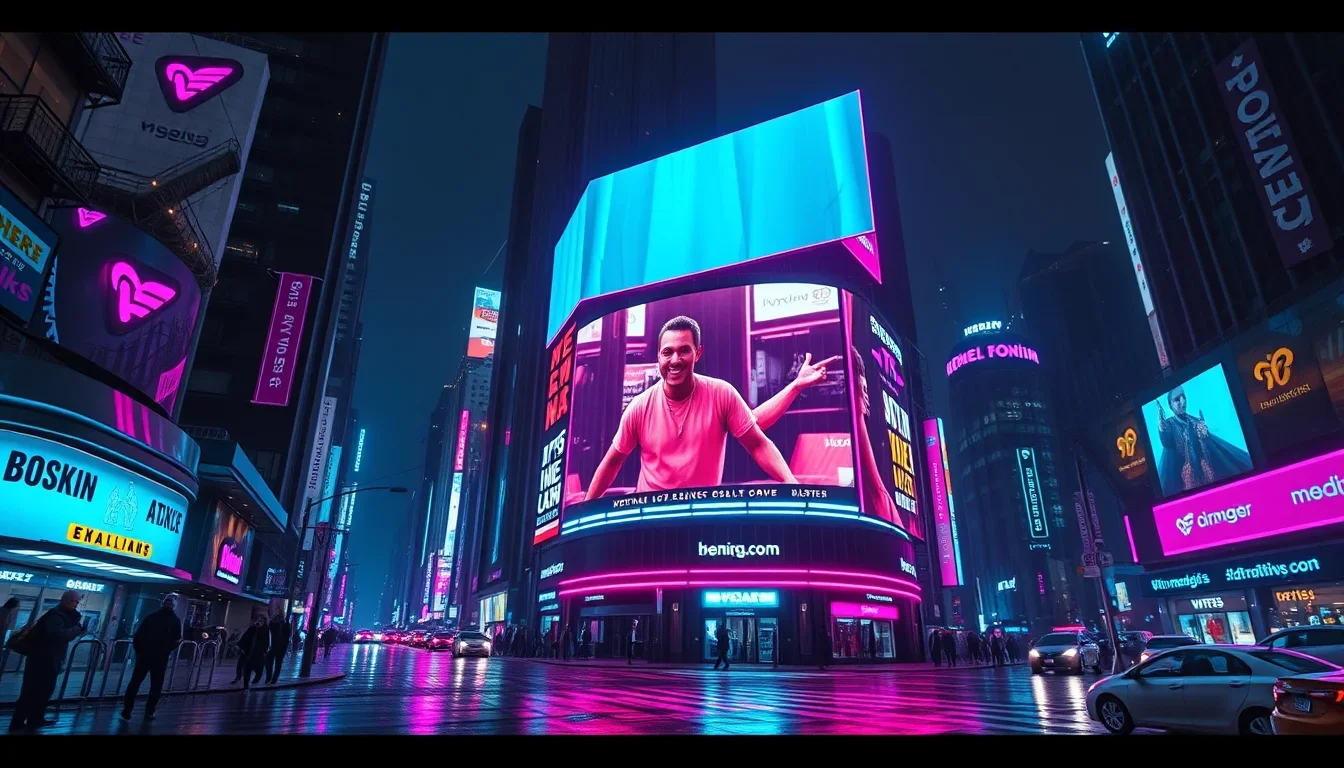
    The second type is a character wearing a branded T-shirt, hoodie, cap, or other clothing with the company logo. Such a character can stand in the frame, react to what is happening, point at the video, hold a sign, or be part of the visual presentation. Essentially, this is also banner advertising, but it looks not like an overlaid banner but like an element of the video itself.

    Illustration 1

    This option is especially often used on TikTok. The reason is that explicit ad overlays can be recognized by the platform as a commercial indicator. TikTok’s official help page lists ad overlays, links, promo codes, and logos as signs of commercial content; if the commercial nature is not properly disclosed, the video may lose the right to appear in the recommendation feed. At the same time, TikTok itself states that correctly marking commercial content should not harm recommendations.

    A character in branded clothing solves this problem more subtly. The ad remains noticeable but looks more natural. This approach helps avoid overloading the video and reduces the risk of the viewer immediately perceiving it as blatant advertising.

    Where Such Advertising Is Shown

    Banner advertising in short videos is most often used where videos quickly gain views: on TikTok, Instagram Reels, YouTube Shorts, and on networks of pages that publish compilations.

    On TikTok, they more often use a character in branded clothing or a very neat visual presentation, because the platform is attentive to commercial content. On Instagram, advertisers more often use short entertainment videos, memes, lifestyle videos, and clips where the banner does not interfere with viewing. On YouTube, the format can work on short videos, especially if the video is related to games, movies, facts, sports, or entertainment compilations.

    A separate part of the market is clip networks. These are pages and channels that release short fragments of movies, shows, podcasts, streams, gaming moments, interviews, memes, and educational compilations. For an advertiser, such a network is convenient because there is no need to negotiate with each author separately. You can buy placement on a large number of videos at once and get a clear volume of impressions.

    How Banner Advertising Is Purchased in Short Videos

    Most often, the format is purchased using a cost-per-thousand-impressions model or in packages for a certain number of views. In Russian-language practice, advertisers often discuss the price per million impressions because it is easier to calculate large volumes.

    Illustration 2

    The launch process usually looks like this. First, the advertiser gives a task: country or region, video topic, prohibited topics, example of the desired banner, logo, text, promo code, link, and target action. Then the executor selects videos or a network of pages, agrees on the banner’s appearance, and launches the placement.

    Что такое баннерная реклама в вирусных видео? — illustration 2
    Что такое баннерная реклама в вирусных видео? — illustration 2

    After the ad runs, the advertiser receives a report: how many impressions there were, on which platforms the videos were placed, what the price was, which countries or regions participated, how many clicks or registrations were achieved, if they were tracked. For apps, installations and registrations are important; for online stores, clicks and purchases; for VPN services, registrations and payments; for gambling projects, only legally permitted actions and only in allowed countries.

    This principle can be linked in more detail to the concept of cost per thousand impressions, but for the advertiser, it is better to explain it simply: the company pays for the volume of impressions, not for filming a separate author’s video.

    How Much Does Banner Advertising in Short Videos Cost

    The price strongly depends on the country, volume, topic, video quality, and placement requirements. In the CIS, banner advertising can start from about 30–35 dollars per million impressions and go up to 60–70 dollars per million impressions and higher. This is a guideline, not a single market rate.

    The main rule is simple: the larger the volume, the cheaper the price per million impressions. If an advertiser buys a small test, the cost is usually higher. If the campaign runs for large volumes and a long time, the price may decrease.

    The topic also influences the price. Simple consumer goods, apps, or entertainment products may cost less. More sensitive categories—such as online gambling projects, finance, or controversial niches—usually require more careful selection of videos, checking rules and restrictions, so the price may be higher.

    Illustration 3

    For what tasks the format is suitable

    Banner advertising in short videos works well where the advertiser needs quick impressions, low entry cost, and a simple message.

    • For VPN services the format is convenient because the offer can be explained in one line: connection protection, access to needed sites, discount, trial period. The banner does not require a complex plot and can be shown on a large number of entertainment videos.
    • For apps the format works as a quick way to attract installs. The banner can show the app name, a short benefit, and a call to download. This works especially well if the videos are close to the audience’s interests: games, study, money, sports, habits, productivity, travel.
    • For online stores banner advertising is suitable for sales, promo codes, seasonal offers, and individual products. It is important that the message is short: discount, product, promotion period, link or promo code.
    • For online gambling projects the format can be effective but requires strict rule checking. You cannot place ads next to videos for minors, mislead viewers, or violate the laws of a specific country and platform rules. Such a launch must go through legal review and age restriction where required.

    Platform rules and ad disclosure

    Banner advertising in short videos must comply with platform rules. You cannot claim that this format is “always allowed”: rules change, and requirements depend on the country, topic, and placement method.

    On TikTok, when publishing a video promoting a product, service, or company, you need to include commercial content disclosure. TikTok’s help directly states that ad overlays, logos, links, and promo codes may be considered signs of commercial content.

    On Instagram, commercial posts must use the paid partnership tag if the video is related to a company and is posted for compensation. On YouTube, creators must mark paid promotion in video settings; YouTube’s rules directly apply to short videos as well.

    For the advertiser, this means one thing: ad disclosure must be planned before launch, not after. You need to determine in advance who publishes the video, who places the tag, what the banner looks like, which categories are prohibited, and what to do if the platform changes the rules.

    Short videos are watched quickly. The viewer almost immediately decides whether to stay or scroll further. Therefore, the banner must be clear from the first seconds: a logo, one short message, one call to action.

    Illustration 4

    TikTok’s marketing research shows that 50% of advertising impact occurs in the first 2 seconds, and the first 6 seconds provide most of the effect in terms of ad recall and brand awareness. This does not mean the banner must be huge. It means it must be noticeable, simple, and not interfere with viewing the video.

    A good branded overlay does not compete with the video. It does not cover the face, subtitles, or key object. It works as a constant reminder: the viewer watches the video, and the company gains contact with the audience.

    Frequently Asked Questions

    Is banner advertising in short videos the same as influencer placement? No. In influencer placement, the company pays the creator for producing or publishing a video. In banner advertising, the company pays for displaying a banner over already existing short videos: movie clips, memes, streams, facts, and other videos that easily gain views.

    Is such advertising allowed on TikTok, Instagram, and YouTube? Currently, commercial placements on these platforms are possible if rules are followed and advertising is properly disclosed. However, rules may change. It is especially important to note that TikTok considers ad overlays, logos, links, and promo codes as signs of commercial content, and improper labeling may result in the video losing access to recommendations.

    How much does banner advertising in short videos usually cost? The price heavily depends on the country and volume. In the CIS, the benchmark can start from $30–35 per million impressions and go up to $60–70 per million impressions or higher. The larger the volume, the lower the price per million impressions typically is.

    Who buys this format? It is most often purchased by VPN services, apps, online stores, gaming projects, online gambling projects, agencies, and advertisers who need cheap mass impressions. Recently, more regular companies have been looking into this format because the entry budget is lower than for many influencer placements.

    What is better: a classic banner or a character in branded clothing? It depends