Tag: streaming

  • Repurposing Clips: Why Your Gaming Videos Aren’t Getting Views

    Repurposing Clips: Why Your Gaming Videos Aren’t Getting Views

    Your gaming clip died at 340 views, while a weaker moment from a competitor pulled in 90,000? It’s not about the quality of the gameplay, but the packaging. In this guide to clip repurposing, we break down how to fix the opening frames, subtitles, and context to turn a single stream into dozens of viral videos.

    Two Types of Failures: Diagnosis Before Editing

    There are exactly two failure scenarios, and fixing one won’t help the other. Diagnose first, then edit.

    Extraction error means the clip contains the wrong material. The AI captured a mechanically boring kill or cut off a funny moment two seconds after the punchline. You’ll know this if you feel nothing when rewatching the clip either.

    Packaging error is when the material is genuinely good, but the clip still dies. You rewatch and think, “This is a great moment,” but the retention graph drops in the first second. This is a typical case for streamers using auto-clipping, and it’s exactly what this article fixes.

    Here’s a test: send the clip to someone who doesn’t play your game and ask them to describe what happened. If they can’t, you have a packaging error, no matter how good the moment is. Most creators misdiagnose: they think the AI picked poorly and manually scrub through the VOD, wasting hours on the same result. The AI picked fine; the clip just starts in the wrong place.

    The Setup Gap: Why AI Clips Start Too Late

    Highlight detection models are trained on discrete events: kill feed entries, sound spikes, chat spikes. The model finds the event and cuts a window around it, centered on the event moment. But retention in short-form is decided before that.

    YouTube documents two metrics for Shorts: “Shown in feed” (how many times the Short appeared) and “Viewed (vs. swiped away)” — the percentage of surfaces where the viewer stayed rather than scrolled. TikTok’s recommendations say 90% of memorability comes from the first six seconds. The swipe decision happens in a window that your clip spends showing the result without stakes. The clutch resolves at 0:04, but the viewer left at 0:01. That’s the gap.

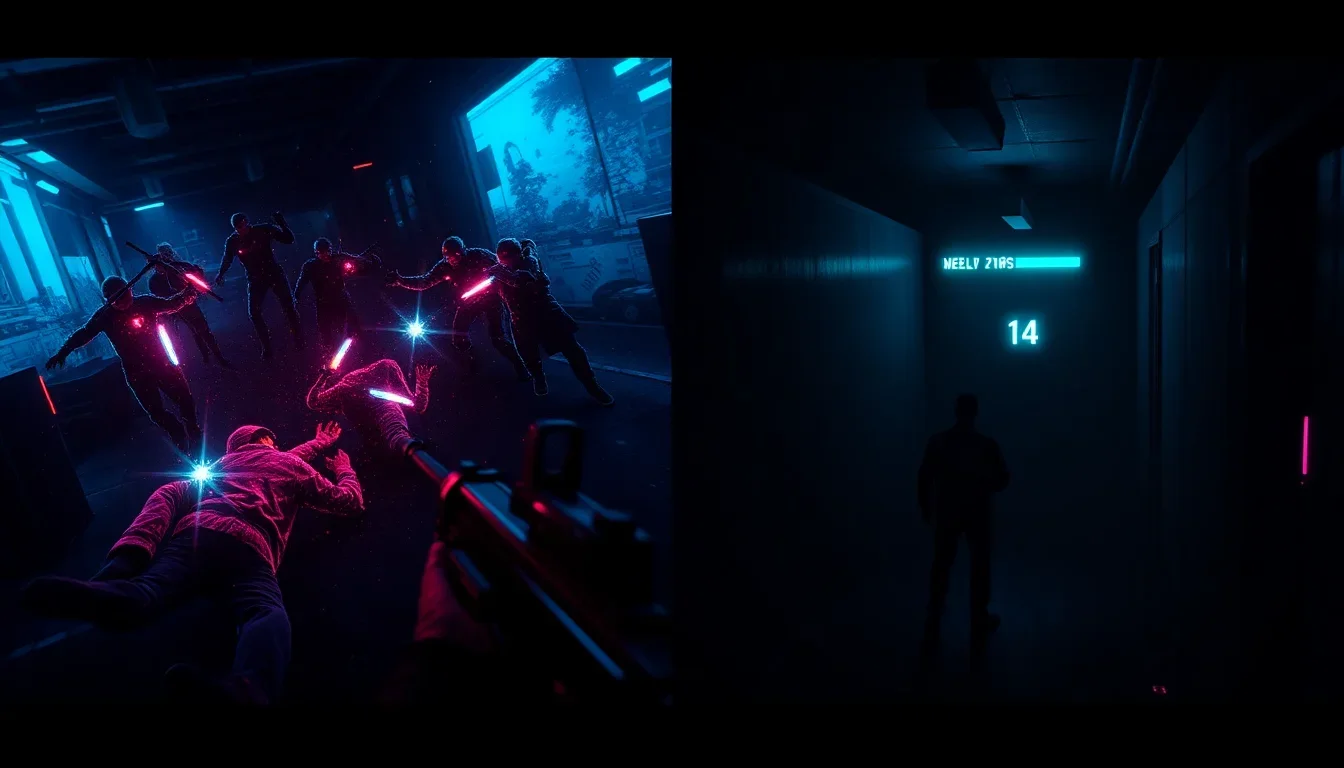
    The AI found the peak but not the setup, because the setup isn’t an event — it’s the absence of an event. There’s no kill feed entry for “three teammates just died, Marcus is alone in the building with 14 HP.” A model tuned to discrete events doesn’t see that, and that’s the only thing that makes the peak meaningful. So the most valuable edit for any repurposed clip is to move the entry point earlier.

    Marcus, a Valorant streamer, had a 1v4 retake stuck at 200 views. The auto-clip opened on him already peeking, the first kill half a second in. He moved the entry point back four seconds, and now the clip opens on his last teammate falling, with the spike already planted and the round timer in the corner. Same moment, same footage, one slider drag. The viewer now has a reason to wait: they want to know if Marcus gets out.

    Four Patterns for the First Frames

    Once you realize the problem is the entry point, there are four patterns that work on gameplay footage. Choose per clip, don’t apply the same one to every post, because a feed of identical openings reads as a template.

    • Cold open with stakes. Start at the moment the situation becomes difficult, not when it’s resolved. The last teammate falls, low HP, the final zone closes, one bullet left. Then the moment is presented as a reward, not a fact.
    • Opening in motion. Cut while the camera is already moving. A static first frame reads as a freeze-frame and gets scrolled past. Motion holds the eye until the text lands.
    • Reaction first. Start with your webcam reaction, then show the game that caused it. This works for funny moments and epic deaths where emotion is the content and mechanics are secondary.
    • Chat first. Open on the chat going crazy, then show the moment. The chat’s reaction is social proof that something worthwhile is coming, and it works even for viewers who have never been on your stream.

    None of these patterns require new recording. They are decisions about the entry point on footage you already have.
    Repurposing Clips: Why Your Gaming Videos Aren't Getting Views

    Captions: The Cheapest Retention Fix

    Most short-form content is watched without sound, and game audio is the first thing people mute. Captions aren’t an accessibility issue; they’re a layer that carries your commentary, reaction, and joke. Four rules matter more than style:

    1. Captions should be burned in, not platform-generated.
    2. Caption your speech and commentary, skip the kill feed.
    3. Keep text in the top two-thirds of the screen to avoid overlapping platform UI.
    4. Speed: 5–10 words per second, as TikTok recommends.

    Searches for “twitch clip captions” and “kick captions” show Eklipse on the first page of Google, which says a lot about how many streamers hit this wall. Eklipse automatically adds caption styles to clips, so the transcription is already done; your job is editorial: decide what to cut from the transcript so the screen isn’t a wall of text.

    One caveat: auto-caption accuracy drops when background music is louder than your voice. If you play music on stream, check captions before publishing, not after.

    FYP doesn’t filter by game. Most people who see your Valorant clip have never played Valorant, and they’re the reason a clip can break out beyond your audience. This is where repurposed clips fail the hardest, because you edited them as a player. You know Chamber’s teleport from a lost site is impressive. The viewer sees a person teleporting without explanation.

    The solution is one line of text on screen in the first two seconds, stating the stakes in plain language. Not “1v4 retake”—that’s jargon. “Everyone else is dead. He has 14 HP” is a stake anyone can understand. Priya, a Marvel Rivals streamer, captioned her clips with the ult name. She replaced “Luna Snow’s Ult” with “If I miss, we lose the round.” The gameplay didn’t change. The difference is that the second version tells a non-player what to watch for and creates an open question during the play.

    Three things make gameplay readable without text: a visible health bar at a dangerous level, a visible timer close to zero, and a visible score that’s close. If a clip has none of these, the text line does all the work, and it needs to be good. For game packaging, the Valorant highlights page explains which moments in tactical shooters read to outsiders and which only read to players.

    Cut the Clip at the Celebration

    Every streamer drags out the ending. The ace lands, and then six seconds of screaming, duo screaming, and a round transition screen. Cut at the peak or half a beat later. Dead air at the end of a short clip kills looping, and looping is the cheapest retention multiplier: a clip that loops cleanly gets a second view without a second impression.

    Two practical solutions: cut at the peak or half a beat later; if there’s a webcam reaction, leave half a second after the peak so the viewer can see it. Length follows from this, not from a goal: if the setup needs four seconds and the moment takes six, the clip will be ten seconds. Don’t stretch to a number and don’t compress the setup.

    Curation: Why You Shouldn’t Post Every Clip

    One VOD run gives 10–20 clips. Posting them all is the most common mistake in this process, and it’s worse than posting nothing, because weak clips teach the recommendation system what your account is. Pick three per session using two questions: can a non-player understand what’s happening, and is there a stake in the first two seconds. A clip that fails both is a clip for your Discord, not TikTok. Send it to those who already care.

    Deni runs a Kick channel and posted every clip Eklipse returned, about 12 a day. He cut down to three, spent the freed time reworking hooks and writing one line of text for each clip, and stopped posting mechanically clean kills without a story. The account posts four times less, but every post now has a reason to exist.

    Repurposing Clips: Why Your Gaming Videos Aren't Getting Views

    Be honest about what doesn’t get repurposed: strategies and long-form moments resist short-form because tension builds over minutes and doesn’t compress into a hook. Inside jokes with your regular viewers work in the community and nowhere else. Eklipse now supports Just Chatting, IRL, and podcast segments, so they’re back in the game, but a 40-minute macro decision in a 4X game won’t make a good Short no matter how you cut it.

    Frequently Asked Questions

    Why aren’t my Twitch clips getting views on TikTok?

    Almost always because the clip starts at the moment of resolution, not at the moment it became compelling. TikTok viewers decide in the first seconds, and a clip that opens with the outcome gives them no reason to stay. Move the entry point back 3–5 seconds so the stakes are visible before the payoff.

    How long should a gaming clip be for TikTok and YouTube Shorts?

    Long enough to establish stakes and show the moment, usually 8–20 seconds for a single event. Don’t stretch it to 60 seconds for monetization, because completion rate matters more than duration on both platforms.

    Do gaming clips need subtitles?

    Yes, and burned-in ones, not platform-generated. Most short-form is watched without sound, and game audio is the first thing muted. Caption your speech and comments, skip kill feeds, and keep text out of the bottom third where the platform UI sits.

    Why does AI pick uninteresting clips?

    Detection models find discrete events: kills, audio spikes, chat spikes. They don’t see the setup that made the event meaningful, because absence of action gives no signal. The model does its job by pointing out where something happened; the setup is what you add during editing.

    How many clips should I post per stream?

    Three from a typical session, chosen by whether a non-gamer can understand them. Posting all 10–20 dilutes your account’s signal, and weak posts drag down the reach of strong ones.

    Does this apply to Kick and YouTube VODs?

    Yes. The setup gap is a property of event-driven discovery, not the platform. Kick and YouTube VODs return the same peak-centric cuts, and the same entry-point fix works.

    Conclusion: Start with the Clips You Already Have

    Viral gaming clips aren’t a material problem for those already streaming. You have moments. Five edits separate a clip that travels from one that dies inside your audience, and none of them require new gameplay. Work in this order on your next batch: drag the entry point back until stakes are visible; write one line of plain-language text; burn in subtitles for your voice; cut the ending at the peak; post only clips a stranger can understand.

    Extraction is already solved: Eklipse scans hours of VOD and delivers a shortlist, freeing up time for those edits. If you want that shortlist after your next session, connect your Twitch or Kick and start clipping. You don’t need to be a streamer to create stunning gaming clips—Eklipse AI will automatically detect the best moments and turn them into epic highlights. Limited free clips—don’t miss out.

  • AI video editing: what it replaces and what it can’t

    AI video editing: what it replaces and what it can’t

    AI video editing removes two of the four layers of work and barely touches the other two. It eliminates the search for good moments and makes transcription, subtitles, and reformatting nearly free. But it doesn’t decide where to start a clip, nor does it evaluate whether it’s worth publishing. This division is the whole point, and almost no one sells it honestly.

    In this article, we’ll break down what exactly AI automates, where its capabilities end, and how to use the saved time to create content that truly retains viewers.

    Four Layers of Video Editing and Which Two AI Removes

    Editing long videos into short formats involves four tasks: search, mechanical transformations, assembly, and evaluation. Search is reviewing hours of footage for valuable moments. Mechanical transformations are transcription, subtitles, vertical cropping, silence trimming, and audio leveling. Assembly is choosing entry and exit points, and the clip’s structure. Evaluation is understanding which clip deserves publication.

    AI excels at search and mechanical transformations but is useless in assembly and evaluation. This division is key to understanding: the hours you used to spend on the first two layers can now be directed to the last two.

    Layer 1: AI Editing Kills the Search Phase

    Manual search scales linearly with video length, while automated search is almost constant. Detection models scan multi-hour recordings in 15–20 minutes and return a shortlist of moments. This breaks the limitation where a streamer who broadcasts more has less time for publishing.

    Sam streams about 20 hours a week and used to publish two clips. It wasn’t a discipline issue: watching 20 hours to find six clips took more time than the stream itself.

    Layer 2: Mechanical Work Is Now Nearly Free

    Transcription is solved. Subtitles from transcription are solved. Cropping 16:9 to 9:16 with object tracking is solved. Silence trimming and audio leveling are solved. These tasks weren’t intellectually complex, just slow. Tools like Eklipse Studio combine the entire layer into a single pass.

    Two points require attention: subtitle accuracy drops when background music is louder than the voice, and auto-cropping may track the wrong object in shots with divided attention.

    Detection models are trained on discrete events, so they cut a window around the moment. But viewer retention in short formats is decided before that moment. YouTube reports that the decision to “watch or swipe” is made in the first frames, and TikTok claims that 90% of memorability comes in the first six seconds.

    AI video editing: what it replaces and what it can't

    The model might give you a clip starting at the clutch resolution, when the viewer would have been held four seconds earlier, where three teammates died and you were left with 14 HP. The model doesn’t see the absence of an event — this is a structural limitation, not a maturity issue.

    Layer 4: Evaluation Is Not Passed to AI

    No model knows whether your clip is funny. It knows that the audio rose. These things overlap enough to find moments, but not to choose between them. Posting everything the model returns trains the recommendation system on the weakest content and drags down the reach of strong posts.

    Nadia posted all 12 AI-generated clips, thinking volume was the goal. By cutting down to three per session and spending time on entry points, she began publishing four times less, but each post had a reason to exist.

    Why AI Editing Advantages Are Becoming the Standard

    Platforms are absorbing the first two layers. At TwitchCon Rotterdam, Twitch announced Auto Clips — automatic clips with subtitles based on chat activity, intonation, and on-screen events. 85% of streamers get a clip after every stream. Subtitles and vertical format have also become built-in.

    This is not a reason to abandon third-party tools, but a reason to understand what you’re paying for: multi-platform support, detection across the entire VOD, deep edits, and control over assembly. Everything sold as “subtitles and cropping” will soon become a platform feature.

    Where AI Editing Quietly Fails: Genre Dependence

    Detection accuracy heavily depends on the game genre. Event-based models work well in shooters and battle royales, where kills and wins give clear signals. In strategies, simulators, and narrative games, accuracy drops, as tension builds over minutes and doesn’t produce spikes.

    New models cover Just Chatting, IRL, and podcasts by reading emotional peaks. A practical rule: if the game has a kill feed or a victory screen — expect good detection and spend time on assembly; if not — look for it yourself.

    Frequently Asked Questions

    Can AI edit videos completely on its own?

    No. AI reliably finds moments, transcribes, makes subtitles, crops, and cuts silence. But it doesn’t choose where to start a clip, doesn’t evaluate whether to publish, and doesn’t structure the sequence — that determines success.

    AI video editing: what it replaces and what it can't

    Does AI editing really save time?

    Yes, significantly, and it changes what time is spent on. Manual searching scales with video length, while automatic searching is almost constant. The hours saved are better spent on entry points and curation, rather than increasing the number of posts.

    Can AI replace a human editor?

    For extracting clips and formatting—yes. For narrative structure, comedic timing, or taste—no. Most creators don’t need an editor for the first category, and the second can’t be obtained from a tool at any price.

    Why does AI pick uninteresting clips?

    Because it detects events, not evaluates them. A sound spike is the same whether you laughed or a dog knocked over a lamp. Treat the output as a shortlist for curation, not finished clips.

    Will Twitch’s built-in tools make AI editors unnecessary?

    For basic clips with subtitles from a live stream—mostly yes. Third-party tools remain useful for detection across the entire VOD, multi-platform support, deep edits, and for streamers on Kick or YouTube.

    What to do with the time AI gives you

    AI editing is a solution to the labor problem dressed in quality clothing. It removes the search and makes the mechanics nearly free. For those who stream more than they can watch, this changes everything. But it doesn’t solve everything. Assembly and evaluation remain where they were, and now they are the only layers where one creator can outperform another.

    The practical step is simple: let detection create a shortlist, spend the saved hours moving entry points earlier and cutting clips that a stranger wouldn’t understand. Don’t consider post volume a measure of success. If you want a shortlist waiting for you after your next session, connect Twitch or Kick and start clipping. You don’t need to be a streamer to create stunning gaming clips—Eklipse will automatically find the best moments.

  • 2026 World Cup on YouTube and TikTok: 1.7 Billion Viewers and 24.1 Billion Views

    2026 World Cup on YouTube and TikTok: 1.7 Billion Viewers and 24.1 Billion Views

    The 2026 FIFA World Cup has concluded, and now the digital results can be tallied. For the first time, FIFA designated YouTube and TikTok as “preferred platforms,” granting creators expanded access to the tournament. The strategy paid off: YouTube broadcasts alone attracted 1.7 billion unique viewers, while TikTok hashtags garnered 24.1 billion views. This is the biggest content moment in the history of both platforms.

    YouTube: CazéTV Records and 200 Billion All-Time Views

    Brazilian streamer CazéTV purchased the rights to broadcast the entire tournament and now occupies all 10 spots in the top most-viewed live streams in YouTube history. His channel became the main beneficiary, but success was broader: 550 million viewers watched World Cup content on TVs, and the total number of football content views on the platform exceeded 200 billion all-time.

    YouTube creator correspondents generated 2.5 billion views and reached over 350 million subscribers.

    TikTok: 24.1 Billion Views and 20 Million Videos

    The official 2026 World Cup hub on TikTok collected 24.1 billion views, and nearly 20 million videos were published under tournament hashtags. FIFA broadcaster streams garnered 465 million unique views.

    “This is the biggest content moment in TikTok’s history,” said Rollo Goldstaub, global head of sports at the platform. “Fans are watching not just highlights, but also reactions, tactical breakdowns, behind-the-scenes content, and fan perspectives from around the world. Different entry points make sports more accessible, especially for new or casual fans.”

    Preferred Platform Strategy: FIFA’s Biggest Win

    The success of the collaboration with YouTube and TikTok is a key takeaway for FIFA. By demonstrating that social networks will dominate future tournaments, the organization has laid the groundwork for expanding broadcast rights in 2030 and beyond.

    An example of the digital leap is Cape Verde goalkeeper Vozinha: before the World Cup, he had 50,000 Instagram followers; after, nearly 30 million. This is a perfect illustration of the digital transformation of players, fans, and organizers.

    Чемпионат мира 2026 на YouTube и TikTok: 1,7 млрд зрителей и 24,1 млрд просмотров — illustration 2

    Frequently Asked Questions

    How many viewers watched the 2026 World Cup on YouTube?

    1.7 billion unique viewers, of which 550 million watched on TVs.

    How many views did TikTok get during the World Cup?

    24.1 billion views in the official hub, 20 million videos under hashtags, and 465 million unique views of broadcasts.

    What CPM is considered profitable?

    For hypothesis testing, a CPM cheaper than 50 rubles is an excellent benchmark. In this case, the CPM for YouTube and TikTok was about $0.01–$0.02 per view, significantly cheaper than traditional banners or influencers.

    Conclusion

    The numbers speak for themselves: 1.7 billion viewers on YouTube, 24.1 billion views on TikTok—this is cheaper than any banner or targeting. Want to test a hypothesis with a minimal budget? Launch seeding on these platforms. If you have questions about unit economics and ROI, write to us—we’ll calculate together.