Tag: stream clipping

  • Stream cutting: how to turn a 2-hour broadcast into 10+ viral clips

    Stream cutting: how to turn a 2-hour broadcast into 10+ viral clips

    Every streamer faces a problem: how to mass-clip 100+ clips from a multi-hour broadcast without spending days on it? Stream clipping is not just about trimming videos; it’s an assembly line for creating unique content for different platforms. If you’re tired of the routine, this material is for you. We’ll break down how to get 10 posts from one stream using existing raw footage, and why speed is more important than editing quality here.

    What is stream clipping and why is it critical?

    Stream clipping (or video repurposing) is the process of transforming one source recording into several finished content units, each optimized for a specific platform. For a streamer, this means turning VODs into Shorts, TikToks, Reels, Discord clips, and weekly highlights. This is not the same as simply reposting the same file to all platforms – such content quickly gets lost in the feed.

    Why do streamers need clipping?

    • Raw footage disappears: VOD recordings on Twitch are stored for only 7-60 days, on Kick – 7-30 days. If you don’t act fast, your valuable material will be deleted forever.
    • Moment discovery: The hardest part isn’t resizing, but finding those “highlights”. A streamer scans 6 hours of footage to find 4-5 valuable fragments.
    • Viewers already know: The “Clip” button on Twitch allows viewers to mark the best moments. Your “Clips” section is a ready index of potentially viral content.
    • Efficiency: One stream can yield 8-12 posts: short clips, long highlights, promos, and community materials. This allows you to publish content 7 days a week without increasing broadcast time.

    “Repurposing isn’t a marketing tactic borrowed for gaming. For a streamer, it’s more like basic hygiene, because the source material is abundant, unscripted, and disappears on a timer.”

    Why are streams ideal raw material for clipping?

    Streamers generate more source material in one session than most content creators in a month. Here are three key properties that make live gameplay a unique source:

    • Unscripted: Reactions are live and genuine, and these are what attract attention.
    • Huge volume: You choose, not create. The task is to find gems in tons of data.
    • Natural moments: Games themselves create “highlights”: cool moments, victories, epic fails, chat reactions. You don’t need to invent a hook, you find it.

Deadline Matters: Why Speed is Critical

Unlike marketers whose webinars sit for years, streamers work with material that has an expiration date. How long does it take to cut? Very little, if you act quickly.

  • Retention Window: For a new streamer, this is only a week. The entire pipeline must operate within this window.
  • Preservation: Anything you want to save for future compilations needs to be pulled immediately before the VOD is deleted.

The solution is simple: process each stream within a day or two after it ends, even if you’re just extracting raw moments for later processing.

How to Turn One Stream into 8-12 Posts: A Step-by-Step Guide

Highlight editing is not just copying. Each format requires its own approach.

7 Formats for Cutting Gaming Streams

  1. YouTube Shorts: Epic moments, boss kills. Quick climax.
  2. TikTok: Reactions, not skill. Viewers are more interested in personality than gameplay.
  3. Instagram Reels: Cross-posting, where framing quality plays a key role. The face must be in the shot!
  4. Weekly Highlight Compilations: A long video for YouTube, collecting the best from several streams. Turns casual viewers into subscribers. Details in the article: Stream Content Repurposing Guide.
  5. Stream Teasers: A 15-second snippet from a past session, published the morning before the next broadcast. Shows what to expect.
  6. Clips for Discord Community: Low-cost but highly effective format. Community members will rewatch and quote clips they participated in.
  7. GIFs, Emotes, Memes: A recurring facial expression becomes a channel emote. A ridiculous death becomes a GIF. This is the only format that continues to circulate without your involvement.

Important: for the first three formats, vertical video (9:16 crop from horizontal) is not an option, but a mandatory condition. And subtitles for cuts are not just a nod to accessibility, but a way for the clip to survive with the sound off.

Automatic Stream Cutting: Is a Tool Necessary?

Manual cutting without loss of quality takes hours and doesn’t scale well. The more you stream, the further behind you get. Most people give up repurposing not because it doesn’t work, but because the amount of work becomes unbearable.

Opus Clip Alternative and Other Services

Automated tools allow you to maintain control over selection, but significantly speed up the process. They highlight moments with strong signals, and you decide what to publish. There are services that help create short reformatted videos, such as Eklipse.

Key takeaway: your viewers have already done some of the work. The Clip button on Twitch captures 25 seconds before and 5 seconds after it’s pressed. Your clips page is a ready-made, audience-curated index of the best moments. Start there.

Stream cutting: how to turn a 2-hour broadcast into 10+ viral clips — illustration 2

How Eklipse fits into the workflow

Eklipse takes over the selection and formatting stages, where manual cutting usually “dies.” The service can scan VODs and automatically find highlights. If you prefer to mark moments as you go, voice commands allow you to do so right during the game, further reducing selection time.

Frequently Asked Questions

What is video repurposing?

Video repurposing is the process of transforming one original recording into multiple finished content units, each cut and formatted for a specific platform. For streamers, the source is a VOD, and the result is vertical clips, highlight compilations, community clips, and promotional materials.

How is repurposing different from reposting?

Yes. Reposting sends the same file to multiple platforms. Repurposing creates a new version for each destination, taking into account the aspect ratio, length, and subtitles specified by the platform. Reposting a horizontal video looks like imported content in vertical feeds.

What is the best video cutting tool for streamers?

The one that solves the selection problem, not just formatting. Streamers work with hours of material, not minutes, so a tool that only trims and adds subtitles leaves the slowest step untouched. Look for automatic moment detection in the full VOD, vertical cropping, and subtitles in one pass.

How many clips should be created from one stream?

8-12 posts is a realistic range for one session: 4-6 short clips, one long highlight compilation, a couple of community clips, and a teaser. The quality of the moment is more important than the quantity. Three good clips will outperform ten “passable” ones.

Can AI cut gaming videos?

It can handle the mechanical steps. Detection finds potential moments from a long recording, and editing tools trim to a vertical format, add subtitles, and export according to platform requirements. The selection of moments that represent your channel remains with a human.

How long do I have to cut a stream?

Less than you think. Twitch stores past broadcasts for 7 days for most channels, 14 for affiliates, and 60 for partners, Turbo, and Prime subscribers. Kick’s help center indicates 7 days for unverified channels and up to 30 days for verified ones. Process each stream within a day or two after it ends.

Monetizing your stream through clips is not a myth, but a reality. Streamers who seem productive rarely produce more. They simply get more content from the same broadcast. Clipping allows you to be everywhere, even when you’re not live, and significantly expands your audience. Scan your last VOD and see what raw material is there. The person who clips streams can become your best ally. Start today!

You don’t have to be a streamer to create amazing gaming clips. Let Eklipse AI automatically find your best moments and turn them into epic highlights! Limited free clips are available. Don’t miss your chance!
  • Stream Slicing: How to Make 20 Clips for TikTok in 30 Minutes

    Stream Slicing: How to Make 20 Clips for TikTok in 30 Minutes

    Stream clipping is not just editing, but a whole pipeline for producing short viral videos. Streamers and podcasters spend hours on live broadcasts, but it’s the highlights that bring in new viewers and monetization. In this article, we’ll break down how to quickly and efficiently clip a 2-hour stream, which moments to cut first, and whether subtitles are needed.

    Why Stream Clipping Matters

    According to statistics, 80% of viewers discover new streamers through short clips on TikTok and YouTube Shorts. Long broadcasts stay in the archive, while clips keep working for you 24/7. For example, Erling Haaland, a Norwegian footballer, grew on YouTube thanks to translating his videos into 44 languages — that’s also a form of content clipping.

    Stream clipping is not just editing, but a whole pipeline for producing short viral videos. Streamers and podcasters spend hours on live broadcasts, but it’s the highlights that bring in new viewers and monetization. In this article, we’ll break down how to quickly and efficiently clip a 2-hour stream, which moments to cut first, and whether subtitles are needed.

    Which Moments to Cut First

    Experienced clippers know: not all moments are equally useful. Here’s a list of what makes it into highlights:

    • Emotional peaks: screams, laughter, unexpected reactions.
    • Gaming achievements: wins, epic fails, records.
    • Chat interaction: when the streamer responds to donations or jokes with viewers.
    • Exclusive news: announcements, trend discussions.
    • Controversial or funny moments that could become memes.

    For example, Addison Rae got a skin in Fortnite — that’s an event that can be turned into a clip with the streamer’s reaction. Such clips rack up millions of views.

    How Long Does It Take to Clip a 2-Hour Stream

    Manually clipping a 2-hour stream takes 2 to 4 hours. But with automation tools like Opus Clip or AI-powered services, you can cut that time down to 30 minutes. Algorithms automatically find the best moments, add subtitles, and crop the video to vertical 9:16 format.

    For example, the DittoDub service helped Haaland translate content into 44 languages, which speeds up the localization process for clips. If you want to order 20 clips from a stream, it’s better to delegate this to a professional or use AI tools.

    Stream Slicing: How to Make 20 Clips for TikTok in 30 Minutes

    Do You Need Subtitles for Clips

    Subtitles are a mandatory element. According to research, 85% of TikTok videos are watched without sound. Subtitles increase engagement by 40% and make content accessible to people with hearing impairments. Automatic subtitles can be added in CapCut or through services like Submagic.

    It’s important that subtitles are large, contrasting, and appear in sync with speech. This increases watch time and viewer retention.

    How to Cut a Stream for TikTok and YouTube Shorts

    The 9:16 format is the standard for TikTok, Reels, and Shorts. Here’s a step-by-step guide:

    1. Download the stream recording in original quality.
    2. Import the video into an editor (CapCut, Premiere Pro).
    3. Find the best moments using markers or AI analysis.
    4. Crop the horizontal video to vertical, highlighting the main subject.
    5. Add subtitles and dynamic effects.
    6. Export at 1080×1920, add a cover and description.

    Automatic stream clipping is a trend of 2024. Services like Opus Clip and Klap allow you to mass-produce 100+ clips in one click. This is ideal for those who want to monetize streams without extra effort.

    Price per 1 Hour of Stream: What Freelancers Offer

    The cost of clipping a stream depends on complexity and the number of clips. On average, freelancers charge from 500 to 2000 rubles per hour of source material. If you need clips with subtitles, color correction, and sound design, the price rises to 3000-5000 rubles. You can order 20 clips from a stream on freelance marketplaces or from specialized studios.

    Some streamers hire a permanent clipper who works for a percentage of income. This is beneficial if clips generate steady traffic.

    Stream Slicing: How to Make 20 Clips for TikTok in 30 Minutes

    Tools for Automatic Clipping

    If you don’t want to hire a person, use AI services. Here are the top 3:

    • Opus Clip — finds viral moments, adds subtitles and emojis.
    • Klap — analyzes speech and creates clips with dynamic scenes.
    • Vizard — automatically crops video and generates titles.

    These tools save time and allow you to scale content production. For example, a streamer can cut 100+ clips in an hour without spending effort on manual editing.

    Monetizing a Stream Through Clips

    Clips are an additional source of income. You can earn from:

    • Advertising on YouTube Shorts and TikTok (partner programs).
    • Sponsored integrations in clips.
    • Selling merch through the description.
    • Attracting new subscribers to Twitch and YouTube.

    For example, Liquid Death launched a drink inspired by MrBeast’s product, and it caused a stir. Similarly, a clip mentioning a trending brand can attract sponsors’ attention.

    Frequently Asked Questions

    How long does it take to clip a 2-hour stream?

    Manually — 2-4 hours, with AI services — 30 minutes.

    Stream Slicing: How to Make 20 Clips for TikTok in 30 Minutes

    Are subtitles needed for clips?

    Yes, they increase engagement by 40% and are necessary for viewing without sound.

    What format is best for TikTok?

    Vertical 9:16, resolution 1080×1920.

    How much does it cost to have a freelancer clip a stream?

    From 500 to 5000 rubles per hour of source material, depending on complexity.

    Which automatic clipping services are the best?

    Opus Clip, Klap, Vizard — they save time and create viral clips.

    Conclusion

    Stream clipping is not a luxury but a necessity for channel growth. Use automation to package content into highlights and attract a new audience. Start small: pick the 5 best moments from your last stream and make clips. In a month, you will see growth in views and subscribers.

    If you are tired of manual work, order clipping from a professional or try an AI service. The main thing is to act quickly, like a conveyor belt. Good luck with clipping!

  • How many short videos can be made from one stream?

    How many short videos can be made from one stream?

    From one stream, you can get anywhere from a few to dozens of short videos. We explain what the number depends on and why clips have become one of the main ways to promote streamers.

    From a typical two-hour stream, you can make five to thirty short videos for TikTok, Reels, and YouTube Shorts. The exact number depends on the density of events: gaming, humorous, and competitive streams provide more moments, while calm talk or background streams provide fewer. But the main thing is not the quantity, but how many videos are actually worth publishing.

    Short videos are one of the main ways to promote streamers because they allow you to reuse a stream you’ve already done. You stream once, and then for several days or weeks you get material for TikTok, Reels, and Shorts from it.

    And you don’t necessarily have to do it yourself. In the VibeVO model, a streamer can upload a recording of the entire stream, and the team of clippers will find the strong moments themselves, make videos, publish them, and earn from the result—the reach of the short videos. For the streamer, this turns a long stream into a source of promotion without separate editing work.

    What determines the number of videos

    1. How dense the stream was

    If something interesting happens every few minutes, there will be many videos. If the stream is calm, with long pauses and repetitive actions, there will be fewer videos.

    High yield usually comes from:

    • competitive games;
    • challenges;
    • funny mistakes;
    • reactions to chat;
    • arguments;
    • unexpected victories;
    • collaborative streams;
    • analysis and tutorials.

    Low yield often comes from:

    • long grinding;
    • calm background stream;
    • technical settings;
    • long conversations without bright phrases;
    • music without explaining the process.

    2. Stream length

    A long stream doesn’t always mean more good videos. After three to four hours, the stream often becomes less dense: the streamer gets tired, the chat slows down, events repeat. Therefore, a two-hour stream sometimes gives more strong videos than a four-hour one.

    3. Genre

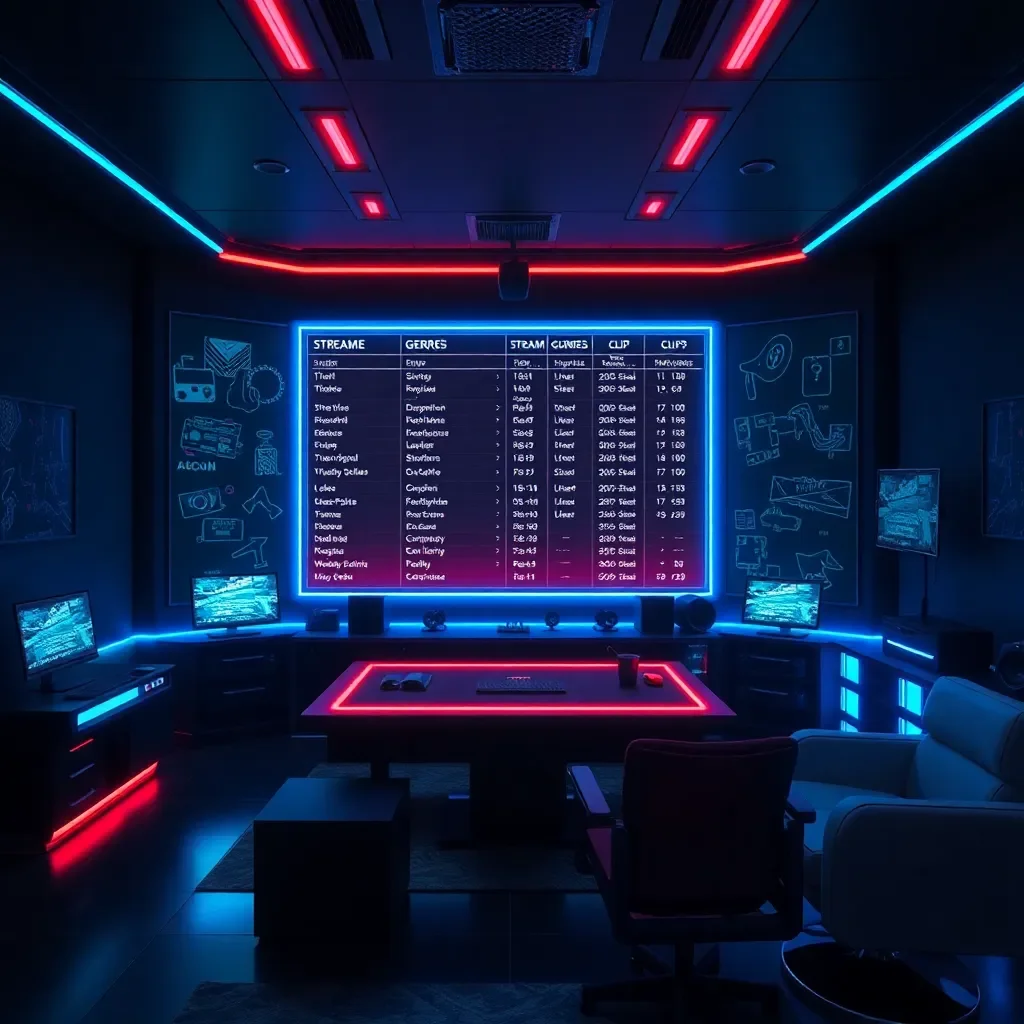
    Stream type How many videos from 2 hours Why
    Competitive games 15–35 Wins, mistakes, reactions, tense moments
    Humor and chat 10–30 Many phrases, jokes, arguments with chat
    Calm playthrough 3–12 Fewer sharp events
    Talk stream 5–15 Depends on topics and brightness of phrases
    Music or creativity 3–10 Needs context, fewer quick scenes
    Podcast format 3–10 Quotes, arguments, and strong thoughts work
    IRL stream 5–20 Everything depends on external events

    These numbers are a working estimate based on VibeVO’s internal data. It’s best to use them as a range, not a promise.

    Illustration 1

    Table: Stream Length and Approximate Number of Videos

    Stream Length How Many Moments Can Be Found How Many Are Worth Publishing
    30 minutes 2–8 1–4
    1 hour 5–18 3–8
    2 hours 10–50 5–30
    3 hours 15–60 8–35
    4 hours 18–70 8–35
    6 hours or more 20–90 10–40

    The main idea: you can cut more than you publish. A good team doesn’t post everything. They select moments that are understandable to a new audience.

    Why You Shouldn’t Publish All Videos

    If you get 40 clips from a stream, it doesn’t mean you need to post all 40. Weak videos can hurt the overall result: people scroll past them, visit your profile less, and react worse to subsequent posts.

    It’s better to choose:

    Сколько коротких видео можно сделать из одного стрима? — illustration 2
    • videos with a quick start;
    • moments that are understandable without context;
    • emotional scenes;
    • short stories with a beginning and an end;
    • videos that show the streamer’s personality.

    TikTok, in its recommendations for advertising and creative materials, emphasizes the importance of a strong start and video structure: beginning, main part, and ending. This also applies to organic streamer videos: the viewer should quickly understand why it’s worth watching further.

    Illustration 2

    How a Streamer Can Use One Stream for Promotion

    The simplest plan:

    1. Go live.
    2. Save the recording.
    3. Upload it to a service or send it to editors.
    4. Get a set of short videos.
    5. Publish them on a schedule.
    6. See which videos bring in new viewers.

    If you do this regularly, every stream becomes not just a live broadcast but also raw material for promotion. This is especially important given the growth of live streams: Stream Hatchet reports that in 2025, the total number of hours watched for live streams reached 36.4 billion.

    How Many Videos to Actually Publish

    For a beginner streamer:

    • 4–7 videos per week is a good start;
    • 1 video per day is a solid, sustainable pace;
    • 2–3 videos per day if you have many strong moments;
    • More than 3 per day only if you have a team and consistent quality.

    If VibeVO or another team handles the editing, the streamer doesn’t need to maintain this pace themselves. Their job is to deliver good streams and upload recordings.

    Illustration 3

    Frequently Asked Questions

    Which gives more videos: a two-hour or a four-hour stream?

    A four-hour stream usually gives more moments, but not always more good clips. Often, a two-hour broadcast is denser, livelier, and easier to edit. If a four-hour stream has many repetitions and pauses, the return will be lower.

    Does a podcast give as many clips as a stream?

    Usually not. A podcast may yield fewer clips because there are fewer visual events. But good quotes, debates, and strong ideas are excellent for short videos.

    Illustration 4

    Do you need to publish all clips?

    No. It’s better to publish only the strong ones. The rest can be kept for reprocessing, compilations, Discord, Telegram, or future publications.

    Ready to turn every stream into a source of promotion? Start with one broadcast: save the recording, find 5–10 strong moments, and publish them within a week. You’ll see how short videos start working for your growth.