Tag: Reels

  • Mass video posting: what is “clip farming” and how to use it effectively?

    Mass video posting: what is “clip farming” and how to use it effectively?

    New terms constantly emerge in the content creation sphere, and one of them is “clip-farming.” This term is controversial because its meaning is interpreted differently. Understanding this phenomenon is critical for anyone aiming for maximum audience reach on platforms like TikTok, YouTube Shorts, and Reels. Let’s explore what clip-farming actually means, where it came from, and how it can be used for mass video posting without harming one’s reputation.

    What is “Clip-Farming”? Two Main Meanings

    The term “clip-farming” has two main interpretations, which are often confused, leading to misunderstandings and accusations among content creators.

    First Meaning: Staging Moments for Clips

    Initially and most commonly, “clip-farming” refers to the deliberate creation of dramatic or shocking moments during a live stream. The goal is to provoke viewers into creating short clips that are then spread across social media. The Cambridge Dictionary defines it as “the conscious act of doing or saying something shocking or dramatic in a social media video in order to create short videos that are then widely shared online.”

    “A streamer knows that a 20-second reaction spreads further than eight hours of gameplay, so they build the stream around creating reactions.”

    This meaning refers to a behavioral strategy where the streamer “plays to the camera” to elicit a specific reaction from viewers and make them click the “Clip” button. For example, on Twitch, the “Clip” button saves the last 25 seconds of a stream and the next 5, activated by the viewer.

    Second Meaning: Mass Cutting and Distribution of Short Videos

    The second, broader meaning describes a workflow: cutting a long video (VOD) into dozens of short clips and then distributing them across multiple platforms. In this context, clip-farming is simply content repurposing with a catchier name. Tools and agencies specializing in short-form content use this term to describe the pipeline: take a three-hour VOD, cut 30 clips, reformat them vertically, and schedule them for publication on four platforms.

    “Clip-farming” is part of a whole family of internet terms built on the metaphor of “sowing” and “harvesting.” These include “karma-farming,” “rage-farming,” “engagement-farming,” and “aura-farming.” You “sow” provocation and “reap” attention. This slang has long since moved beyond content creator circles, as evidenced by the inclusion of similar terms in dictionaries.

    • Wiktionary already contains an entry for “clip farm” as a verb, meaning “to act or exploit a situation to gain online attention, especially repeatedly or inauthentically.”
    • Collins Dictionary is considering adding the term “clip-farming.”

    The appearance of these terms in dictionaries indicates the widespread practice and the word itself.

    Why do streamers engage in “clip-farming”?

    The reasons why streamers resort to “clip-farming” (in a behavioral sense) are structural, not personal. They are due to the peculiarities of modern platforms and audience engagement mechanics.

    Key factors:

    1. New audience discovery: Short video feeds (TikTok, YouTube Shorts, Reels) are the primary way for new viewers to find content. One successful clip can bring more views than months of live streams.
    2. Attention retention: Live streams, offering unpredictability and the potential for dramatic moments, are better at retaining viewers. Streamers feel this in audience retention graphs long before anyone calls it “farming.”
    3. Monetization: Short-form content generates direct revenue through platform creator funds, brand deals based on reach, and the clip economy, where third parties profit from reposting others’ streams.

    These factors make “clip-farming” (in a behavioral sense) a rational response to how modern platforms work and are monetized.

    “Clip-farming” vs. “clip-cutting”: What’s the difference?

    The key difference between these two concepts lies in intentions and process.

    • Clip-farming (behavioral): This is a behavioral choice made during content creation. The streamer consciously acts in a way that provokes the creation of clips. This happens “on camera.”
    • Clip-cutting (workflow): This is a production stage that occurs after the stream ends. You take existing footage and shorten it. This has nothing to do with how you behaved during the stream.

    Most successful channels use clip-cutting. For example, tools like Eklipse scan a finished VOD and automatically cut moments that have already been successful, formatting them for TikTok, Shorts, and Reels. This allows for automatic short video publishing and ensures mass video posting without manual labor.

    Массовый постинг видео: что такое «клип-фарминг» и как его использовать эффективно? — illustration 2

    Ethical Dilemmas and Practical Implications

    The community actively discusses whether “clip farming” (in a behavioral sense) is ethical.

    • Arguments “for”: Clips are an audience discovery layer. Refusing to create them is refusing to be found. A creator who cuts and publishes genuine highlights does the same job as a “farmer,” but with better source data.
    • Arguments “against”: Artificially created drama trains the audience to expect drama. Streamers who actively “farm” report a trap where the bar is raised with each broadcast, and the only way to maintain clip effectiveness is escalation. Viewers who come through a “fabricated” clip come for a version of you that doesn’t exist eight hours a day, so they don’t stay.

    An honest conclusion: repurposing genuine highlights is fine, and every serious channel should do it. Behavioral “clip farming” has its ceiling, and creators who reach that ceiling usually describe it as exhausting the possibilities for escalation.

    Automating Mass Video Posting: A Solution for Efficiency

    If your goal is reach without the need to stage moments, then you don’t need “farming,” but an efficient workflow. Solutions for automatic short video publishing can significantly save time and resources. Services like Eklipse can:

    • Scan finished VODs and mark the most interesting moments.
    • Automatically edit them into vertical clips for TikTok, Shorts, and Reels.
    • Schedule auto-posting for publishing to 5 platforms or even more.
    • Offer voice commands for instant clip cutting during gameplay.

    This approach ensures seamless short video distribution and allows you to publish 100 videos a day while you sleep. This allows you to focus on creating quality content, rather than routine work.

    Frequently Asked Questions

    What is “clip farming”?

    “Clip farming” is the deliberate creation of dramatic moments during a live stream for viewers to cut and distribute as short videos. More broadly, it also refers to the mass cutting and distribution of short videos from long-form content.

    Why do streamers engage in “clip farming”?

    Streamers engage in “clip farming” to attract new audiences through short video feeds, maintain viewer attention through unpredictability, and monetize content through platform funds and brand deals.

    Is “clip-farming” a bad practice?

    Repurposing genuine highlights is not a bad practice. However, staging fake reactions to get views often backfires with the audience. The main problem with behavioral “farming” is the need for constant escalation, which leads to burnout and a loss of viewers who came for artificial drama.

    What is the difference between “clip-cutting” and “clip-farming”?

    “Clip-cutting” is the editing stage of existing material. “Clip-farming” is the choice of behavior during a broadcast aimed at creating moments for clips. Cutting is universal, “farming” is a strategy.

    Conclusion: Effective Mass Posting Without Compromise

    Distinguishing between the two meanings of the term “clip-farming” — behavioral and workflow-related — allows for a clear strategy. If you want to achieve maximum reach but are not willing to stage moments, the solution is simple: you don’t need “farming,” you need effective automation.

    Use mass posting services that allow you to mass upload videos with proxies and anti-detection, ensure cross-posting of videos to all platforms at once, and manage schedules for 10+ accounts from a unified dashboard. This will allow your best moments to be seen without extra effort and compromises on content quality. Start optimizing your distribution strategy today so that your content works for you 24/7.

  • Banner Advertising in Short Videos: Reach for Pennies Without Filming

    Banner Advertising in Short Videos: Reach for Pennies Without Filming

    Banner advertising in short videos is not magic, but pure math. While influencers ask for millions for a single video, you can buy a million impressions for less than lunch in the capital. CPM below 50 rubles, reach for pennies, and hypothesis testing for 1000 rubles. Forget about bloggers and filming days: we break down how this works using TikTok, Reels, and YouTube Shorts as examples.

    What is banner advertising in short videos

    This is overlay advertising: a static or animated banner on top of a video. You don’t pay for content production—only for impressions. You can place a banner in TikTok or Reels through programmatic platforms that automatically distribute your creative across hundreds of videos.

    The main advantage is transparent statistics. You see real reach, CPM, and CTR in real time. No inflated numbers or “gray” schemes—only white-hat platforms.

    Why this is more profitable than influencers

    An influencer with a million followers charges 100–300 thousand rubles for a single video. And reach is not guaranteed. banner advertising in video gives a CPM from 30 to 50 rubles. For 10,000 rubles, you get 200–300 thousand impressions. The math is obvious.

    I tested both schemes: with bloggers, I burned my budget without results, and with banners, I got a steady flow of leads at a price 5 times lower. That’s why arbitrage specialists are switching to automated placement.

    Where to place: TikTok, Reels, YouTube Shorts

    Each platform has its own features. On TikTok, banners are shown in the recommendation feed, on Reels—inside stories, on YouTube Shorts—in the vertical player. CPM varies everywhere, but on average stays within 30–50 rubles per thousand impressions.

    Banner Advertising in Short Videos: Reach for Pennies Without Filming

    For info-business, mobile apps, and crypto projects, this is an ideal channel: mass reach for pennies. Automated placement on hundreds of videos allows scaling without manual work.

    How to launch banner advertising without filming

    You don’t need production. One static banner in JPG or PNG format is enough. Platforms will select sites and videos for your audience themselves. The whole process takes 15 minutes.

    Hypothesis testing for 1000 rubles is real. Launch 2–3 creatives with different offers, look at the statistics, and scale the winner. This way, you avoid wasting your budget on ineffective formats.

    Case studies: who is already making money on banners

    Info-business promotes webinars with a CPM of 40 rubles. Mobile games get installs for 15 rubles each. Crypto projects collect ICO applications. All this—without a single video.

    One of my clients, an info-businessman, invested 50,000 rubles and got 1.2 million impressions in a week. CTR 1.5%, lead price—80 rubles. With influencers, he would have spent the same money on one video with a dubious result.

    Banner Advertising in Short Videos: Reach for Pennies Without Filming

    Frequently asked questions

    How much does banner advertising cost on TikTok?

    CPM on TikTok ranges from 30 to 70 rubles depending on geo and targeting. On average—50 rubles. This is tens of times cheaper than with bloggers.

    Can I place a banner without creating a video?

    Yes, this is the main scenario. You upload a banner, choose an audience, and launch the campaign. The platform itself finds videos for display.

    What statistics are available?

    Transparent: impressions, clicks, CTR, CPM, conversions. You see everything in real time and can optimize the campaign on the fly.

    Conclusion

    Banner advertising in short videos is the lowest CPM in shorts. Forget about bloggers and filming: the real math speaks for itself. Don’t pay an influencer—buy reach for pennies. Order banner advertising today and get the first results within an hour.

  • How to Become a Clipper in 2026 and Start Earning: A Complete Guide

    How to Become a Clipper in 2026 and Start Earning: A Complete Guide

    How to Become a Clipper in 2026 and Start Earning: A Complete Guide

    Dream of making money from content without appearing on camera? In 2026, the profession of a clipper is one of the fastest and most accessible ways to monetize video. A clipper is a person who cuts long streams or videos into short vertical clips for TikTok, YouTube Shorts, and Reels.

    The main secret to success is volume: the more clips you publish, the higher your earnings. In this guide, we’ll break down how to become a clipper from scratch, what payment paths exist, and how to automate the process with AI.

    Who Is a Clipper and What Do You Need to Start

    A clipper takes long content—a stream, game recording, podcast, or YouTube video—and cuts it into vertical clips lasting 15–60 seconds. You don’t need to be a streamer or have editing experience. The task consists of two parts: find a standout moment (clutch, multikill, funny reaction) and format it so the first three seconds hook the viewer.

    Platforms promote vertical clips more actively than simply cropped horizontal videos. Therefore, it’s important not just to crop but to reformat to 9:16 and add subtitles. Subtitles are mandatory, as most people watch clips without sound.

    How to Become a Clipper in 2026: Step-by-Step Process

    Step 1: Choose One Niche

    Don’t try to clip everything at once. Focus on one game (e.g., Call of Duty, Valorant, Fortnite) or one streamer. This helps the algorithm understand your audience and allows you to learn which moments perform best.

    Step 2: Create Accounts for Publishing

    Register on TikTok, YouTube Shorts, Reels, and X (Twitter). Use the same name everywhere so viewers can find you. In the description, specify your niche, e.g., “daily Warzone clips.”

    Step 3: Get Source Material

    If you stream, use your own VODs. If not, take public VODs from Twitch, Kick, or YouTube. Important: check the streamer’s rules—many require attribution or have official programs for clippers.

    Step 4: Cut the Clip (Where Hours Used to Be Spent)

    Manually searching for the best moments in a three-hour stream is the biggest mistake beginners make. In 2026, use AI services, such as Eklipse. Simply paste the stream link, and the neural network will automatically find kills, clutches, and standout reactions, then cut them. This takes minutes instead of hours.

    Illustration 1

    Step 5: Reformat, Add Subtitles, and Publish

    Convert the clip to a vertical 9:16 format and add automatic subtitles. Tools like Eklipse Studio do this in one pass. No need to edit each clip manually.

    Step 6: Publish Daily and Analyze

    Post at least one to two clips per day at the same time. Track which videos get more views and make more of those. Use a content scheduler to avoid missing days.

    Two Earning Paths for a Clipper

    Path A: Clipping Your Own Streams

    If you already <a href="/blog/how-a-streamer-can-grow-on-tiktok-and-youtube-shorts/" title="How a streamer can grow on TikTok and YouTube Shorts”>stream, even to a small audience, you have unique content. clip your VODs and participate in creator reward programs, such as Eklipse Creator Rewards.

    This program pays for views of your clips. In June 2026, 1,950 creators accumulated 7.85 million views, and 14 of them received cash prizes and games. It’s all free—just publish clips from Eklipse and fill out the participation form.

    Как стать клиппером в 2026 году и начать зарабатывать: полное руководство — illustration 2
    Illustration 2

    Path B: Creating a Channel with Clips of Other Streamers

    The classic model: choose a popular streamer or game, create a channel with their best moments, and earn from ads or direct deals. TikTok and YouTube pay through reward programs. But competition is high, and many streamers have official clipping programs (e.g., on Kick). Participating in an official program is usually more profitable, as you get protection from strikes and direct income.

    Why Volume Matters Most

    One brilliant clip per week loses to ten average clips per week. Algorithms love frequency. Clippers who earn $1,000–2,000 per month publish at least one clip per day. Those who post sporadically almost never generate income. The only way to maintain volume is to automate clipping. AI tools turn one three-hour stream into 30 days of content.

    Mistakes That Keep You at Zero

    • Irregular posting. The algorithm sees inconsistency as a sign of low quality. Better to post two clips per day for a month than 15 over a weekend and then silence.
  • Weak first frame. A clip starting with “well, it happened” is doomed. Start with the most striking moment.
  • Lack of subtitles. Without them, viewers will simply scroll past.
  • Clipping other people’s streams without checking the rules. Always look for the streamer’s official program — it’s safer and often more profitable.
  • Manual editing. This kills volume. Use AI.

Frequently Asked Questions

How to become a clipper with no experience?

Choose one game or streamer, create social media accounts, and use an AI service for editing. Publish daily. You can release your first clip on the same day.

Illustration 3

How much do clippers earn?

With regular posting — $500–2000 per month after 90 days. Earnings depend on the number of clips released, not on talent.

How to become a clipper on Kick?

Join the official Kick clipping program and use a VOD editing tool like Eklipse. This is one of the most active paid programs.

Do I need to show my face?

No. Clipping is a faceless job. You use someone else’s or your own content.

Is it legal to clip other people’s streams?

Yes, but with conditions. Always check if the streamer has an official program and give credit. Otherwise, you risk bans.

Illustration 4

What’s the fastest way to start earning?

If you already stream — edit your own VODs and participate in a rewards program, like Eklipse Creator Rewards. This requires no permissions, and views go directly toward payouts.

Conclusion

To become a clipper in 2026, you need three things: choose a niche, eliminate manual editing with AI, and choose a monetization path (your own streams through a rewards program or a channel with other people’s clips). Volume is the main factor for income, and only automation makes it achievable.

If you stream, start with clipping your own VODs and registering for Eklipse Creator Rewards. Try AI editing right now: paste the link to your latest stream and find out how many clips you could publish.

  • How to Cut a Long Video into Short Clips: Selection and Publication

    How to Cut a Long Video into Short Clips: Selection and Publication

    You recorded a one-hour webinar, interview, or review, but no one watches it in full? From one long video, you can create a series of short clips that will work for your business. The main thing is to correctly select fragments and adapt them for platforms. In this article, we will discuss how to cut a long video into short clips to increase engagement and reach.

    Which long videos are suitable for cutting

    Materials with a clear semantic structure are best for cutting: webinars with sections, interviews with questions and answers, reviews with demonstrations, client cases. It is more difficult to work with endless podcasts, live streams with chat, or recordings where the speaker references invisible slides.

    A good source answers three questions:

    • Is there a complete thought in each fragment?
    • Can it be watched without context?
    • Is there visual dynamics?

    Important: we are only talking about your own content—live streams, webinars, interviews, reviews, product videos. Cutting others’ films or podcasts without rights risks complaints and reputational damage.

    How to find fragments for short cuts

    Start by watching the entire recording and marking the meaning. Look for scenes that could become a separate publication: a question, a mistake, a conclusion, an example, a demonstration, a controversial thought. Use timestamps to mark the beginning and end of the fragment.

    PRO tips for selection:

    • Choose a fragment with one thought—it should not require additional context.
    • The first 2-3 seconds should grab attention: a hook, intrigue, a question.
    • Check that after vertical cropping, the frame still contains the face, hands, product, or slides.

    How to prepare video fragments for editing

    Before editing, decide on the type of clip: talking head with subtitles, cutaways, or a “question on screen—answer” format. Subtitles are mandatory—many watch without sound. The thumbnail should be clear and high-quality; for a series, maintain a consistent logic.

    Collect fragments in a table: timestamp, topic, purpose, first frame, on-screen text, description, platform. This will save you when you have 18 cuts from 3 webinars.

    How to adapt video for Reels, Shorts, and VK Clips

    For Reels, emotional and visual dynamics are important: lively speech, showing the process, reactions, before/after. For Shorts, a quick title and the first seconds explaining the topic are key. In the description, add a key phrase, a link to the full version, and a question for comments.

    Как нарезать длинное видео на короткие ролики: отбор и публикация — illustration 2

    If the source is horizontal, check that important details are not lost in the vertical frame. Sometimes a close-up is better than trying to fit the entire wide frame. If necessary, add cutaways or text accents.

    How to publish a series without spamming the feed

    Do not post all cuts in a row. Distribute them on a calendar: 1 clip every 2-3 days for a small series, 2-3 per week for 5-8 clips, or create a rubric for 10+ fragments. Alternate with other content: posts, stories, case studies. If the audience starts reacting poorly, take a break.

    For automation of publications, use services like SMMplanner: spread them on the calendar, prepare different descriptions for each platform.

    How to make short clips from a long video: a scheme

    1. Select a fragment with one thought, remove context.
    2. Adapt the frame to a vertical format.
    3. Add a clear first screen and subtitles.
    4. If the clip starts with an answer, put the question in text.
    5. Distribute the cuts on the calendar, do not publish everything at once.

    Frequently asked questions

    Where to cut a long video so the clip doesn’t look like a snippet?

    Choose fragments with a complete thought and a clear beginning/end. Use timestamps and check that the meaning is understandable without context.

    Should I publish all cuts in a row?

    No. It is better to collect a series and distribute it on the calendar so that one material works longer and does not spam the feed.

    When is it better not to make cuts?

    If the fragments do not work without context, there is no important visual information in the frame, the speaker references invisible materials, or the publication violates rights. Sometimes it is better to make an article or checklist from a long video.

    Conclusion

    Cutting a long video into short clips is not just trimming, but strategic work with content. Select fragments with one thought, adapt them to the platform format, and publish them on a calendar. Try the SMMplanner service for scheduling—it is convenient and saves time. Start right now: choose one long video and create 3-5 short clips from it to see the result!

  • How many short videos can be made from one stream?

    How many short videos can be made from one stream?

    From one stream, you can get anywhere from a few to dozens of short videos. We explain what the number depends on and why clips have become one of the main ways to promote streamers.

    From a typical two-hour stream, you can make five to thirty short videos for TikTok, Reels, and YouTube Shorts. The exact number depends on the density of events: gaming, humorous, and competitive streams provide more moments, while calm talk or background streams provide fewer. But the main thing is not the quantity, but how many videos are actually worth publishing.

    Short videos are one of the main ways to promote streamers because they allow you to reuse a stream you’ve already done. You stream once, and then for several days or weeks you get material for TikTok, Reels, and Shorts from it.

    And you don’t necessarily have to do it yourself. In the VibeVO model, a streamer can upload a recording of the entire stream, and the team of clippers will find the strong moments themselves, make videos, publish them, and earn from the result—the reach of the short videos. For the streamer, this turns a long stream into a source of promotion without separate editing work.

    What determines the number of videos

    1. How dense the stream was

    If something interesting happens every few minutes, there will be many videos. If the stream is calm, with long pauses and repetitive actions, there will be fewer videos.

    High yield usually comes from:

    • competitive games;
    • challenges;
    • funny mistakes;
    • reactions to chat;
    • arguments;
    • unexpected victories;
    • collaborative streams;
    • analysis and tutorials.

    Low yield often comes from:

    • long grinding;
    • calm background stream;
    • technical settings;
    • long conversations without bright phrases;
    • music without explaining the process.

    2. Stream length

    A long stream doesn’t always mean more good videos. After three to four hours, the stream often becomes less dense: the streamer gets tired, the chat slows down, events repeat. Therefore, a two-hour stream sometimes gives more strong videos than a four-hour one.

    3. Genre

    Stream type How many videos from 2 hours Why
    Competitive games 15–35 Wins, mistakes, reactions, tense moments
    Humor and chat 10–30 Many phrases, jokes, arguments with chat
    Calm playthrough 3–12 Fewer sharp events
    Talk stream 5–15 Depends on topics and brightness of phrases
    Music or creativity 3–10 Needs context, fewer quick scenes
    Podcast format 3–10 Quotes, arguments, and strong thoughts work
    IRL stream 5–20 Everything depends on external events

    These numbers are a working estimate based on VibeVO’s internal data. It’s best to use them as a range, not a promise.

    Illustration 1

    Table: Stream Length and Approximate Number of Videos

    Stream Length How Many Moments Can Be Found How Many Are Worth Publishing
    30 minutes 2–8 1–4
    1 hour 5–18 3–8
    2 hours 10–50 5–30
    3 hours 15–60 8–35
    4 hours 18–70 8–35
    6 hours or more 20–90 10–40

    The main idea: you can cut more than you publish. A good team doesn’t post everything. They select moments that are understandable to a new audience.

    Why You Shouldn’t Publish All Videos

    If you get 40 clips from a stream, it doesn’t mean you need to post all 40. Weak videos can hurt the overall result: people scroll past them, visit your profile less, and react worse to subsequent posts.

    It’s better to choose:

    Сколько коротких видео можно сделать из одного стрима? — illustration 2
    • videos with a quick start;
    • moments that are understandable without context;
    • emotional scenes;
    • short stories with a beginning and an end;
    • videos that show the streamer’s personality.

    TikTok, in its recommendations for advertising and creative materials, emphasizes the importance of a strong start and video structure: beginning, main part, and ending. This also applies to organic streamer videos: the viewer should quickly understand why it’s worth watching further.

    Illustration 2

    How a Streamer Can Use One Stream for Promotion

    The simplest plan:

    1. Go live.
    2. Save the recording.
    3. Upload it to a service or send it to editors.
    4. Get a set of short videos.
    5. Publish them on a schedule.
    6. See which videos bring in new viewers.

    If you do this regularly, every stream becomes not just a live broadcast but also raw material for promotion. This is especially important given the growth of live streams: Stream Hatchet reports that in 2025, the total number of hours watched for live streams reached 36.4 billion.

    How Many Videos to Actually Publish

    For a beginner streamer:

    • 4–7 videos per week is a good start;
    • 1 video per day is a solid, sustainable pace;
    • 2–3 videos per day if you have many strong moments;
    • More than 3 per day only if you have a team and consistent quality.

    If VibeVO or another team handles the editing, the streamer doesn’t need to maintain this pace themselves. Their job is to deliver good streams and upload recordings.

    Illustration 3

    Frequently Asked Questions

    Which gives more videos: a two-hour or a four-hour stream?

    A four-hour stream usually gives more moments, but not always more good clips. Often, a two-hour broadcast is denser, livelier, and easier to edit. If a four-hour stream has many repetitions and pauses, the return will be lower.

    Does a podcast give as many clips as a stream?

    Usually not. A podcast may yield fewer clips because there are fewer visual events. But good quotes, debates, and strong ideas are excellent for short videos.

    Illustration 4

    Do you need to publish all clips?

    No. It’s better to publish only the strong ones. The rest can be kept for reprocessing, compilations, Discord, Telegram, or future publications.

    Ready to turn every stream into a source of promotion? Start with one broadcast: save the recording, find 5–10 strong moments, and publish them within a week. You’ll see how short videos start working for your growth.

  • How to Launch a Short Video Advertising Campaign in 48 Hours

    How to Launch a Short Video Advertising Campaign in 48 Hours

    Launching a short video ad campaign in 48 hours is not a myth, but a clear action plan. If you already have ready-made creatives, you can go from uploading materials to the first impressions on TikTok, Reels, Shorts, or VK in just two working days. In this article, we will break down a step-by-step algorithm to help you launch an ad campaign in short videos quickly and without unnecessary delays.

    What to Prepare Before Launch

    Before launching, gather not a lengthy presentation, but a working set for moderation and placement. The less uncertainty at the start, the higher the chance of meeting the 48-hour deadline.

    1. Ad Materials

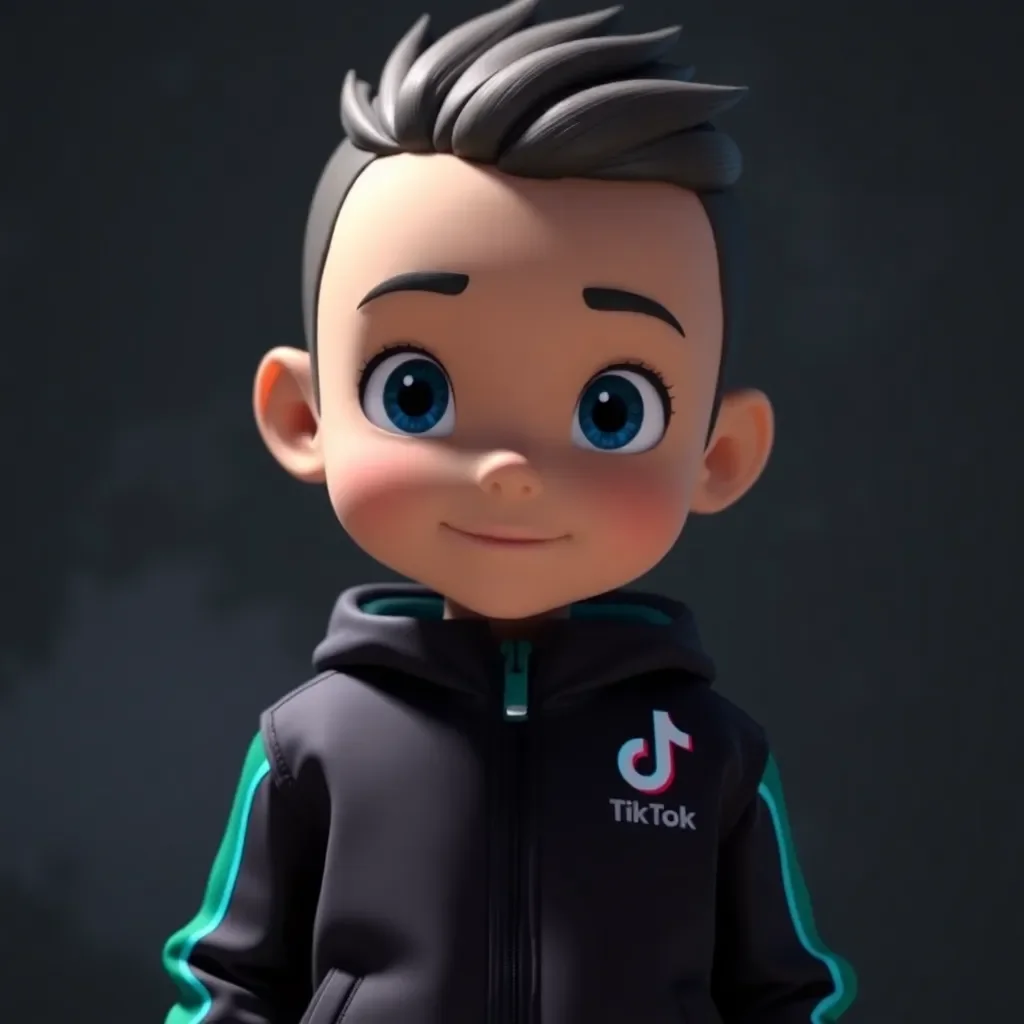
    Prepare one animated banner for YouTube, Instagram, and VK. It should include a logo, a short message, a clear call to action, and a version without small text. For TikTok, prepare a separate version: an animated waist-up character in branded clothing. TikTok often visually “crops” edges and covers part of the screen with its interface, so a full-length character may look worse. Keep the face, logo, and key message closer to the center.

    2. File Requirements

    Check dimensions, duration, file size, text readability, background transparency, logo presence, and the absence of controversial claims. Before uploading, review VibeVO’s ad material requirements.

    3. Display Geography

    Specify countries, regions, or cities. Do not just write “Europe” or “CIS” if you need specific markets. Geography affects placement selection, launch speed, available impression volume, and reach cost.

    4. Budget

    Top up your balance in advance. Do not leave payment for the last step: the campaign may be ready for moderation but will not go live without funds in the balance.

    5. Campaign Request

    Specify the goal, platforms, geography, budget, deadlines, landing page link, and restrictions. If there are prohibited topics, words, images, or content categories, include them immediately.

    6. One Person Responsible for Approval

    A 48-hour launch breaks down when each department makes separate edits. Appoint one person to confirm the final version.

    Hour 0–12: Request, Materials, and Submission for Moderation

    In the first hours, do not re-discuss strategy, but assemble the campaign into a working form. Open your account, create a campaign, select platforms, upload ad materials, and ensure the balance is topped up.

    If materials are already ready, the main path looks like this:

    1. Upload the animated banner for YouTube, Instagram, and VK.
    2. Upload the TikTok version with a waist-up animated character.
    3. Specify the display geography.
    4. Specify the budget and campaign duration.
  • Check the link to the website or product page.
  • Submit the campaign for moderation.
  • Monitor the review status.
  • If all materials are already approved, the launch does not have to take the full 48 hours. According to VibeVO operational data, in a typical case, an advertiser can go from uploading ready-made materials to submitting the campaign for moderation in about two hours. The remaining time should not be spent “holding a pause,” but rather used to review the first impressions and adjust the budget.

    If there are no materials, do not call it a 48-hour launch. This is a launch with creative preparation. In this case, a banner, character, animation, text, and platform-specific versions are first created and approved. A realistic timeline for such preparation is 2–3 days.

    Hours 12–24: selecting placements and reviewing materials

    At this stage, the system or team selects available placement spots based on your geography, budget, and platforms. For a fast campaign, there is no need to manually negotiate with each creator. It is more important to use a ready stream of short videos, where an ad banner or overlay is added on top of the content and goes through moderation.

    Illustration 1

    Check four things.

    First — readability. The logo and text must be visible within one second. If the viewer has to squint, the overlay does not work.

    Second — safe area. Do not place important text at the very top, bottom, or corner. On short videos, there may be buttons, captions, the author’s name, music, or the platform interface there.

    Third — separate versions. Do not use the same file for all platforms without checking. For YouTube, Instagram, and VK, you can use one base animated banner, but it must be checked in preview. For TikTok, a separate version with a waist-up character is needed.

    Fourth — moderation. Remove controversial promises, medical claims, text that is too small, third-party logos, materials without rights, and any elements that could cause rejection.

    Hours 24–48: launch, impressions, and monitoring

    Once the campaign has passed moderation, it goes live for impressions. At this stage, it is important not just to confirm that the ad “has launched,” but to check how it is gaining reach.

    Как запустить рекламную кампанию в коротких видео за 48 часов — illustration 2
    Illustration 2

    Look at the initial metrics:

  • whether transitions, direct visits, and search queries by name appear.
  • If impressions are slow, check geography and restrictions. If the banner is hard to read, replace the file rather than stopping the entire campaign. If the TikTok version looks cropped, return to a waist-up character and a strengthened composition center.

    What Pushes Launch Beyond 48 Hours

    No ready materials. This is the main reason for delay. If there is no animated banner and TikTok character, you first need to prepare creatives. This usually takes 2–3 days including revisions and approvals.

    Balance not topped up. The campaign may be set up, but it won’t go into full launch without a budget.

    Too many approvers. If every department can stop the launch, 48 hours turn into a week.

    One file for all platforms. What looks fine in YouTube Shorts may be cropped or overlapped in TikTok. Create a separate TikTok version.

    Illustration 3

    Too much text. Short videos cannot handle long legal disclaimers on a banner. Keep the main points and put details on the landing page.

    Controversial claims. Words like “best,” “guaranteed,” “cures,” “risk-free,” “number one” can delay moderation. If the claim cannot be substantiated, remove it.

    Materials without rights. Do not use others’ clips, music, faces, logos, or images without permission.

    Metrics to Monitor from the First Hour

    Stage Metric Why to Monitor
    Before launch Material readiness Indicates whether launch can happen in 2 hours or requires 2–3 days of preparation
    Before launch Balance Without budget, the campaign won’t go live
    Moderation Review status Helps quickly identify what is delaying the start
    First hours First impressions Confirms the campaign has actually started working
    First hours Budget spend Shows whether the campaign is gaining the required pace
    First hours Cost per thousand impressions Helps assess reach affordability
    After launch Reach Main metric for awareness campaigns
    After launch Contact frequency Shows how many times a viewer sees the banner
    After launch Logo visibility Checks whether the trademark is recognized
    After launch Search by name Helps see growth in interest in the trademark
    After launch Unpaid visits Shows secondary effect of awareness

    For an awareness campaign, clicks are not the only thing that matters. Your goal is for people to see the trademark many times in the familiar environment of short videos, remember it, and start searching for the name, visiting the site, or recognizing the product in other channels.

    Frequently Asked Questions

    What is the minimum time from application to launch? If advertising materials are ready, the balance is topped up, the geography is selected, and there are no additional revisions, the minimum working time in VibeVO is about two hours before sending the campaign for moderation and starting impressions after review. This is VibeVO’s operational data, not a universal guarantee for any campaign.

    What most often delays launch beyond 48 hours? The main reasons: no ready animated banner, no TikTok character, balance not topped up, text not approved, too many people responsible for revisions, incorrect file size, controversial claims, or materials without rights.

    Illustration 4

    Do I need ready-made advertising materials to start? You can start an application without them, but you cannot quickly launch a campaign. To launch within 48 hours, and especially within two hours, ready and approved materials are needed. If they are not ready, preparation usually takes 2–3 days.

    What materials are needed at a minimum? Minimum: one animated banner for YouTube, Instagram, and VK, as well as a separate TikTok version — an animated character from the waist up in branded clothing. Also needed: a logo, short text, a call to action, and a link.

    Why does TikTok require a separate version? Because the interface and screen cropping can cover important elements. A character from the waist up stays better centered in the frame, preserving the face, clothing with the logo, and the main advertising signal.

    Can I launch a campaign for millions of reach? Yes, if the budget is sufficient, placements are available, and the materials pass moderation. The format of banners and overlays in short videos works well for mass reach: the viewer sees the brand in their usual stream of videos, which supports growth in awareness, unpaid visits, and search queries for the name.

    Conclusion

    Launching an advertising campaign in short videos within 48 hours is a realistic task if you prepare materials in advance, top up your balance, and appoint one person responsible. Follow this plan, and you can quickly reach the audience on TikTok, Reels, Shorts, and VK. Ready to start? Gather your creatives, check the requirements, and send your campaign for moderation today!