Tag: AI video

  • Nano Banana 2.1 vs 2.0: Comparing Neural Networks for Image Generation

    Nano Banana 2.1 vs 2.0: Comparing Neural Networks for Image Generation

    Google released the Nano Banana 2.1 update on October 6, 2026, promising significant improvements in image generation. The new neural network is designed to better follow prompts, generate more accurate text, ensure character consistency, and work with wide formats. We checked how these promises align with reality by comparing both versions on five identical tasks. The short answer: for new projects, it’s worth choosing Nano Banana 2.1 right away, as it more often accurately fulfills minor requirements and less frequently adds unnecessary elements. However, the update hasn’t solved all problems, especially when transferring appearance between scenes, where the old version sometimes preserved features just as well. This is an important point for those planning to scale AI video and image generation.

    Technical Features and Version Costs

    Nano Banana 2 operates under the technical name gemini-3.1-flash-image, while Nano Banana 2.1 is based on Gemini 3.6 Flash and is named gemini-nano-banana-2.1. Google claims improvements in realism, instruction understanding, text rendering, and multi-step editing. The new model can accept up to 14 references: up to four characters and up to ten objects.

    According to Google’s official pricing, a 2K image in Nano Banana 2.1 costs approximately half as much as in Nano Banana 2 ($0.0504 versus $0.101), making it attractive for AI content production. At the same time, the 0.5K mode has disappeared from 2.1, and Nano Banana 2 is already marked as an outdated model.

    Testing Methodology: 5 Prompts for Comparison

    For an objective comparison, we relied on the open Fuser test from October 6, 2026. In it, both models received identical English-language prompts and source data, and images were generated in 2K with one attempt without restarts. This allows us to evaluate the effectiveness of AI under controlled conditions. If you decide to repeat the test, use the same settings and do not select the best results to avoid distortions.

    Prompt 1: Photorealistic Scene with Precise Requirements

    “Photorealistic documentary photograph of an elderly fisherman mending a bright orange net on an old wooden pier at dawn. In the background, a foggy harbor. The fisherman’s hands are in sharp focus, the background is softly blurred. Natural light, 50mm lens effect, muted color palette. Do not add text or inscriptions to the scene.”

    Nano Banana 2.1 kept the cool misty background, showed the fisherman in full, and left the frame free of extraneous text. Nano Banana 2 made the scene warmer, more saturated, and added a fictional inscription on the boat. Here, 2.1 won due to more precise adherence to the constraints, which is critical for AI video for advertising.

    Prompt 2: Poster with exact text

    “Create a minimalist concert poster on light paper. The top half is occupied by a large dark blue wave. Place four lines of text: “NIGHT TIDE” “Live at Harbour Hall” “Friday 14 November · Doors 8 PM” “harbourhall.com/nighttide” Do not add any other words. Make the first line a large narrow sans-serif, the second a lighter typeface.”

    In this test, the difference between the versions was minimal. Both models correctly wrote the specified lines, including the date and address. This shows that in some tasks where Nano Banana 2 already performs well, an update may not provide a noticeable leap in quality, especially in text rendering.

    Prompt 3: Product photography with space for ad text

    “Studio photograph of a matte ceramic sage-green coffee funnel on a light oak board. Soft window light from the left, a light shadow should fall to the right. Clean, almost white background. Leave the right third of the frame free for ad text. Realistic product photography. No additional objects or inscriptions.”

    Nano Banana 2.1 fulfilled all conditions: light from the left, shadow to the right, and a free area for text. Nano Banana 2 also left space, but divided the image with an empty light area, and the shadow direction was less pronounced. For creating AI commercials and banners, this is a significant advantage, saving designer time.

    Prompt 4: Transferring a product to another location without alteration

    “Place this same bottle on a wet, moss-covered stone. The scene is outdoors in the morning, with soft sunlight and a blurred forest stream in the background. Change only the environment and lighting. Do not change the bottle’s shape, amber glass, black dropper cap, or the inscription “LUMA 02”.”

    Both versions successfully preserved the major features of the bottle (shape, glass color, text). However, both violated a minor condition by changing the smooth detail of the cap to ribbed. 2.1 chose a wider shot and kept the label clean, whereas Nano Banana 2 zoomed in on the object and added water droplets to the label. This demonstrates a limitation of image-to-image models: the phrase “change nothing” does not guarantee pixel-perfect identity of small details.
    Nano Banana 2.1 vs 2.0: Comparing AI image generation models — illustration 2

    Prompt 5: Transferring a character to a new scene

    «Use the woman from the reference portrait. Show her full-length riding a bicycle on a wet city street at night. Neon signs all around, she’s wearing a yellow raincoat with the hood down. Keep the same face, red curly hair, freckles, and round glasses. Photorealism.»

    There is no clear winner here. Nano Banana 2 preserved the curls and glasses well but changed her facial expression to a wide smile. Nano Banana 2.1 framed the full-length shot more accurately but weakened the resemblance in details: her hair became less curly, the frames thinner, and freckles almost disappeared. The choice depends on priorities: either precise preservation of individual facial features or a natural composition of the new scene. This is especially relevant for animated AI characters and AI avatars.

    Conclusions after five prompts: is it worth switching?

    According to the test results, Nano Banana 2.1 looks like a careful refinement of the previous version, not a fundamentally new model. Its advantage is evident in tasks with many specific requirements, which aligns with Google’s official description of better prompt adherence and text rendering. For AI UGC for crypto projects, where detail accuracy and prompt following are critical, this is a significant plus.

    • Nano Banana 2.1 won two tasks and did not clearly lose to the old version in any.
    • When transferring appearance, the results remained ambiguous.
    • If you are starting a new project, it is more logical to use 2.1 immediately, especially given the reduced cost and Nano Banana 2‘s status as deprecated.
    • If you have a working pipeline on Nano Banana 2, test your typical prompts on both models to ensure the desired generation style is maintained.

    Frequently Asked Questions

    Is Nano Banana 2.1 really better than Nano Banana 2?

    According to official specifications, 2.1 is the recommended version with improved instruction following, quality, text, and character stability. In our test, it showed better results in tasks with multiple constraints.

    Why does the same prompt give different results?

    Image generation in neural networks is not deterministic by default. Even within the same model, repeated runs can change the composition, face, lighting, or small objects. For a correct comparison, a series of runs with identical settings is required.

    Why does the model ignore part of the prompt?

    Often the problem arises when there are too many equally important instructions in one request. For critical constraints, it is better to use separate instructions, for example: «change only the background», «the text must be written verbatim», «do not add logos», «keep the face unchanged».

    Should I always include high Thinking in Nano Banana 2.1?

    No. 2.1 has minimal, medium, and high levels. A higher level can be useful for a complex layout or a large number of constraints, but it usually increases computation volume and execution time. For simple drafts, it is logical to start with minimal or the standard medium.

    What Nano Banana 2 has that 2.1 doesn’t?

    The most noticeable technical difference is the 0.5K generation mode. In 2.1, the minimum resolution starts at 1K. However, the new version is cheaper at matching resolutions and adds extremely wide and vertical formats.

    How to improve results when working with a reference?

    For the best results, use high-quality references. Make sure the reference images are clear and contain all necessary details. Experiment with the number of references (up to 14 in 2.1) to find the optimal balance.

    How to access Nano Banana in Russia?

    Nano Banana is available on special platforms that work without VPN and foreign cards. You can upload photos, change backgrounds and clothes, collect multiple references, and create images from text descriptions. Services usually work with ruble payments and provide a common balance for different models. Use promo code HABRSPESHUAI to increase your balance by 115%. This is a great way for crypto projects to order AI creatives or scale the generation of 100 videos per day.

    Overall, Nano Banana 2.1 is a significant step forward, especially for tasks requiring high accuracy and detail. Its reduced cost and improved capabilities make it an attractive tool for subscription-based neuro-production and AI content production. Don’t miss the opportunity to scale the impossible – now it’s possible with new Google neural networks.
  • AI Avatar: How to Add a Face to a Voice Assistant and Avoid Pitfalls

    AI Avatar: How to Add a Face to a Voice Assistant and Avoid Pitfalls

    Integrating an AI avatar into the existing voice AI administrator Aika is not just about adding a face; it involves a whole chain of technical challenges. We aimed to preserve the current architecture on Yandex Realtime so that the new service would only animate lips to already generated sound. During testing of Simli and Anam, nuances emerged with pauses before responding, video playback on iPhone, and mobile internet stability. And when creating the second character, Eva, it became clear that the persuasiveness of the neural network depends not only on the face itself but also on the context.

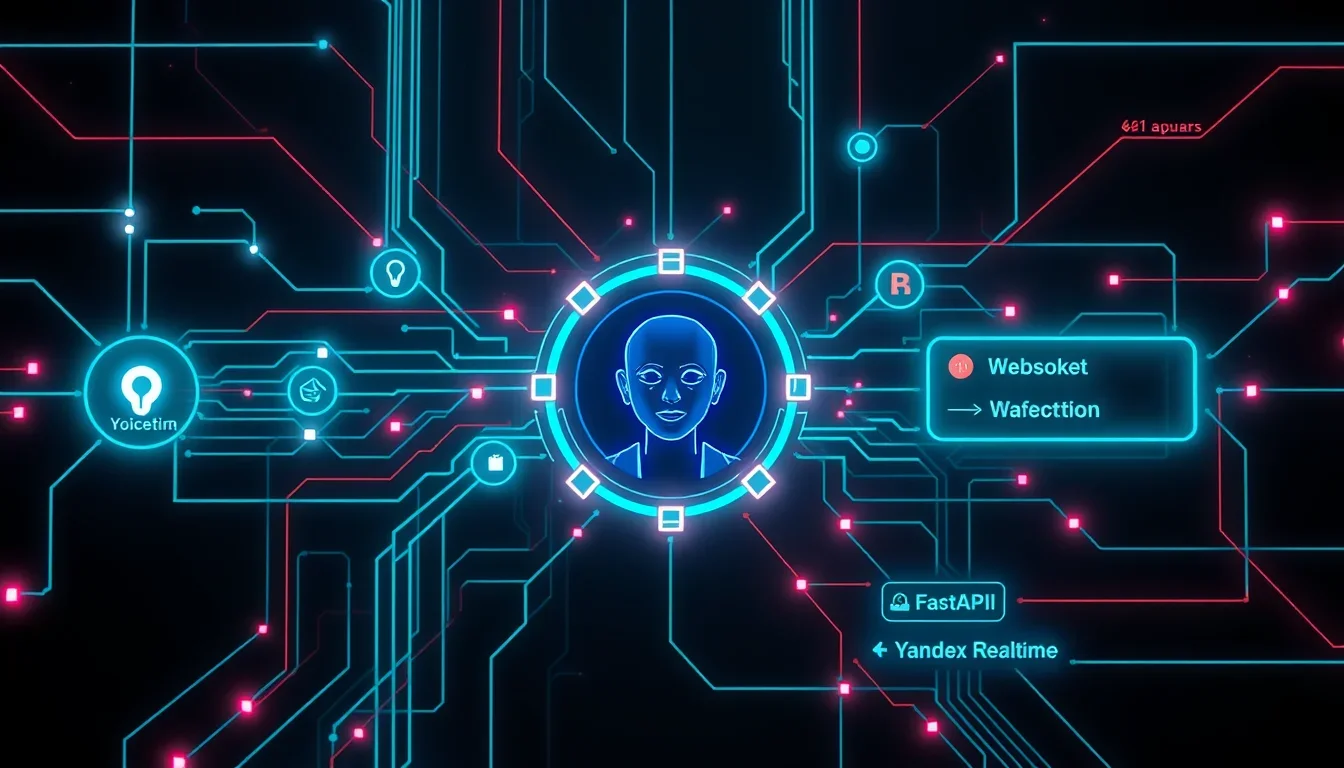
    Our voice engine was already functional, so the task was solely to animate the face. Aika communicates with website visitors directly in the browser via WebSocket, which is connected to our FastAPI server, and that, in turn, maintains a session with Yandex Realtime. This ensures a “speech-to-speech” mode, eliminating the need for separate recognition chains, text models, and synthesis.

    The server transmits uncompressed sound in PCM16 format at 24 kHz in chunks (pcm_chunk) to the browser, and it was precisely to this stream that the avatar’s facial expressions needed to be synchronized.

    Choosing a platform for the AI Avatar: Simli vs Anam

    Both tested services — Simli and Anam — offer a mode where the user provides their audio stream, and the service generates video with an animated face synchronized with the sound, returning media via WebRTC. Thus, Yandex continues to generate speech, and the avatar service is responsible for the visual component.

    Technical aspects of sound integration

    • Sampling rate: Yandex outputs sound at 24 kHz. Simli requires 16 kHz, Anam was also configured for 16 kHz, although it supports other formats.
    • Processing audio chunks: Sound arrives in chunks. To avoid artifacts at the junctions, the fractional position and the last sample are carried over to the next chunk. This ensures smooth animation, although the quality of frequency recalculation without a full-fledged filter still requires improvement.

    Security and session management

    The service key does not reach the browser. The page requests a short-term session token from our server via POST /voice/avatar-session. The server checks the origin and limits token issuance: 6 per hour per IP and 30 per hour total.

    If the token is not received or the video does not start, the page switches to normal voice mode. 8 seconds are allotted for the token request, and 15 for SDK launch. It is important that a successful SDK launch does not guarantee the immediate appearance of the first frame; the face here is an addition, not a critical function.

    Managing Avatar State in Anam

    Anam provides two key commands:

    • endSequence(): called after sending the last audio segment of a replica.
    • interruptPersona(): stops the avatar’s current speech when interrupted, after which endSequence() is also called.

    Comparison of Simli (old generation) and Anam Cara-4

    We compared the versions available to us: Simli of the previous generation and Anam Cara-4. This is not an exhaustive comparison of all features, but a selection for a specific task.

    Parameter Simli (previous generation) Anam Cara-4
    Mimicry Lips move, other mimicry is limited Blinks, smiles, teeth visible, tilts head
    Face creation From photo via previous generation API From a single photo, trial video available

    Subjectively, Anam showed more lively and natural mimicry. For us, this was a decisive factor. Next, we encountered a number of specific problems.

    Media Playback Features

    • Sound: In Simli, sound was played through a separate audio element; in Anam, it was played through the same video element. This means that the Anam video element cannot be left muted, otherwise the avatar will “speak” silently.
    • Resolution: Video often started at a low resolution (384×576) and only switched to high resolution (768×1152) after a few seconds. The sessionOptions.videoQuality: "high" option helped, but did not guarantee a high-quality start.
    • Frame generation delay: Anam needs to receive 0.8 seconds of audio before starting frame generation. This is not always equal to 0.8 seconds of real-time waiting, as audio can arrive faster than it is played.

    Microphone and Session Management

    • Echo suppression: On the phone, while Aika is speaking, the microphone is muted to avoid picking up her voice from the speaker. On the PC, the microphone is active, and when the user starts speaking (barge_in event from Yandex Realtime), the avatar stops its current speech.
    • Busy session slot: On the free plan, one concurrent session is available. If the browser crashed, the slot could remain occupied. The GET /v1/sessions/concurrency request helps diagnose slot occupancy.
    • Connection cancellation: If the user clicks “stop” during video connection, it is necessary to correctly complete asynchronous operations so as not to leave an unnecessary session. For this, a generation counter videoGen was introduced.

    Problems with Safari on iPhone

    On iPhone in Safari, the video did not start. The hypothesis is related to autoplay rules. A preliminary call to play() on the video element with temporary stream feeding from canvas and unmuting helped in a test run, but is not a universal solution.

    Optimizing the Response Pause

    A long pause before an avatar’s response, where it silently stares at the user, feels much heavier than without it. Initially, the Voice Activity Detection (VAD) threshold was set to 2.2 seconds to prevent Aika from interrupting users dictating information with pauses.

    We transferred the logic of the telephone bridge to the website: in a normal conversation, the threshold is 1500 ms, when dictating — 2200 ms. This allows dynamic adjustment of VAD sensitivity. Settings are applied via session.update without reconnection.

    AI-аватар: как добавить лицо голосовому помощнику и избежать подводных камней — illustration 2

    Creating a Second Character: Eva

    For the studio administrator Eva, we faced the problem of a “stock blonde” against an empty background. The turning point came when an interior appeared behind her: warm lamps, shelves, plants, a blurred background. This made the image much more convincing, transforming a “catalog” into a “person at their workplace.”

    Details of Background and Portrait Creation

    • Background: We used a ready-made interior in our style, removing people with a generator.
    • Character Cutout: Eva was cut out using macOS Vision (VNGeneratePersonSegmentationRequest with .accurate level). The mask edge was narrowed and softened to eliminate the halo.
    • Scale: It is important to maintain the scale of objects in the background to avoid comical situations (e.g., a giant mug behind her). The background was taken only above the countertop and blurred for a portrait lens effect.
    • Resolution: For Cara-4, a square source of 1152×1152 or higher is recommended. Pure Real-ESRGAN ×4 upscaling made the skin too smooth. A combination of neural network upscaling with regular scaling, sharpening, and grain addition looked better.

    Eva’s Voice Acting

    For Eva, we chose a voice from Yandex’s LiveTTS family. In SpeechKit API v3, the model is selected via "model": "livetts", and the voice and role are passed via hints. For long texts, the text was broken down into sentences and synthesized separately.

    Out of seven options for voicing one phrase, we chose the vera voice in the casual role. We had to rewrite the phrase because the synthesis consistently made a mistake with the stress.

    Recording Videos with the Avatar

    Eva’s video was recorded using the same animation engine as a live call, using MediaRecorder directly from video.srcObject (video and audio together, WebM with VP9 and Opus). For correct recording start, the stream was pre-“woken up” with a second of silence so that the video would not start with a black screen.

    Frequently Asked Questions

    What is an AI avatar and how does it work?

    An AI avatar is a digital character capable of animating facial expressions and lip movements in accordance with provided audio. It uses neural networks to create a realistic visual image that synchronizes with speech, making interaction more natural and engaging.

    Can I use my own voice for an AI avatar?

    Yes, most platforms, such as Anam and Simli, allow you to use your own voice engine or pre-recorded audio. The avatar will animate its face to this audio stream, maintaining your brand or persona’s recognition.

    What are the main challenges when integrating an AI avatar?

    The main challenges include audio and video synchronization, processing audio chunks, optimizing latency, ensuring stable operation on various devices (especially mobile), and creating a convincing visual image that matches the context and brand.

    How does the background affect the perception of an AI avatar?

    The background plays a critical role in creating a convincing image. An empty or inappropriate background can make the avatar appear unnatural. An interior that matches the character’s or brand’s style significantly increases the avatar’s realism and trustworthiness, creating the feeling of a “person at work.”

    How much does it cost to create an AI avatar?

    The cost of creating an AI avatar can vary greatly depending on the chosen platform, the level of customization, the detail of facial expressions, and the need for unique functions. Some services offer subscription models, while others may charge per minute of generated video or for the development of a unique character.

    Conclusion

    Integrating an AI avatar is a powerful tool for increasing user engagement, but it requires deep technical development. From platform selection to fine-tuning backgrounds and pauses, every step affects the final result. We have seen that neural networks can breathe new life into voice interfaces, but only with careful attention to detail.

    If you want to scale your content and create AI video for advertising, consider the possibilities of AI production by subscription. This allows you to generate hundreds of videos, whether it’s AI UGC for a crypto project or an AI video factory for e-commerce. We are ready to help you with this! Contact us to find out how AI content production can transform your business.

  • Melius: From Ramp Engineers to $25 Million for AI Video Generation

    Melius: From Ramp Engineers to $25 Million for AI Video Generation

    In a world where speed and efficiency play a key role, Melius, a platform for creating advertising campaigns, images, and videos using artificial intelligence, is making a real breakthrough. The company announced that it has raised $25 million in investments, which underscores the enormous potential of AI video generation in the modern industry. This significant financial influx includes a $20 million Series A round led by CRV and an initial $5 million round from General Catalyst. Founded by former Ramp engineers, Melius demonstrates impressive growth, achieving over $1 million in annual recurring revenue just two months after emerging from stealth mode in July.

    Melius Raises $25 Million: Revolutionizing AI Ad Generation

    From Idea to Scaling: How Melius Reinvented Itself

    Melius co-founder Juwon Kim admits that the company’s journey was not smooth. Initially, over a year ago, the team, consisting of Juwon Kim, Yang Kim, and Arnav Ramu (all three former Ramp engineers), focused on creating a tool to optimize advertising spending.

    However, as Kim notes, after six months, it became clear that the initial idea “had no prospects.”

    “We completely destroyed the entire codebase; we burned it all down,” Kim told TechCrunch.

    This decisive step allowed Melius to reorient itself to a much larger task: developing tools for generating creative assets themselves and advertising campaigns. This marked the beginning of a new era for the company, creating an “agent lab for creative work.”

    Melius in the Competitive Landscape of AI Production

    The market for AI creative generation is rapidly evolving. Among Melius’s competitors are projects such as Higgsfield, which was valued at $5.4 billion in August and demonstrates annual revenue of over $700 million. There are also smaller players, such as Krea and Flora AI. Juwon Kim sees no problem with this, emphasizing the enormous potential of the market.

    • Higgsfield: Valuation of $5.4 billion, annual revenue of $700+ million.
    • Krea: A young startup in the field of AI generation.
    • Flora AI: Another player creating creatives with AI.

    “There are a lot of players out there, and it’s pretty exciting,” Kim noted. “It means there are customers to win, and there’s demand in this space.” This confirms our position that the cost of one AI creative today is significantly lower than traditional production, which opens up huge opportunities for mass video generation by neural networks.

    Melius: from Ramp engineers to $ million for AI video generation — illustration 2

    From YouTube Dream to AI Avatars: The Founder’s Personal Motivation

    Interestingly, behind the decision of the former Ramp engineers to engage in advertising generation is Juwon Kim’s personal story. He describes himself as a social media influencer and dreamed of creating short videos since childhood. “I tried my best to make vlogs,” Kim recalls. “My father was great at FinalCut Pro, and I wasn’t.”

    These early attempts were unsuccessful, but his passion for digital media remained. Now, with Melius, Kim is building the tool he always dreamed of: a platform where anyone, from an experienced creative director to a novice, can bring their ideas to life using video generation from text.

    This will allow content creation to be scaled in ways previously impossible, making subscription-based neuro-production accessible to everyone looking for AI efficiency versus real UGC.

    Frequently Asked Questions

    Question Answer
    What is Melius and what services does it offer? Melius is an AI platform for generating advertising campaigns, images, and videos. It allows users to create creative assets using artificial intelligence, which significantly simplifies and speeds up the content production process.
    How much investment has Melius attracted? Melius has attracted a total of $25 million: $20 million in a Series A round and $5 million in an initial round.
    Who founded Melius? Melius was founded by former Ramp engineers: Juwon Kim, Yang Kim, and Arnav Ramu.
    What is Melius’s annual revenue? Melius achieved over $1 million in annual recurring revenue just two months after emerging from stealth mode in July.
    Does Melius have competitors in the AI ad generation market? Yes, Melius has competitors such as Higgsfield, Krea, and Flora AI. However, Melius founders are confident that the market is large enough for multiple players.

    Conclusion

    The story of Melius is a vivid example of how flexibility and foresight can lead to success in the rapidly changing world of technology. By abandoning its initial idea, the team created a platform that not only attracts significant investment but also promises to revolutionize AI video for advertising. We see how neural networks are transforming content creation, making AI conveyor 500 videos per day possible and offering new opportunities for scaling creative processes.

    If you want to know where to order AI UGC for a crypto project or how to generate 100 videos using neural networks, Melius demonstrates that the future is already here. Join this neuro-revolution and contact us to find out how AI can scale your content production!

  • Interactive AI Avatar: Digital Copy of a Journalist in Action

    Interactive AI Avatar: Digital Copy of a Journalist in Action

    Neural networks are changing the world, and the PR sphere is no exception. Imagine: you are communicating with a digital copy of a person who answers questions just like the original. This is exactly what happened when Alex Voica, Head of Corporate Affairs at Synthesia, introduced his interactive AI avatar. This is not just text generated by a neural network, but a real breakthrough that makes us think about the future of communications and how an interactive AI avatar can change our interaction with information.

    Synthesia: from $100M ARR to creating digital twins

    Synthesia is a major player in the AI avatar market, alongside companies like D-ID, HeyGen, and Colossyan. This year, the startup reached a valuation of $4 billion, and last year its annual recurring revenue (ARR) exceeded $100 million.

    Their main task is to help businesses create interactive training videos using AI avatars. Synthesia recently launched Roleplay Sessions, a product that allows employees, for example, to practice sales presentations with an interactive AI avatar that provides feedback and evaluates their responses. This is no longer just generating 100 videos, but a full-fledged tool for learning and development.

    How an AI journalist avatar is created: process and technologies

    Creating a personal AI avatar is a fascinating process. I was offered to make my digital copy, and of course, I agreed. After all, it’s an opportunity to see how neuro-production by subscription works.

    For this, I visited a mini-film studio in Synthesia’s office, where many photos were taken and a two-minute voice sample was recorded. Two types of avatars were created:

    • Personal avatars: simply reproduce any given script.
    • Interactive avatars: can listen and respond, trained on specific information.

    “My mom called it ‘amazing,’ which is high praise from her. She and my father tried to ask questions ‘only they would know’ about me — but the model didn’t answer, redirecting them each time to a story about venture fraud. ‘I don’t remember giving birth to two of you,’ she joked after testing the model.”

    My avatar’s technology stack includes Synthesia’s own video and voice models, but the company also allows clients to choose alternatives from other labs, such as Cartesia, ElevenLabs, Google, or OpenAI. Businesses can host their avatars on any cloud or pay Synthesia for hosting. This opens up endless possibilities for AI content production.

    Technological Basis of the Interactive Avatar

    The interactive avatar works thanks to a combination of several models:

    1. Voice-to-text: converts user speech into text.
    2. Agent language model: analyzes text and makes decisions based on it.
    3. Text-to-voice: generates an audio response.
    4. Video model (developed by Synthesia): animates the avatar during conversation.

    This allows for the creation of an AI avatar with subtitles and AI voiceovers, making it ideal for AI video for advertising and mass video generation by neural network.

    Synthesia Product Types: From Classic Avatars to API

    Synthesia offers three main product types that make it possible to scale the impossible — now possible:

    Интерактивный AI-аватар: цифровая копия журналиста в действии — illustration 2
    • Video creation and distribution platform: classic avatars that voice a given script. Ideal for creating AI commercials.
    • Agent platform Sessions: interactive interaction with avatars in surveys or role-playing games.
    • API platform: allows combining Synthesia’s video and voice models with other technologies to create unique interactive avatars and products. This opens the way for API mass generation and the creation of AI UGC for a crypto project.

    The Future of Journalism and AI Avatars: Ethical Questions

    Creating my avatar took several days. First, I tested personal avatars to assess voice quality. It turned out to be quite accurate, and I was glad it didn’t convey the hoarseness I had during the recording.

    My friends, not involved in technology, found it interesting and a little scary. My interactive avatar turned out to be deterministic, meaning it only answered questions related to the topic it was trained on — my article on venture fraud. This raises important questions about the future of journalism.

    • Will people be willing to watch news presented by avatars?
    • Can avatars complement or even replace journalists?
    • Will company executives want to communicate with an AI journalist avatar rather than a human?

    The main aspect of journalism is trust, and it cannot be conveyed by AI. However, outside of journalism, the idea of cloning oneself can be very appealing. Imagine: you are resting, and your digital copy continues to work, answering questions. This is no longer fantasy, but a reality that allows for the creation of AI clips with face replacement and where a neural network writes scripts and edits. This is an AI video factory for e-commerce that can produce 500 videos per day.

    Frequently Asked Questions

    How much does 1 minute of AI video cost?

    The cost of 1 minute of AI video can vary greatly depending on the chosen platform, the complexity of the avatar, the quality of the voiceover, and additional features. Synthesia offers various pricing plans that may include subscription-based neuro-production, making it accessible for different budgets. On average, the cost can start from a few dollars per minute and reach tens or even hundreds of dollars for customized solutions.

    What is AI content production?

    AI content production is the process of creating media content (video, audio, text, images) using artificial intelligence. This includes generating video from text, creating animated AI characters, AI voiceovers, and even scriptwriting. The goal is to automate and accelerate content creation, increasing its efficiency and reducing costs. This allows for achieving AI efficiency versus real UGC.

    Where to order AI video for a crypto project?

    For a crypto project, where speed and scalability are important, AI video production is an ideal solution. You can turn to platforms such as Synthesia, HeyGen, or Colossyan, which offer services for creating AI UGC for a crypto project. These companies provide tools for mass video generation by neural networks, creating AI avatars with subtitles, and quickly adapting content for various marketing campaigns. You can also use the mass generation API to integrate AI video into your own systems.

    Conclusion

    The world is changing, and neural networks are becoming an integral part of our lives. The creation of interactive AI avatars is not just a technological novelty, but a step into the future, where rendering and deepfake ethics become key concepts. Although I have mixed feelings about my digital twin, I see huge potential in this technology for business and communications.

    We are on the verge of a new era, where the cost of one AI creative will be determined not by hours of work, but by the efficiency of algorithms. Join us to learn more about how AI is changing the world! Subscribe to our newsletter so you don’t miss new articles about future technologies.

  • AI Video with Seedance: How to Think Like a Filmmaker for Cinematic Results

    AI Video with Seedance: How to Think Like a Filmmaker for Cinematic Results

    Interested in how to create AI-generated video that looks cinematic, not cheap? Do you want to have a repeatable workflow for turning a simple concept into polished AI video content using tools like Seedance? In this article, you will learn a step-by-step process for creating professional-quality AI video, from concept development and building key visuals to generating clips with Seedance and assembling them into a finished product.

    The biggest misconception about AI video is that it’s easy. Entering a prompt into a video model yields a result, but its quality is entirely dependent on the creator’s ability to communicate with the tool. Ross Symons notes that most people who dismiss AI video as “low quality” are seeing the result of vague prompts, not the limits of the technology itself.

    Understanding Models: LLMs vs. Diffusion Models

    The first thing to understand is the difference between how Large Language Models (LLMs) and diffusion models process instructions. LLMs, such as ChatGPT, Claude, or Gemini, understand conversational intent. A diffusion model, the underlying technology behind most AI image and video generators, including Midjourney and Seedance, does not.

    • Diffusion models extract visual keywords from a prompt and ignore conversational “fluff.”
    • The phrase “create me an image of a cat walking on a beach wearing a cowboy hat” works in Midjourney, but the model doesn’t parse that sentence the way a chatbot would. It looks for visual keywords: cat, beach, cowboy hat.

    Prompting strategies that work well in chat do not directly translate to image and video generation. Each model has its own prompting structure, and learning that structure is what separates a polished result from an ordinary one. Ross notes that certain tools excel at specific tasks.

    “Midjourney, for example, remains the preferred tool among creatives for art direction, ideation, and creative exploration,” — Ross Symons.

    ChatGPT’s image generation has the advantage of a reasoning layer that interprets intent, but many professionals still prefer the aesthetic output of a specialized image model.

    For those who don’t know how to write structured prompts for a tool like Midjourney, there’s a practical life hack. Instead of learning the syntax, tell ChatGPT what you want the desired image to look like and ask it to write a prompt in Midjourney format. ChatGPT converts conversational descriptions into a structured, keyword-based format that diffusion models respond to, leading to significantly better results.

    Pro Tip: Image generation is the foundation for AI video. Mastering the creation and refinement of static images first leads to a much higher success rate when transitioning to video, because the same principles of prompting, composition, and visual direction apply.

    1. Developing the AI Video Concept

    The concept is the underlying idea of what the video is trying to convey. It doesn’t have to be complex or deeply artistic. It can be as simple as “I want to show my product in an unexpected environment” or “I want to explain this technique with a visual metaphor.” The point is to have an intention before touching a tool.

    Ross illustrates this with a project he originally created as a stop-motion animation many years ago. The concept: a can of Red Bull sits on a table. A piece of paper slides, folds into an origami bull, bumps into the can, opens it, drinks the liquid, grows wings, and flies away. The whole work is a play on the words “Red Bull gives you wings.” This concept has transitioned across different mediums. He recently recreated it using Seedance, feeding the sequence into an AI video model with a couple of image references, and the concept held up because the idea was strong regardless of the production tool.

    Ross recommends using LLMs to further develop the concept. Even a basic idea can be expanded by asking ChatGPT to help extrapolate the narrative, suggest visual sequences, or variations. The goal is to have a clear understanding of the story before moving on to visual development.

    2. Creating Key Visual Elements

    Once the concept exists, the next step is to develop the key visual elements that will anchor the video. Ross divides this into three components:

    • Subject (or hero): This is the focus of the story. It can be a product, a person, or any object that drives the narrative. For the perfume ad Ross created, the hero was the bottle itself. He generated a product image mockup with Midjourney, establishing the look of the bottle before doing anything else. Creating product mockups with ChatGPT, Midjourney, or Gemini is a valid starting point when professional product photography is not available.
  • Environment: This is the setting where the story takes place. Ross built a jungle environment in Midjourney for a perfume ad. An environment can be created in any image generation tool or sourced from reference images on Pinterest, Shutterstock, or a personal photo library. It’s important to be specific about concrete visual qualities. Instead of telling the model to make something “cool,” Ross recommends describing what is appealing about the reference: the time of day, how the light hits surfaces, color temperature, and depth of field. The more specific the direction, the better the result.
  • Secondary Character or Element: This is anything else that appears in the scene to support the narrative. In the perfume example, Ross added a black panther entering the frame and eventually looking at the camera, then leaping toward it. This secondary element created tension and movement in what would otherwise be a static product shot.

Pro Tip: When using a personal photo as a character, isolate the subject on a solid background. Do not use a photo with a busy environment or other people. Provide multiple photos taken from different angles, all showing the subject in the same clothing. This gives the model clear data to work with when placing the character in new environments, poses, and scenarios.

Using Camera Angles for Visual Storytelling

Camera perspective is one of the quickest ways to elevate AI-generated visuals beyond the flat, centered composition most models produce. A few basic cinematography principles go a long way.

  • Low angles make a character powerful and dominant.
  • High angles can make a character appear submissive or vulnerable.
  • Close-ups create intensity.
  • Wide, pulled-back shots with empty space around the subject suggest isolation or vulnerability.

A practical tip for those without a cinematography background: use ChatGPT to analyze a film still. Upload an image and ask the model to explain what creates a certain emotional effect. Is it the camera angle? Dramatic lighting? Soft bokeh? Contrast? ChatGPT will break it down using the correct cinematic terminology, which can then be directly used in image and video prompts.

Ross tested this approach by asking ChatGPT to generate “Guy Ritchie’s six most commonly used shots” in a single image. The result included close-ups, high-angle shots, and several techniques Ross hadn’t encountered before, each usable as a reference for future prompts. Creators can reference specific directors or films without knowing the technical vocabulary. Phrases like “make this character look like Aladdin in this scene” or “show me a Guy Ritchie-style shot with this character in this environment” yield results that differ from the generic, centered output most people receive.

AI-видео с Seedance: как мыслить как кинорежиссер для киношного результата — illustration 2

3. Creating an AI Video Storyboard Using Keyframes

A keyframe in the context of AI video is an image used as a reference point for the model. A storyboard is a sequence of 6-12 keyframes that outline the main moments of the video, establishing the angle, lighting, and composition for each moment.

The storyboard serves the creator more than the model. It provides structure, prevents overloading a single clip with too much action, and establishes a clear sequence of events before video generation begins. Ross emphasizes that the storyboard doesn’t need to be professional. It’s a planning tool, and rough images are perfectly adequate if they convey how each moment should look and feel.

There are two main approaches to using keyframes with AI video models:

  • Start Frame + End Frame + Prompt: This method provides the model with an image to start the video, an image for its end, and a text prompt describing what happens in between. For example, the start frame is an empty surface. The end frame shows a Red Bull can centered in the shot. The prompt reads: “A Red Bull can slides in from the right at a slow speed and stops directly in the center.” The combination of visual anchors and text instruction gives the model clear constraints.
  • Start Frame + Prompt Only: This method uses only a starting image and allows the prompt to guide the action without a fixed endpoint. It offers more creative freedom. For a 10-second clip, the start frame could be an empty surface, and the prompt could read: “A Red Bull can slides in from the left, a paper airplane flies in from above, lands next to the can, unfolds into a flat sheet of paper.” The model fills in the motion and timing.

Pro Tip: To create a longer video, stitch clips together by extracting the last frame from the previous clip and using it as the start frame for the next. This creates visual continuity across a multi-clip sequence without having to regenerate consistent elements from scratch.

Common Mistakes When Creating Keyframe Sequences

The most common mistake Ross sees is people cramming too much action into a short clip. A 5-second clip can only accommodate one or two actions. Writing a long paragraph describing a sliding can, flying paper, a bull forming, and an explosion, all within five seconds, overloads the model. The result is distorted limbs, warped perspectives, and visual artifacts. The solution is to match the complexity of the prompt to the duration of the clip.

Ross also distinguishes between using images as keyframes and using them as references. Keyframes require precise reproduction at specific points in the video, often leading to awkward transitions and unnatural camera movements as the model is forced to move between two rigid endpoints. References give the model an idea of the desired look without requiring pixel-perfect accuracy, and they tend to produce smoother, more natural results. Ross recommends using references instead of keyframes in most cases.

4. Video Generation with Seedance and Assembling the Final Product

Seedance, developed by ByteDance (the company behind TikTok), stands out for its adherence to prompts and the accuracy of reference images. Ross describes it as almost flawless in both areas, which is a significant step forward compared to video models even two years ago.

Seedance is not a standalone application. It is a model accessed through aggregator platforms. Ross recommends Luma AI (lumalabs.ai) as the preferred platform, along with Flora, Figma Weave, Artlist, Imagine Art, Open Art, and Krea. These platforms provide access to Seedance alongside other video models such as Kling 3.0, Veo 3, and others, all connected via API.

Google Veo 3 (available via Gemini) offers free video generation and was considered cutting-edge before the advent of Seedance and Kling 3.0. Ross notes that while Veo is useful, skills learned on one model do not automatically transfer to another. Each video model has its own prompting structure. Practice with Veo builds general familiarity with AI video, but getting the best results on Seedance requires learning how Seedance specifically responds to prompts, timing instructions, and reference images.

How to Effectively Use Prompts in Seedance

Seedance supports time-segmented prompting, which allows creators to specify what happens at certain intervals within a single clip. For a 15-second clip, the prompt might be structured as: “Between 0 and 4 seconds, this happens. Between 4 and 8 seconds, this happens. Between 8 and 12 seconds, this happens.” The model adheres to these timing instructions, allowing for the choreography of multi-step sequences in a single generation rather than stitching together multiple short clips.

Seedance Cost and Scaling Workaround

Seedance offers a choice of durations from 5 to 30 seconds per clip. Ross advises beginners to start with shorter, low-resolution clips to get familiar with the workflow. Generating a 30-second high-resolution clip without experience often leads to wasted money and unsatisfactory results. A 30-second Seedance clip at 720p resolution costs approximately $14. Increasing the resolution to 1080p roughly doubles the cost to $28-32. These prices are significantly higher than earlier AI video models, where 5-second clips cost less than $0.20, but the quality difference is also significant.

A cost-effective alternative is to generate at a lower resolution and then upscale. Ross generated a 480p clip for approximately $6, then upscaled it twice using the platform’s built-in tools to near-4K quality for an additional $3. The total cost of $9 yielded quality comparable to a native high-resolution render, at about a third of the price. The two leading upscaling tools are Topaz Labs and Magnific, both of which are integrated into most aggregator platforms.

Conclusion

Mastering AI video isn’t just about mastering tools; it’s about developing a director’s mindset. By applying principles of concept, visual development, and storyboarding, you can create high-quality AI video content that looks professional and engaging. Start with a clear idea, use LLMs to develop it, create strong visuals, and meticulously plan your sequences. Then you can scale your video productions to levels previously impossible, and now possible.

Frequently Asked Questions

What is Seedance and how does it work?

Seedance is an AI model for video generation developed by ByteDance. It allows you to create videos based on text prompts and reference images, while ensuring high accuracy and quality. It is accessed through aggregator platforms such as Luma AI.

How much does it cost to create a video using Seedance?

The cost of a 30-second clip at 720p resolution is about $14, and at 1080p it’s $28-32. However, you can save money by

  • Case study: Pippit — the result of the tool’s work is signed directly in the frame

    Case study: Pippit — the result of the tool’s work is signed directly in the frame

    Campaign Figures

    Indicator Value Explanation
    Views 387 545 accumulated campaign counter.
    Declared Fund $4 000 rewards budget.
    Approved Works 8 separate content counter.
    Authors 6 by published counter.
    CPM by terms $1.75 rate per 1,000 counted views.
    CPV by rate $0.00175 equivalent per 1 counted view.

    Data cut 03.09.2026. CPV = CPM ÷ 1,000. This is a reward rate with admission terms and limits, not the actual cost of the entire campaign. The fund is not equal to expenses. Views are a total counter, not unique reach; approved works are counted separately. Views are not equal to unique reach or sales. Conclusions about marketing mechanics are an editorial analysis; the presence of a campaign around a brand does not necessarily mean its direct placement.

    A beautiful AI video might appeal to a viewer who never finds out how it was created. In the Pippit campaign, this connection was enshrined in the requirements: the logo must be visible throughout the video. Authors were offered to cut videos created with Seedance 2.5, maintain pages about AI stories, AI cinema, or the product itself, and mention a limited-time offer.

    The minimum duration was 15 seconds. Video clipping here connects the demonstration of the result, tool recognition, and the offer. Highlight editing draws attention to the work, a constant logo helps remember the product, and a limited-time promotion provides a reason to explore it now. For a content creation service, this is an important sequence: the viewer needs not only to be amazed by the image but also to understand what the seen result is connected with. Such a brief helps authors maintain the marketing objective even when the image itself can completely capture attention.

    Pippit — the result of the tool's work is signed directly in the frame — illustration 2

    Showcase the capabilities of your tool through finished works. Launch a video clipping campaign on VibeVO and pre-define how short videos will link the result to your brand.

  • Google to Allow Removal of Visible Watermark from AI Content

    Google to Allow Removal of Visible Watermark from AI Content

    Google has taken an important step towards content creators: users will now be able to remove the visible watermark from materials generated by its AI models. This applies to images, videos, and music created in Gemini, the Flow video editor, and other tools. Meanwhile, the invisible SynthID watermark and C2PA standard metadata will remain mandatory to preserve transparency of content origin. The decision is already being called revolutionary for AI content production and subscription-based neuro-production.

    New Option in Gemini and Flow

    Google’s Vice President of Gemini products, Josh Woodward, announced on social network X that the toggle will be available for the Nano Banana, Omni, and Lyria models. Users will be able to disable the visible watermark in Gemini and the Flow video editor, with support in Google Search coming later.

    This change reflects the evolution of the approach to AI media labeling: visible watermarks often hinder professional and creative use of content, but the need to identify AI-generated content remains. Woodward explained: “We are balancing creative control and safety: visible watermarks are now optional, but invisible SynthID and C2PA metadata still ensure transparency. You can use Gemini or Search to check whether an image was created by AI.”

    How It Will Work

    The feature will be rolled out in the coming days. Once available, users will be able to go to “Settings” → “Media watermark” and enable or disable visible labeling. This makes mass generation of AI videos for advertising more flexible, as visible marks often reduce the conversion of AI creatives compared to real UGC videos.

    Credentio: Local Validation for Developers

    Google is also open-sourcing a new library called Credentio, which will allow developers to embed a local content authenticity verification mechanism into their applications. This is a step towards a decentralized trust system for AI media.

    “We are balancing creative control and safety: visible watermarks are now optional, but invisible SynthID and C2PA metadata still ensure transparency” — Josh Woodward, Vice President at Google.

    Context: Regulatory Pressure

    Google’s decision follows a controversial move by Anthropic, which added a watermark to text and files created by Claude to comply with EU regulations. This highlights the growing importance of ethical labeling of AI content, especially when creating AI avatars with subtitles, AI voiceovers, and text-to-video generation for e-commerce and crypto projects.

    What This Means for Business

    For companies using an AI pipeline for mass generation of videos, for example, 500 videos per day, disabling the visible watermark simplifies the use of AI content in advertising without compromising trust. At the same time, the cost of one minute of AI video remains competitive compared to traditional production, and the mass generation API allows scaling production, which was previously impossible.

    Google разрешит убирать видимый водяной знак с ИИ-контента — illustration 2

    Frequently Asked Questions

    Will it still be possible to check if content was created by AI?

    Yes, the invisible SynthID watermark and C2PA metadata are preserved, so you can use Gemini or Search to verify the origin.

    When will the feature become available?

    The rollout will begin in the coming days, first in Gemini and Flow, then in Search.

    Why is Google doing this?

    To improve the usability of AI content for professional and creative tasks while maintaining transparency.

    This decision opens new opportunities for subscription-based neuro-production and AI content production, making the generation of AI videos for advertising even more attractive. If you are looking for where to order AI video for crypto or e-commerce, the process has now become even more flexible.

    Want to be the first to test new AI generation capabilities without visible watermarks? Subscribe to our updates to not miss the feature launch and get practical guides on using SynthID and C2PA in your projects.

  • Google Vids: Create AI Videos with Your Own Avatar

    Google Vids: Create AI Videos with Your Own Avatar

    Google Vids: Create AI Videos with Your Own Avatar

    Google has updated its Google Vids tool, allowing users to create digital avatars based on selfies and voice recordings. Now you can become the main character of AI videos using your own appearance and voice. The update also includes integration of the multimodal model Gemini Omni, which combines text prompts and reference images to generate videos.

    New Features of Google Vids

    Gemini Omni not only allows you to create videos from scratch, but also edit them: replace backgrounds, fix lighting, add effects. Step-by-step edits are supported — changes are made without needing to start over. This transforms Vids from a tool for work presentations into a full-fledged platform for creating AI content.

    Personalized Avatars and Security

    Avatars are linked to a Google account and marked with an invisible SynthID watermark. Access to the feature is limited to users over 18 in certain regions. Google emphasizes that avatars cannot be used to create deepfakes of company management.

    Competition in the AI Video Market

    The update places Google Vids alongside services like HeyGen, Synthesia, Captions, and D-ID. The tool is aimed at business tasks: corporate updates, training videos, AI advertising. Mass video generation by neural networks is becoming more accessible for e-commerce and crypto projects.

    Cost and Efficiency of AI Videos

    Google does not disclose pricing for Vids, but experts note that AI production via subscription can reduce the cost per minute of video by 10 times compared to traditional UGC. The neural network writes scripts, edits, and generates avatars, allowing scaling production to 500 videos per day.

    Google Vids: создавайте AI-видео с собственным аватаром — illustration 2

    Frequently Asked Questions

    How to Create an Avatar in Google Vids?

    Upload a selfie and voice recording to the tool. The neural network will create a digital copy that can be used in videos. The avatar is linked to your Google account.

    Can Vids Be Used for Commercial Advertising?

    Yes, Google positions Vids as a business tool. AI videos are suitable for ad spots, UGC campaigns, and content for crypto projects.

    How Does Vids Differ from Synthesia?

    Vids is integrated into Google Workspace and uses Gemini Omni for multimodal video creation. Synthesia focuses on avatars, but Vids offers deeper integration with text and images.

    Try Google Vids today and create your first AI video with an avatar. It will change your approach to content production.