Tag: ai avatars

  • Nano Banana 2.1 vs 2.0: Comparing Neural Networks for Image Generation

    Nano Banana 2.1 vs 2.0: Comparing Neural Networks for Image Generation

    Google released the Nano Banana 2.1 update on October 6, 2026, promising significant improvements in image generation. The new neural network is designed to better follow prompts, generate more accurate text, ensure character consistency, and work with wide formats. We checked how these promises align with reality by comparing both versions on five identical tasks. The short answer: for new projects, it’s worth choosing Nano Banana 2.1 right away, as it more often accurately fulfills minor requirements and less frequently adds unnecessary elements. However, the update hasn’t solved all problems, especially when transferring appearance between scenes, where the old version sometimes preserved features just as well. This is an important point for those planning to scale AI video and image generation.

    Technical Features and Version Costs

    Nano Banana 2 operates under the technical name gemini-3.1-flash-image, while Nano Banana 2.1 is based on Gemini 3.6 Flash and is named gemini-nano-banana-2.1. Google claims improvements in realism, instruction understanding, text rendering, and multi-step editing. The new model can accept up to 14 references: up to four characters and up to ten objects.

    According to Google’s official pricing, a 2K image in Nano Banana 2.1 costs approximately half as much as in Nano Banana 2 ($0.0504 versus $0.101), making it attractive for AI content production. At the same time, the 0.5K mode has disappeared from 2.1, and Nano Banana 2 is already marked as an outdated model.

    Testing Methodology: 5 Prompts for Comparison

    For an objective comparison, we relied on the open Fuser test from October 6, 2026. In it, both models received identical English-language prompts and source data, and images were generated in 2K with one attempt without restarts. This allows us to evaluate the effectiveness of AI under controlled conditions. If you decide to repeat the test, use the same settings and do not select the best results to avoid distortions.

    Prompt 1: Photorealistic Scene with Precise Requirements

    “Photorealistic documentary photograph of an elderly fisherman mending a bright orange net on an old wooden pier at dawn. In the background, a foggy harbor. The fisherman’s hands are in sharp focus, the background is softly blurred. Natural light, 50mm lens effect, muted color palette. Do not add text or inscriptions to the scene.”

    Nano Banana 2.1 kept the cool misty background, showed the fisherman in full, and left the frame free of extraneous text. Nano Banana 2 made the scene warmer, more saturated, and added a fictional inscription on the boat. Here, 2.1 won due to more precise adherence to the constraints, which is critical for AI video for advertising.

    Prompt 2: Poster with exact text

    “Create a minimalist concert poster on light paper. The top half is occupied by a large dark blue wave. Place four lines of text: “NIGHT TIDE” “Live at Harbour Hall” “Friday 14 November · Doors 8 PM” “harbourhall.com/nighttide” Do not add any other words. Make the first line a large narrow sans-serif, the second a lighter typeface.”

    In this test, the difference between the versions was minimal. Both models correctly wrote the specified lines, including the date and address. This shows that in some tasks where Nano Banana 2 already performs well, an update may not provide a noticeable leap in quality, especially in text rendering.

    Prompt 3: Product photography with space for ad text

    “Studio photograph of a matte ceramic sage-green coffee funnel on a light oak board. Soft window light from the left, a light shadow should fall to the right. Clean, almost white background. Leave the right third of the frame free for ad text. Realistic product photography. No additional objects or inscriptions.”

    Nano Banana 2.1 fulfilled all conditions: light from the left, shadow to the right, and a free area for text. Nano Banana 2 also left space, but divided the image with an empty light area, and the shadow direction was less pronounced. For creating AI commercials and banners, this is a significant advantage, saving designer time.

    Prompt 4: Transferring a product to another location without alteration

    “Place this same bottle on a wet, moss-covered stone. The scene is outdoors in the morning, with soft sunlight and a blurred forest stream in the background. Change only the environment and lighting. Do not change the bottle’s shape, amber glass, black dropper cap, or the inscription “LUMA 02”.”

    Both versions successfully preserved the major features of the bottle (shape, glass color, text). However, both violated a minor condition by changing the smooth detail of the cap to ribbed. 2.1 chose a wider shot and kept the label clean, whereas Nano Banana 2 zoomed in on the object and added water droplets to the label. This demonstrates a limitation of image-to-image models: the phrase “change nothing” does not guarantee pixel-perfect identity of small details.
    Nano Banana 2.1 vs 2.0: Comparing AI image generation models — illustration 2

    Prompt 5: Transferring a character to a new scene

    «Use the woman from the reference portrait. Show her full-length riding a bicycle on a wet city street at night. Neon signs all around, she’s wearing a yellow raincoat with the hood down. Keep the same face, red curly hair, freckles, and round glasses. Photorealism.»

    There is no clear winner here. Nano Banana 2 preserved the curls and glasses well but changed her facial expression to a wide smile. Nano Banana 2.1 framed the full-length shot more accurately but weakened the resemblance in details: her hair became less curly, the frames thinner, and freckles almost disappeared. The choice depends on priorities: either precise preservation of individual facial features or a natural composition of the new scene. This is especially relevant for animated AI characters and AI avatars.

    Conclusions after five prompts: is it worth switching?

    According to the test results, Nano Banana 2.1 looks like a careful refinement of the previous version, not a fundamentally new model. Its advantage is evident in tasks with many specific requirements, which aligns with Google’s official description of better prompt adherence and text rendering. For AI UGC for crypto projects, where detail accuracy and prompt following are critical, this is a significant plus.

    • Nano Banana 2.1 won two tasks and did not clearly lose to the old version in any.
    • When transferring appearance, the results remained ambiguous.
    • If you are starting a new project, it is more logical to use 2.1 immediately, especially given the reduced cost and Nano Banana 2‘s status as deprecated.
    • If you have a working pipeline on Nano Banana 2, test your typical prompts on both models to ensure the desired generation style is maintained.

    Frequently Asked Questions

    Is Nano Banana 2.1 really better than Nano Banana 2?

    According to official specifications, 2.1 is the recommended version with improved instruction following, quality, text, and character stability. In our test, it showed better results in tasks with multiple constraints.

    Why does the same prompt give different results?

    Image generation in neural networks is not deterministic by default. Even within the same model, repeated runs can change the composition, face, lighting, or small objects. For a correct comparison, a series of runs with identical settings is required.

    Why does the model ignore part of the prompt?

    Often the problem arises when there are too many equally important instructions in one request. For critical constraints, it is better to use separate instructions, for example: «change only the background», «the text must be written verbatim», «do not add logos», «keep the face unchanged».

    Should I always include high Thinking in Nano Banana 2.1?

    No. 2.1 has minimal, medium, and high levels. A higher level can be useful for a complex layout or a large number of constraints, but it usually increases computation volume and execution time. For simple drafts, it is logical to start with minimal or the standard medium.

    What Nano Banana 2 has that 2.1 doesn’t?

    The most noticeable technical difference is the 0.5K generation mode. In 2.1, the minimum resolution starts at 1K. However, the new version is cheaper at matching resolutions and adds extremely wide and vertical formats.

    How to improve results when working with a reference?

    For the best results, use high-quality references. Make sure the reference images are clear and contain all necessary details. Experiment with the number of references (up to 14 in 2.1) to find the optimal balance.

    How to access Nano Banana in Russia?

    Nano Banana is available on special platforms that work without VPN and foreign cards. You can upload photos, change backgrounds and clothes, collect multiple references, and create images from text descriptions. Services usually work with ruble payments and provide a common balance for different models. Use promo code HABRSPESHUAI to increase your balance by 115%. This is a great way for crypto projects to order AI creatives or scale the generation of 100 videos per day.

    Overall, Nano Banana 2.1 is a significant step forward, especially for tasks requiring high accuracy and detail. Its reduced cost and improved capabilities make it an attractive tool for subscription-based neuro-production and AI content production. Don’t miss the opportunity to scale the impossible – now it’s possible with new Google neural networks.
  • TikTok’s AI Revolution: How Neural Networks Are Changing Advertising and UGC Content

    TikTok’s AI Revolution: How Neural Networks Are Changing Advertising and UGC Content

    The era of mass video generation by neural networks is already here. If you’ve ever considered running ads on TikTok, but the Ads Manager interface seemed too complex and the entry barrier too high, then this article is for you. We will tell you how new AI videos for advertising and AI-powered tools like Agentic Hub, Symphony Creative Studio, and Content Suite simplify campaign creation, management, and optimization, allowing you to generate AI UGC for a crypto project or any other business without deep expert knowledge of the platform.

    TikTok AI: New Horizons for Advertisers

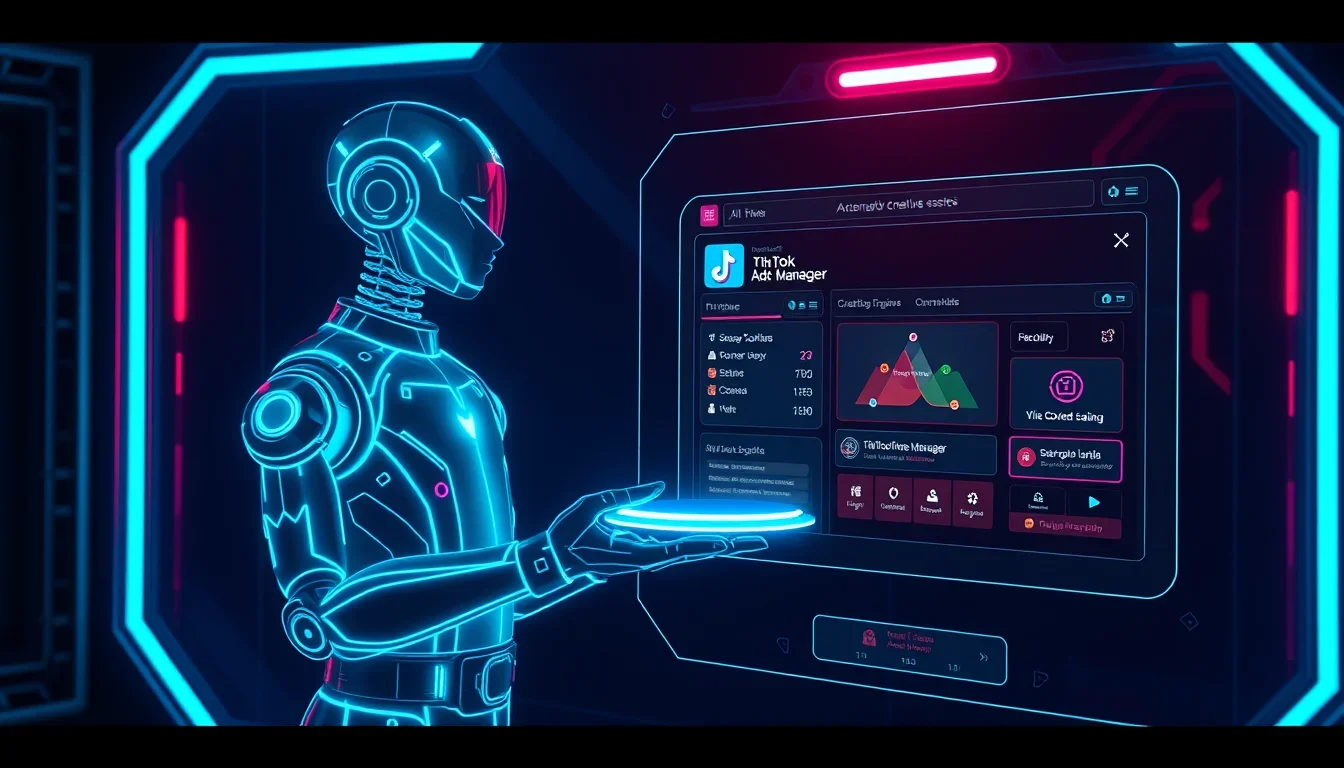
    TikTok is actively implementing AI tools to democratize the process of creating and managing ad campaigns. According to Melissa Lorie, a short-form video expert, if TikTok Ads Manager is a restaurant, then MCP (Marketing Campaign Platform) is the waiter, and AI tools (like Claude or ChatGPT) are the menu.

    Thanks to this integration, marketers can interact with platforms in a normal way, asking questions about campaign performance, requesting reports, and generating ideas.

    MCP: Two-Way Data Exchange with AI

    Before MCP, connecting AI tools to ad platforms required complex API integrations implemented by developers. MCP provides two-way communication between AI and the platform, allowing not only data extraction but also actions to be taken.

    Some connections are read-only (for reports), while others are read-write (for creating campaigns or adjusting settings directly from an AI tool).

    Pro Tip: AI recommendations should not be taken as gospel. If a new creative has only been running for a few days, TikTok’s AI might suggest pausing it because it’s performing worse than older creatives. However, this ignores the fact that the platform prioritizes ads that have been running longer.

    Marketers need to rely on their own judgment and challenge AI suggestions by asking questions like: “Is there another way to do this?” or “Can I do this better?” Often, AI revises its recommendations when challenged.

    AI Skills: Shortening the Path to Success

    Available skills include Viral Video Creator, Ad Group Optimizer, Account Diagnosis Co-pilots, and ByteDance’s C-Dance video creation tool. These skills can be found by searching for “TikTok AI skills” online.

    • Viral Video Creator: This skill, a favorite of Melissa Laurie, analyzes millions of videos processed daily by TikTok to identify the most effective ads. Marketers can use this data to model their own videos, from the catchy beginning to the call to action. Melissa estimates that the skill brings creative work to 70% completion; the remaining 30% requires human refinement, such as emphasizing specific product benefits. This allows the AI for UGC advertising to operate at peak efficiency.
    • Skill Flexibility: Since skills are files, they can be modified, copied, and improved. Marketers familiar with AI can add additional instructions on top of official TikTok skills, customize recurring tasks, and create their own automations.
    • Cross-Platform Compatibility: An unexpected benefit is that skills are not tied to the platform on which they were created. A marketer can use a TikTok copywriting skill to create ads for Meta or find that Meta’s Instagram copywriting skill works better for their TikTok campaigns. This interoperability represents a complete paradigm shift.

    Campaign Management Automation

    For campaign management automation, Melissa recommends starting with the following basic tasks:

    • Automating daily performance reports.
    • Querying AI about which creative has the strongest “hooks.”
    • Monitoring creative fatigue.

    When setting up a campaign, marketers can tell the AI their budget and goals (e.g., “I have $5,000, and I want to achieve X”) and request specific recommendations for campaign setup. This allows mass video generation by AI to become truly manageable.

    Symphony Creative Studio: AI-powered Production by Subscription

    Symphony Creative Studio is TikTok’s hub for creating AI-powered commercials. The updated Symphony Agent uses TikTok trends, signals from top-performing ads, business goals, and brand guidelines to create creatives at scale.

    The tool can take a campaign from brief to finished video, generating product briefs, insights, storyboards, scripts, avatars, and videos. Marketers then intervene to revise scenes, add voiceovers, and refine calls to action. This is true AI content production.

    Instant Video Generation from Text

    The interface is simple and resembles the query window of any other AI tool. Marketers add their prompts, brand guidelines, and other details, and Symphony generates videos almost instantly. This allows for generating video from text with unprecedented speed.

    Product Videos: Where AI Shines Brightest

    Product videos are an area where Symphony is currently delivering the strongest results. Melissa gives the example of a furniture company that uses this tool to create 100 videos a week, each showcasing a separate piece of furniture.

    Since these videos don’t require people on camera, the company can produce content at a scale that would be impossible with traditional video production. This is an AI pipeline of 500 videos per day for e-commerce.

    AI Avatars: Challenges and Prospects

    Animated AI characters in videos are not yet ready for most brands. The consensus among many leading companies is that the technology is not yet mature enough to create convincing human presenters. The trust issue is real: an AI avatar saying “all my friends are talking about this” raises obvious concerns. However, AI avatars with subtitles and AI voiceovers are already actively used for other purposes.

    Hybrid Approach: AI-Enhanced Real Videos

    Melissa sees potential in using AI to enhance real videos, rather than completely replacing them. Her agency, Oysterly Media, works with 3M on content for a mop. Creators film themselves demonstrating the mop, and then AI adds visual elements, such as animated “angry germs,” to dramatize the before-and-after effect.

    AI-революция TikTok: Как нейросети меняют рекламу и UGC-контент — illustration 2

    This hybrid approach—real creator plus AI enhancement—is one of two main ways that prominent brands are using AI video now. The other is product demonstration videos without people, especially in the beauty industry, where AI can render product materials, textures, and effects, such as how lip gloss looks when applied.

    Content Suite: Market Research with AI

    Content Suite is a library of UGC-style videos and ads running on the platform. The new AI search update significantly simplifies finding relevant content for research and ideas, solving one of the biggest challenges marketers face: coming up with new content ideas. This is a powerful tool for AI UGC for crypto projects and other niches.

    Smart Search and Competitive Analysis

    Marketers can search Content Suite by keywords, industry categories (e.g., airlines or beauty), time filters (e.g., last 30 days), campaign goal (sales, lead generation, or brand awareness), and geography. The tool functions similarly to Facebook Ads Library, but is easier to navigate, especially with AI search.

    Melissa recommends starting by searching for the company’s own brand, then expanding to competitor products and the broader industry category. The real value lies in seeing what creatives other brands in the same niche are launching and using that insight to create original content.

    Content Suite can also be used for direct competitive research, identifying what types of ads competitors are investing in and what creative approaches they are testing. For those who have not yet used TikTok advertising, Content Suite is the best starting point. Before spending money, browse the library to see what videos are being created in the relevant industry. This research expands creative thinking and provides concrete models to work with.

    Anatomy of a High-Performing TikTok Video

    As AI tools make ad creation more accessible, the quality bar on the platform is rising. Melissa argues that the way to stay above this rising bar is to understand what makes a video high-performing. The first frame matters most, not the first three seconds.

    Key elements of a captivating video:

    1. First Frame: The initial image of the video that a viewer sees before deciding to scroll past. This single frame determines whether someone stops.
    2. Billboard Text: A large text overlay on the screen. Melissa calls it “billboard text” because it works like a roadside billboard: the viewer has one moment to glance at it while scrolling, so it must instantly grab attention and convey the video’s value.
    3. Opening Words: If there’s a voiceover or someone speaking, the first few spoken words must immediately hook the viewer after the visuals have stopped the scroll.
    4. Connecting Tissue: Melissa’s term for the element that connects the beginning of the video to its middle section. Without this connecting tissue, viewers drop off between the “hook” and the main body.
    5. Middle Content: When sharing tips, Melissa recommends grouping them in sets of 3 or 5. Three is the ideal number to keep content concise.
    6. Abrupt End: The video should end with a sharp cut so that viewers don’t realize it’s about to end. A common mistake is slowing down and speaking more slowly towards the end, which signals the video’s conclusion and gives viewers a reason to scroll past. A clean cut tells the algorithm that viewers watched until the end, which helps with distribution.

    Authenticity vs. Polish

    Melissa’s agency preaches creating videos that feel like content from a family member or friend. Polished, staged videos make viewers scroll past because they are immediately perceived as ads. Naturalness is what drives performance.

    Tips for creating natural content:

    • Don’t stand still and talk directly into the camera. Instead, creators should be doing something while talking: picking up a water bottle, applying makeup, or walking through a door.
  • Even raw videos benefit from light editing. Melissa recommends setting a clear start and end point, adding subtitles (as many viewers scroll without sound), and using occasional jump cuts. These jump cuts signal to the brain that something interesting is happening, helping to retain viewers.

Pro Tip: Don’t give away the ending at the beginning of the video. Build anticipation by first hinting at the implications, then deliver the reveal in the middle or at the end. For example, instead of starting with “Instagram just launched feature X,” start with “Instagram just made a very big update. This will change how you do X, Y, and Z.” Then explain the implications before finally revealing the specific update. When the answer is given first, viewers have no reason to keep watching.

Conclusion: The Future of AI Production

Melissa Laurie, founder of Oysterly Media, believes that marketing agencies still have an important place in this new landscape. She compares it to flying: economy, business class, and first class all get passengers to the same destination, but some companies prefer the full range of agency services.

What has changed is that the economy option – doing it yourself with AI – is now a viable path for businesses willing to invest time in learning. Want to learn more about how AI writes scripts and edits, and how to use mass generation APIs? Explore new TikTok tools, browse Content Suite, and start experimenting. The future of AI clips with face swapping and AI video factories for e-commerce is already here, and it’s accessible to anyone willing to master these technologies. Start scaling your content production today!

Frequently Asked Questions

What is Agentic Hub and how does it help with TikTok advertising?

Agentic Hub is a TikTok platform that allows the integration of AI tools for creating, managing, and optimizing advertising campaigns. It simplifies marketers’ interaction with Ads Manager, enabling them to ask questions and receive reports in natural language, and automate routine tasks.

Can TikTok AI tools be used for other platforms?

Yes, one of the key advantages of TikTok’s AI skills is their cross-platform compatibility. For example, TikTok’s copywriting skill can be used to create ads for Meta, opening up new opportunities for marketers and changing the paradigm of working with different ecosystems.

How effective is Symphony Creative Studio for video creation?

Symphony Creative Studio allows you to generate videos from text, using TikTok trends, effective ad signals, and brand books. The best results are achieved when creating product videos without people in the frame. Some companies generate up to 100 videos per week, which would be impossible with traditional production. This is an excellent Synthesia alternative for mass production.

Should you use AI avatars in advertising videos?

Currently, AI avatars are not ready for most brands due to issues with persuasiveness and trust. Experts recommend using AI to enhance real videos, for example, by adding visual effects or animated elements, rather than completely replacing human presenters. However, AI avatars with subtitles and AI voiceovers can be useful in other contexts.

How to get started with AI advertising on TikTok?

Melissa Laurie recommends starting by exploring new TikTok tools and reviewing the Content Suite to understand what content other brands in your niche are creating. This will help form the basis for developing original creatives without initial advertising costs.