Tag: advertising campaign

  • How to Create 100 Ad Creatives from One Brief

    How to Create 100 Ad Creatives from One Brief

    Creating 100 ad creatives from one brief is a task that scares most marketers. But in reality, it’s not chaotic generation, but strict math: five angles of presentation, four first frames, and five formats with calls to action. The result is not just a pile of files, but a verifiable matrix of hypotheses ready for launch. In this article, we’ll break down how to turn one document into a full-fledged ad campaign using AI and clear processes.

    Making 100 ad creatives from one brief means breaking the original assignment into a matrix of options: five angles of presentation, four first frames for each angle, and five combinations of format with a call to action. The result is a hundred verifiable materials. Each option undergoes brand verification, receives AI disclosure labels, and separate result tracking.

    100 materials are needed not because “more is better.” They are needed when the team doesn’t know which approach will work. In short advertising, the winner is often found not in the first video, but in a combination: the right first frame, the right angle of presentation, the right format, and the right phrase.

    Meta describes Andromeda as an ad selection system that uses machine learning at the stage of selecting ad candidates and helps display ads more personally. The practical takeaway for ad teams: platforms need not dozens of identical copies, but truly different materials with clear signals.

    The Main Idea: You Don’t Have to Build Your Own Content Factory

    To make 100 ad materials from one brief, a brand doesn’t have to build a complex production department inside the company. There’s no need to hire dozens of writers, designers, editors, AI specialists, editors, and quality managers. You can give the brief to VibeVO and get a large set of ready-made options.

    For example, a brand can provide:

    • a mascot image;
    • a character description;
    • character behavior rules;
    • product information;
    • examples of the desired style;
    • a list of prohibited topics;
    • the required number of options;
    • markets and languages;
    • material format.

    From there, the task is broken down into production assignments. Authors and AI tools start creating options: the character says different phrases, shows different actions, explains different benefits, appears in different scenes, and works in different formats. The brand doesn’t need to manually manage each executor. It receives materials, checks the result, and pays for approved units within an agreed model.

    The brand sends an image of the mascot and writes: “This character should explain how the app helps save time. We need 100 short variations: some with a speaking character, some with text overlays, some with interface demonstrations.” VibeVO launches production, creators generate variations, and the brand receives a ready-made set for testing.

    The key in this approach is not to build a factory, but to set the task correctly. The clearer the brief, the faster you can get a large volume of materials.

    Why Exactly 100 Materials

    One material tests one hypothesis. 100 materials test a map of hypotheses.

    But it’s important not to overdo it. If the budget is small, 100 variations won’t have time to gather data. In that case, it’s better to narrow the matrix to 20–30. If the budget is sufficient, 100 variations help quickly find winners and eliminate weak solutions.

    The Matrix: From One Brief to 100 Variations

    The basic formula:

    5 angles × 4 first frames × 5 combinations of format and call to action = 100 materials

    Level Quantity What Changes
    Angles 5 Meaning and reason to pay attention
    First frames 4 What the user sees at the start
    Format + call to action 5 How the message is presented and what to do next
    Total 100 Testable grid of variations

    Google’s ABCD model highlights four principles of effective video advertising: attention, branding, connection, and direction. For the 100-material matrix, this is a useful framework: each variation should grab attention, show the brand, create a connection, and lead to action.

    How VibeVO Turns the Matrix into Production

    The matrix itself is just a plan. VibeVO turns it into a workflow: each angle, first frame, and format becomes a separate task for creators and AI tools.
    Illustration 1
    Matrix Part What the Production Team Receives
    Angle What idea to convey
    First frame How to hook the viewer
    Format In what form to create the material
    Call to action What the user should do
    Constraints What cannot be shown or said
    Mascot / character Who will deliver the message
    Style How the material should look

    Thanks to parallel work, you can get not just one perfect material, but a whole set for testing faster. This is especially important for growth teams: the winner is often impossible to predict before launch.

    An angle of presentation is not a headline. It is the reason why a person should pay attention.

    Stage 1. Five Angles of Presentation

    An angle of presentation is not a headline. It is the reason why a person should pay attention.

    Example for an app:

    Angle Meaning
    Time saving “Do it in 5 minutes instead of an hour”
    Simplicity “No complex settings”
    Money “Don’t overpay for extra actions”
    Control “Everything visible in one place”
    Social proof “Thousands of users do it this way”

    For an online store, the angles may be different: price, quality, delivery, selection, novelty. For a game: emotion, character, victory, competition, reward.

    Stage 2. Four First Frames for Each Angle

    The first frame determines whether the user will continue watching.

    For each angle, we create four openings:

    First Frame Example
    Question “Why does this take so much time?”
    Problem “Did you forget to update the data again?”
    Demonstration Show the product in action
    Comparison “Before / After” or “Old way / New way”

    5 angles × 4 first frames = 20 basic ideas.
    Как сделать 100 рекламных креативов из одного брифа — illustration 2
    Illustration 2

    Stage 3. Five Combinations of Format and Call to Action

    For each of the 20 ideas, we create 5 presentations.

    Format Call to Action
    Talking head “Try it”
    Screen demonstration “Download”
    Product shot “View the selection”
    Comparison “Compare for yourself”
    Video overlay “Learn more”

    20 ideas × 5 formats = 100 materials.

    How AI Accelerates Production

    AI is useful at three levels:

    1. Quickly create draft scripts.
    2. Generate visual options.
    3. Prepare voiceovers, language versions, and banner variations.

    But AI should not choose the winners on its own before launch. It can suggest options, but the team must verify meaning, rights, style, disclosure, and compliance with the brief.

    McKinsey emphasizes that the value of AI is more pronounced where companies redesign workflows and measure results, rather than simply adding AI to old actions.

    Brand Review at This Volume

    100 materials are difficult to review manually without a system. There are two approaches.

    Approach When to Use
    Full review Regulated categories, new brand, sensitive claims
    Sample review + rules Low-risk materials, simple overlays, repetitive templates

    For most brands, it is safer to start with a full review of all materials. Then you can move to a sample review if templates are stable and risks are low.

    Illustration 3

    Mandatory checklist:

    • no prohibited words;
    • logo is correct;
    • no unsubstantiated claims;
    • character does not resemble a real person without consent;
    • no third-party music or likeness;
    • AI disclosure is present if required;
    • versions are correctly named;
    • tracking tags are in place.

    Disclosure Metadata at Scale

    With 100 pieces of content, disclosure cannot be done manually “by eye.” Rules are needed.

    Each piece of content must have:

    • type: image, video, voice, character;
    • status: AI-generated / AI-modified / human+AI;
    • required disclosure;
    • disclosure text;
    • tag in the file;
    • internal record in the system;
    • country of placement;
    • person responsible for review.

    This is especially important for the EU due to the transparency rules of the AI Act, which from August 2026 require the identifiability of AI content and clear labeling of specific types of synthetic content.

    Placement and Tags

    100 pieces of content should not be launched chaotically, but according to a clear structure.

    Example name:

    APP_TIME_Q1_HEAD_CTA_TRY_V01

    Illustration 4

    Where:

    • APP — product;
    • TIME — angle of approach;
    • Q1 — first frame with a question;
    • HEAD — talking head;
    • CTA_TRY — call to action to try;
    • V01 — version.

    Without such a structure, it is impossible to understand what won: the angle, the first frame, the format, or the call to action.

    How to Read the Results of the 100-Piece Test

    Don’t immediately look for the “best seller” among all 100. Read the test in stages.

    Stage What we filter out
    First seconds Weak first frames
    View-through Unclear or boring content
    Transition Weak calls to action
    Action Unprofitable options
    Comments Annoying or untrustworthy content

    If each piece of content has little data, compare not individual videos, but groups: angles of approach, first frames, formats. Then create a second wave from the best combinations.

    FAQ

    Isn’t 100 pieces too much for brand review? For manual review — yes, a lot. For a system with a matrix — it’s normal. The main thing is that the options are built according to rules, not created chaotically. In regulated categories, it’s better to check all 100. In low-risk ones, you can check templates fully, and individual options selectively.

    Can ad platforms understand that the content comes from the same brief? Platforms don’t “read the brief” as a document, but their systems can see the similarity of content through visual, textual, and behavioral signals. Therefore, 100 options should differ not only in color, but in meaning, first frame, format, and approach.

    How much data is needed to test 100 materials? If the goal is sales, 100 materials require a large budget, otherwise there won’t be enough statistics. For initial screening, you can look at early signals: retention, clicks, engagement, cost per click. For sales decisions, it’s better to shortlist 5–10 winners and test them more deeply.

    Conclusion

    Creating 100 advertising creatives from a single brief is not magic, but a systematic approach. By using a matrix of angles, first frames, and formats, you turn one document into a full-fledged testing ground. AI accelerates production, while clear labels and checks ensure quality. Start small: take one brief, break it down using our formula, and run a test.
  • How to Launch a Short Video Advertising Campaign in 48 Hours

    How to Launch a Short Video Advertising Campaign in 48 Hours

    Launching a short video ad campaign in 48 hours is not a myth, but a clear action plan. If you already have ready-made creatives, you can go from uploading materials to the first impressions on TikTok, Reels, Shorts, or VK in just two working days. In this article, we will break down a step-by-step algorithm to help you launch an ad campaign in short videos quickly and without unnecessary delays.

    What to Prepare Before Launch

    Before launching, gather not a lengthy presentation, but a working set for moderation and placement. The less uncertainty at the start, the higher the chance of meeting the 48-hour deadline.

    1. Ad Materials

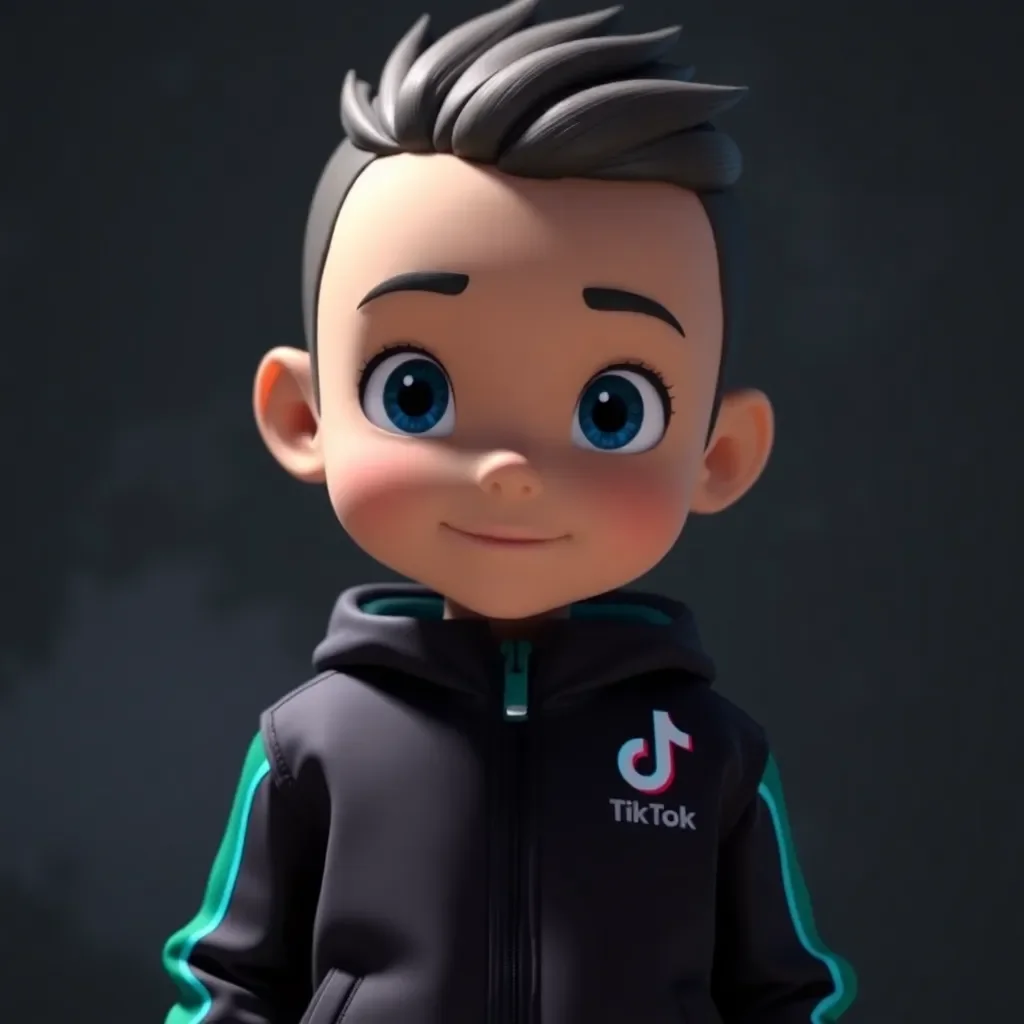
    Prepare one animated banner for YouTube, Instagram, and VK. It should include a logo, a short message, a clear call to action, and a version without small text. For TikTok, prepare a separate version: an animated waist-up character in branded clothing. TikTok often visually “crops” edges and covers part of the screen with its interface, so a full-length character may look worse. Keep the face, logo, and key message closer to the center.

    2. File Requirements

    Check dimensions, duration, file size, text readability, background transparency, logo presence, and the absence of controversial claims. Before uploading, review VibeVO’s ad material requirements.

    3. Display Geography

    Specify countries, regions, or cities. Do not just write “Europe” or “CIS” if you need specific markets. Geography affects placement selection, launch speed, available impression volume, and reach cost.

    4. Budget

    Top up your balance in advance. Do not leave payment for the last step: the campaign may be ready for moderation but will not go live without funds in the balance.

    5. Campaign Request

    Specify the goal, platforms, geography, budget, deadlines, landing page link, and restrictions. If there are prohibited topics, words, images, or content categories, include them immediately.

    6. One Person Responsible for Approval

    A 48-hour launch breaks down when each department makes separate edits. Appoint one person to confirm the final version.

    Hour 0–12: Request, Materials, and Submission for Moderation

    In the first hours, do not re-discuss strategy, but assemble the campaign into a working form. Open your account, create a campaign, select platforms, upload ad materials, and ensure the balance is topped up.

    If materials are already ready, the main path looks like this:

    1. Upload the animated banner for YouTube, Instagram, and VK.
    2. Upload the TikTok version with a waist-up animated character.
    3. Specify the display geography.
    4. Specify the budget and campaign duration.
  • Check the link to the website or product page.
  • Submit the campaign for moderation.
  • Monitor the review status.
  • If all materials are already approved, the launch does not have to take the full 48 hours. According to VibeVO operational data, in a typical case, an advertiser can go from uploading ready-made materials to submitting the campaign for moderation in about two hours. The remaining time should not be spent “holding a pause,” but rather used to review the first impressions and adjust the budget.

    If there are no materials, do not call it a 48-hour launch. This is a launch with creative preparation. In this case, a banner, character, animation, text, and platform-specific versions are first created and approved. A realistic timeline for such preparation is 2–3 days.

    Hours 12–24: selecting placements and reviewing materials

    At this stage, the system or team selects available placement spots based on your geography, budget, and platforms. For a fast campaign, there is no need to manually negotiate with each creator. It is more important to use a ready stream of short videos, where an ad banner or overlay is added on top of the content and goes through moderation.

    Illustration 1

    Check four things.

    First — readability. The logo and text must be visible within one second. If the viewer has to squint, the overlay does not work.

    Second — safe area. Do not place important text at the very top, bottom, or corner. On short videos, there may be buttons, captions, the author’s name, music, or the platform interface there.

    Third — separate versions. Do not use the same file for all platforms without checking. For YouTube, Instagram, and VK, you can use one base animated banner, but it must be checked in preview. For TikTok, a separate version with a waist-up character is needed.

    Fourth — moderation. Remove controversial promises, medical claims, text that is too small, third-party logos, materials without rights, and any elements that could cause rejection.

    Hours 24–48: launch, impressions, and monitoring

    Once the campaign has passed moderation, it goes live for impressions. At this stage, it is important not just to confirm that the ad “has launched,” but to check how it is gaining reach.

    Как запустить рекламную кампанию в коротких видео за 48 часов — illustration 2
    Illustration 2

    Look at the initial metrics:

    • whether impressions are coming in;
    • whether the budget is being spent;
    • whether there is a moderation stop;
    • whether reach is growing fast enough;
    • whether the cost per thousand impressions is not too high;
    • whether the logo is visible on actual placements;
    • whether the character or banner is being overlapped by the interface;
    • whether the link works;
  • whether transitions, direct visits, and search queries by name appear.

If impressions are slow, check geography and restrictions. If the banner is hard to read, replace the file rather than stopping the entire campaign. If the TikTok version looks cropped, return to a waist-up character and a strengthened composition center.

What Pushes Launch Beyond 48 Hours

No ready materials. This is the main reason for delay. If there is no animated banner and TikTok character, you first need to prepare creatives. This usually takes 2–3 days including revisions and approvals.

Balance not topped up. The campaign may be set up, but it won’t go into full launch without a budget.

Too many approvers. If every department can stop the launch, 48 hours turn into a week.

One file for all platforms. What looks fine in YouTube Shorts may be cropped or overlapped in TikTok. Create a separate TikTok version.

Illustration 3

Too much text. Short videos cannot handle long legal disclaimers on a banner. Keep the main points and put details on the landing page.

Controversial claims. Words like “best,” “guaranteed,” “cures,” “risk-free,” “number one” can delay moderation. If the claim cannot be substantiated, remove it.

Materials without rights. Do not use others’ clips, music, faces, logos, or images without permission.

Metrics to Monitor from the First Hour

Stage Metric Why to Monitor
Before launch Material readiness Indicates whether launch can happen in 2 hours or requires 2–3 days of preparation
Before launch Balance Without budget, the campaign won’t go live
Moderation Review status Helps quickly identify what is delaying the start
First hours First impressions Confirms the campaign has actually started working
First hours Budget spend Shows whether the campaign is gaining the required pace
First hours Cost per thousand impressions Helps assess reach affordability
After launch Reach Main metric for awareness campaigns
After launch Contact frequency Shows how many times a viewer sees the banner
After launch Logo visibility Checks whether the trademark is recognized
After launch Search by name Helps see growth in interest in the trademark
After launch Unpaid visits Shows secondary effect of awareness

For an awareness campaign, clicks are not the only thing that matters. Your goal is for people to see the trademark many times in the familiar environment of short videos, remember it, and start searching for the name, visiting the site, or recognizing the product in other channels.

Frequently Asked Questions

What is the minimum time from application to launch? If advertising materials are ready, the balance is topped up, the geography is selected, and there are no additional revisions, the minimum working time in VibeVO is about two hours before sending the campaign for moderation and starting impressions after review. This is VibeVO’s operational data, not a universal guarantee for any campaign.

What most often delays launch beyond 48 hours? The main reasons: no ready animated banner, no TikTok character, balance not topped up, text not approved, too many people responsible for revisions, incorrect file size, controversial claims, or materials without rights.

Illustration 4

Do I need ready-made advertising materials to start? You can start an application without them, but you cannot quickly launch a campaign. To launch within 48 hours, and especially within two hours, ready and approved materials are needed. If they are not ready, preparation usually takes 2–3 days.

What materials are needed at a minimum? Minimum: one animated banner for YouTube, Instagram, and VK, as well as a separate TikTok version — an animated character from the waist up in branded clothing. Also needed: a logo, short text, a call to action, and a link.

Why does TikTok require a separate version? Because the interface and screen cropping can cover important elements. A character from the waist up stays better centered in the frame, preserving the face, clothing with the logo, and the main advertising signal.

Can I launch a campaign for millions of reach? Yes, if the budget is sufficient, placements are available, and the materials pass moderation. The format of banners and overlays in short videos works well for mass reach: the viewer sees the brand in their usual stream of videos, which supports growth in awareness, unpaid visits, and search queries for the name.

Conclusion

Launching an advertising campaign in short videos within 48 hours is a realistic task if you prepare materials in advance, top up your balance, and appoint one person responsible. Follow this plan, and you can quickly reach the audience on TikTok, Reels, Shorts, and VK. Ready to start? Gather your creatives, check the requirements, and send your campaign for moderation today!